Table of Contents[Hide][Show]
Roblox is becoming the biggest online platform for gaming, creativity, and social interaction all in one, vast universe of experiences. Even though it has been around since 2006, its popularity only continues to grow. Like many games, Roblox is better with friends, also known as connections. This guide has all the details you need to know on how to add friends on Roblox.
Being a game solely focused on multiplayer, friends are a huge part of what makes Roblox so captivating. The fact that you can play any mode with your friends makes each game personal and unique to every individual.
More Roblox guides
Roblox: How to Turn On Voice Chat | How to Play Roblox in 2025 | Roblox: What is Roblox Premium and How to Subscribe | How to Update Roblox on all Platforms | Roblox: All Game Modes in Ink Game Explained | Roblox: How to get all Endings in Ink Game | Roblox: All Ink Game Powers and How to get Them | How to Play Roblox in 2025 | Roblox: How to get Money Fast in Ink Game |
How to add friends on Roblox with a username
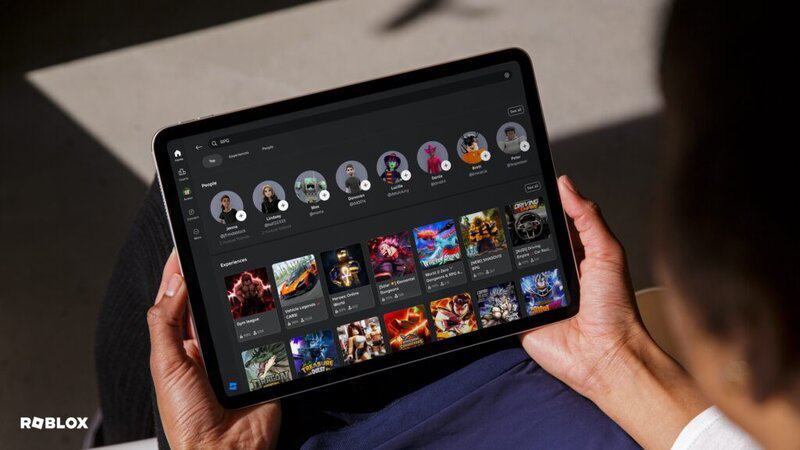
No matter what platform you are playing Roblox on, click on the Connections button from the Roblox main menu. At the top of the screen, there’s a search bar which you can use to type in your friend’s username. When their name and avatar pops up, simply click the add button to send them a friend request. The other player will then have to accept your request to be added to your list.
While you’re in the Connections tab, you can review your pending connection requests, see friend recommendations based on people you may know, and remove existing friends from your list.
How to add friends in a Roblox experience
If you encounter a player in a Roblox experience you want to be friends with, you can send them a friend request while you’re in-game. Take note of their username and press the Roblox icon in the top left corner of your screen. This will bring up a list of every player in the lobby and once you’ve found the player you want to add, select “Add Connection” right beside their name.
If a player accepts your request, you will receive a message titled “Connection Request: Accepted.” If they decline, you will get a message titled “Connection Request: Declined.”
Once you have players on your Roblox friends list, you can invite your friends to experiences, to a party, see their online status, and privately message them.