
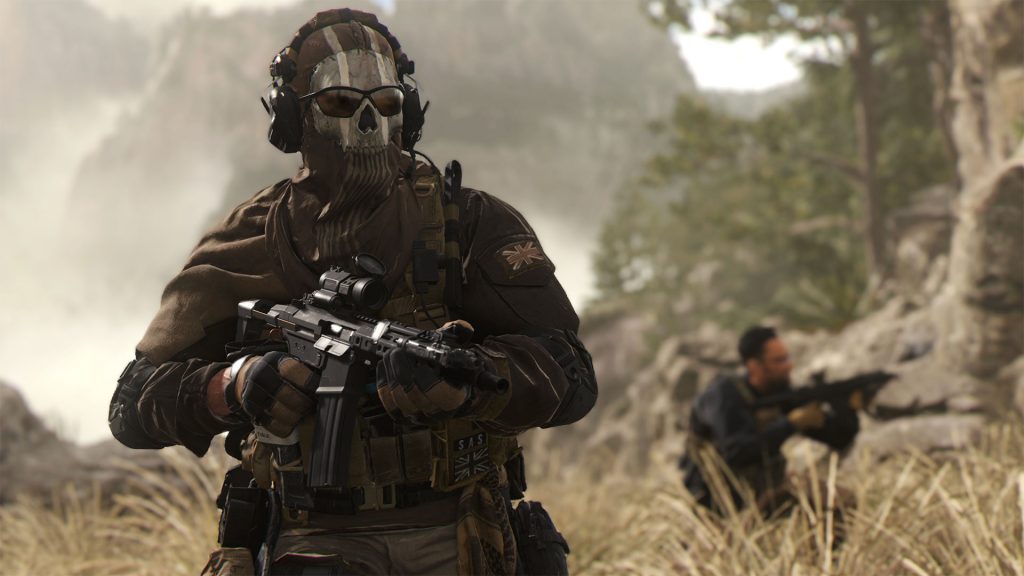
One of the best additions to multiplayer games over the last few years has been the widespread inclusion of crossplay, allowing players to connect to others that are on a different platform. Whether it be so that you have a wider range of players to connect to or simply want to play with your friends across console and PC lines, it has been an extremely positive change across the industry. Call of Duty: Modern Warfare 2 is a game that also features this mechanic, but not everyone might want to use it. Whether it be PC players not wanting to deal with the game’s strong Aim Assist or console players not wanting to play against Mouse and Keyboard users, there are at least a few reasons why you might want to limit yourself to just your own platform. Luckily, you are able to disable Crossplay. This guide will explain to players how to turn off the Crossplay feature in Call of Duty Modern Warfare 2.
More Call of Duty Guides:
Call of Duty: Modern Warfare 2- New Ledge Hang Mechanic Explained | Call of Duty: Modern Warfare 2- Prisoner Rescue Game Mode Explained | Call of Duty: Modern Warfare 2- New Perk System Explained | Call of Duty: Modern Warfare 2- Knock Out Game Mode Explained | Call of Duty: Modern Warfare 2- How to Switch Between Killstreaks and Scorestreaks | Call of Duty: Modern Warfare 2- How to Weapon Inspect | Call of Duty: Modern Warfare 2- Full Achievement and Trophy List | Call of Duty: Modern Warfare 2- Crocodile Achievement / Trophy Guide | Call of Duty: Modern Warfare 2- Crappy Way to Die Achievement / Trophy Guide | Call of Duty: Modern Warfare 2- Nessie Achievement / Trophy Guide
How To Disable Crossplay In Call Of Duty: Modern Warfare 2
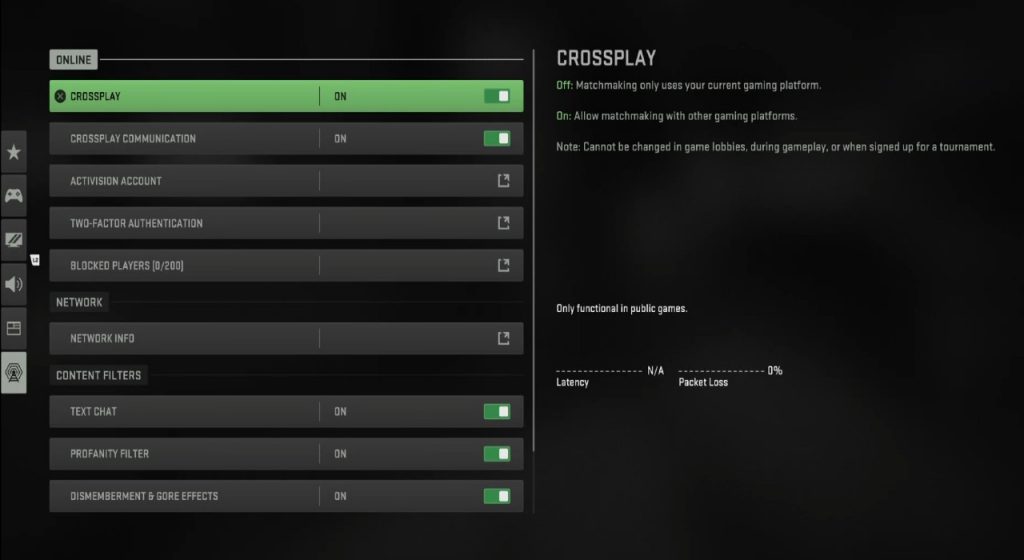
The process of turning off the game’s Crossplay feature is found in the game’s settings. Head over to your settings tab and select the “Account & Network” section from the list of options. Once inside this part of your settings, your first item on the list of editable settings will be the Crossplay option. From here, you can toggle between having the feature on or off. If you don’t want to play with people on other platforms, simply click on the option until it says “Off.”
Stay tuned to Gameranx for future news, updates, and guides on Call of Duty: Modern Warfare 2 as well as Warzone 2.0.
More Call of Duty Guides:
Call of Duty: Modern Warfare 2- All Safe Codes and Locations | Gentleman Thief Achievement / Trophy Guide | Call of Duty: Modern Warfare 2- Keeping this One Achievement / Trophy Guide | Call of Duty: Modern Warfare 2- Test Drive Achievement / Trophy Guide | Call of Duty: Modern Warfare 2 Campaign: Ending and Post-Credit Scene Explained | Call of Duty: Modern Warfare 2- How to Fix Vault Edition Operator Bug | How to Get Vault Edition Operators | Call of Duty: Modern Warfare 2- Where Is Hardcore Mode? | Tier 1 Mode Explained | Call of Duty: Modern Warfare 2- How to Check Your K/D | Call of Duty: Modern Warfare 2: Best Kastov-74u Loadout | Call of Duty: Modern Warfare 2- How to Unlock Mastery Calling Cards and Emblems | Call of Duty: Modern Warfare 2- Best M4 Loadout | Call of Duty: Modern Warfare 2: Mastery Camo System Explained | How to Unlock Gold, Platinum, Polyatomic, and Orion | Call of Duty: Modern Warfare 2- Easy Ways to Earn Killstreaks in Multiplayer | Call of Duty: Modern Warfare 2- How to Level Up Your Weapons FAST | Weapon XP Grind Tips and Tricks | Call of Duty: Modern Warfare 2- How to Unlock All Launch Operators | Call of Duty: Modern Warfare 2- Best Lachmann Sub MP5 Loadout







