
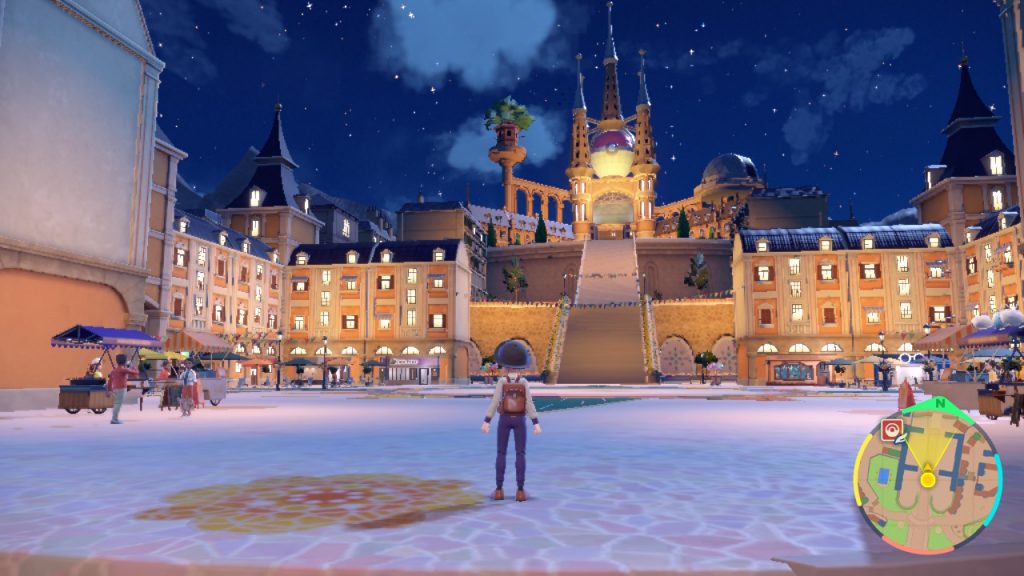
Pokemon Scarlet & Violet expands the scope of a normal Pokemon, throwing your trainer into a truly open world environment. Not only are the routes massive fields you can freely explore, but you can also tackle the gyms in any order you want. These new features come at a cost — performance is pretty rough on Switch. Battles chug to a start, and traversing the wild open fields causes noticeable pop-in as objects load into view. This was already a problem in Pokemon Legends: Arceus, but the issues are much more noticeable here. The environments are much more detailed, with villages, trainers, shops and more accessible in the open-world environment.
And there are ways to (slightly) improve performance. After extensive testing, we’ve found a few simple changes can have a noticeable impact on performance — this doesn’t magically turn Pokemon Scarlet & Violet into a 4K 60 FPS wonder, but it does help just a tiny bit. If you’re familiar with performance struggles on Nintendo Switch games, these settings should be familiar to you. If you’re not, then scroll down to learn how to boost FPS — even if it’s only a little bit.
More Pokemon Scarlet & Violet guides:
Beginner’s Guide | Combat Tips | All Version Exclusive Pokemon | All Version Exclusive Features | All New Pokemon | All New Evolution Methods | Which Starter To Pick First | Best Gym Leader Order | How To Breed Pokemon | How To Unlock Evolution Stones | Pre-Order Bonuses | How To Catch Shiny Pokemon | Best Shiny Pokemon Chances | How To Get A Starter Pikachu | Where To Catch Eevee & All Evolution Methods | Where To Catch Ditto | How To Catch & Evolve Charcadet | Earning Money Fast | How To Remember Moves | How To Unlock Tera Raid Battles
How To Improve Performance | Stabilizing FPS Tips
After hours of testing and tweaking, there are two specific settings that caused a noticeable improvement in performance for Pokemon Scarlet & Violet. Both of these choices have drawbacks — these won’t change the general performance of the game, but they will help stabilize FPS so it isn’t quite so choppy. Unfortunately, we probably aren’t going to get a fix for the pop-in. Other graphical issues may be patched in the future for incremental improvements.
If you don’t want to wait for a patch, you can try these simple changes.
- Switch To 720p Resolution: By default, the Nintendo Switch will change to 1080p resolution when docked. You can change this in the settings to display at 720p instead — this is a game-changer. The game takes a hit graphically, but runs MUCH smoother.
- How To Switch To 720p: To play 720p when docked, go to Switch Settings.
- Scroll down to TV Settings -> TV Resolution. By default, this is set to Automatic.
- Change to 720p to play with lower resolution when Docked.
You can even change the settings down to 480p to improve performance even more. With my testing, 720p was good enough and made the game far more playable. The graphics are a little rough, but the smoother transitions and FPS while exploring make all the different.
To help avoid chugging, you can try disabling Autosave — autosaves appear at the start and end of battles, or at certain intervals while exploring the vast region. Whenever we got an autosave, there was a small but noticeable chug. Turning off Autosaves can be a dangerous proposition if you aren’t used to saving often.
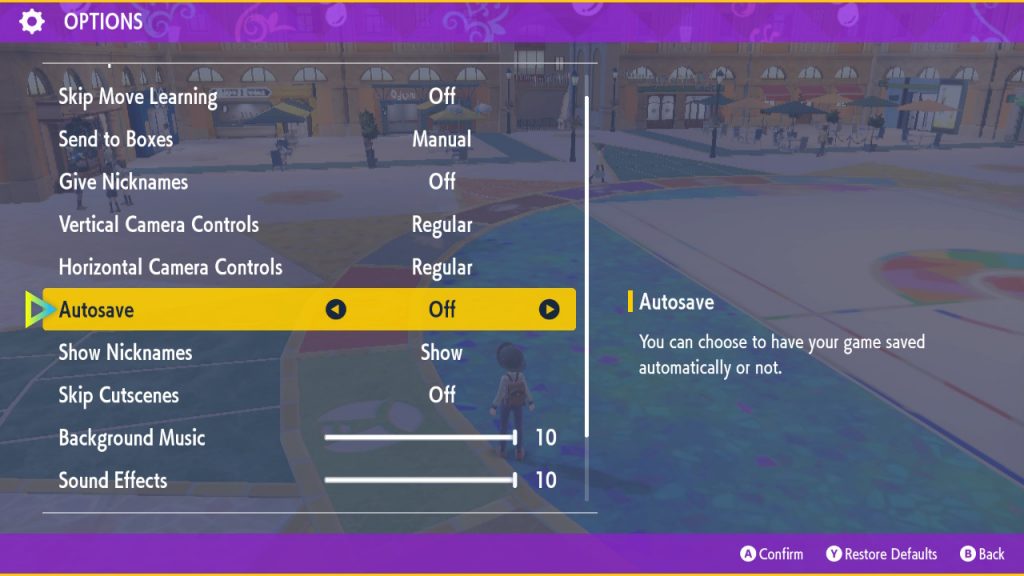
- Disabling Autosaves: Open the menu with [X] and select [Options].
- Scroll down to [Autosave] and toggle to [Off].
- Press [A] to confirm changes.
You can save anytime manually in the [Options] menu. Press [X] and tap [R] to quickly save your game. You don’t need to scroll down and press the button — you can quicksave by pressing the save shortcut after bringing up the menu. You’re less likely to lose all your progress if you save often. Just get in the habit! The prevalence of checkpoints and autosaves has spoiled us.
You can also play your Nintendo Switch Undocked to improve FPS. Why does this happen? While docked, games on the Nintendo Switch often automatically increase resolution. Boosting resolution naturally can have an adverse effect on performance. Playing Undocked in Handheld Mode lowers the resolution for the smaller screen. You won’t even notice the graphics aren’t as sharp when the game is running so much more smoothly.
We’ve tried much more — aiming with [ZL] while running around the environment did seem to have a better FPS than running around with the camera pulled way out. If we find any other tips to improve performance, we’ll update this article.



