
In previous generations of mainline Pokemon games, trainers would have to visit an NPC called the Move Reminder. This character, located in a specific location that could be easily missed, has stuck around a surprisingly long time — this was designed as a stopgap to help players recover moves their Pokemon have forgotten. Each time your Pokemon learns a new move, you’ll have to forget one to make room. The same happens in Pokemon Scarlet & Violet, so the big question is, how do you remember old moves?
Instead of talking to an NPC, this is now a basic function available to all Pokemon that you can use anywhere, anytime. The Move Deleter was another NPC you’d have to find and chat with to help Pokemon forget moves they don’t want. No longer. The Move Reminder and the Move Deleter have been replaced with a much easier system — and this is still a system you can easily miss if you’re not checking every menu carefully. Below, we’ll explain how to remember moves and manage your Pokemon.
More Pokemon Scarlet & Violet guides:
Beginner’s Guide | Combat Tips | All Version Exclusive Pokemon | All New Pokemon | Which Starter To Pick First | Best Gym Leader Order | How To Breed Pokemon | How To Unlock Evolution Stones | Pre-Order Bonuses | How To Catch Shiny Pokemon | How To Get A Starter Pikachu | Where To Catch Eevee & All Evolution Methods | Where To Catch Ditto | How To Catch & Evolve Charcadet | Better Performance | Earning Money Fast
How To Remember & Forget Moves
The old Move Reminder / Move Deleter NPCs have been replaced with in-game functions you can utilize anytime to customize your Pokemon moves. Each Pokemon can have four moves — after learning a new move, you’ll have to remove one move (or forget in the game’s terminology) to make room for another move.
Every move a Pokemon has learned, at any point — even moves it would learn at earlier levels — is stored on that Pokemon so it can be recovered through the Remember function. By checking your Pokémon, you can choose to Remember, Forget or Learn moves.
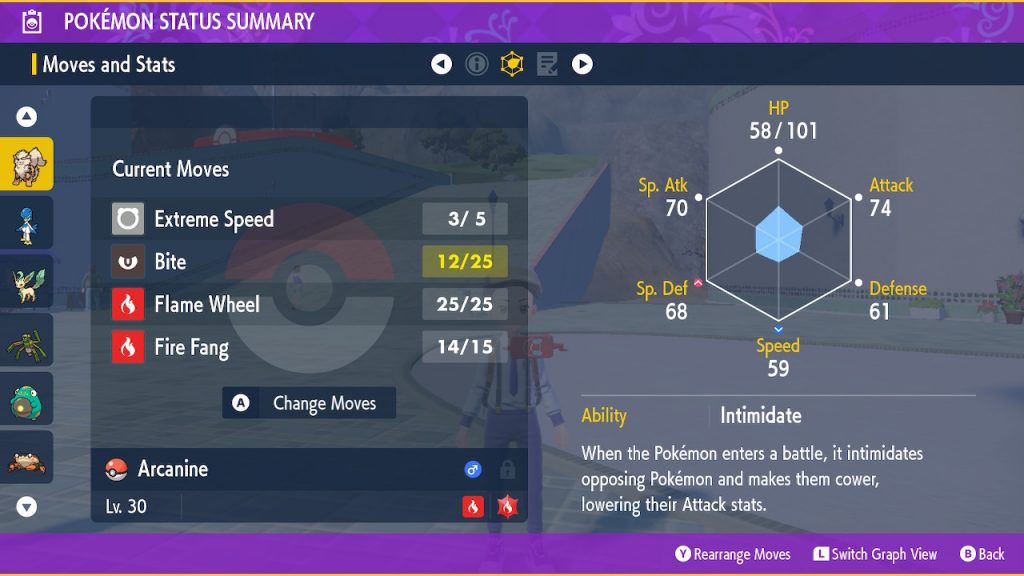
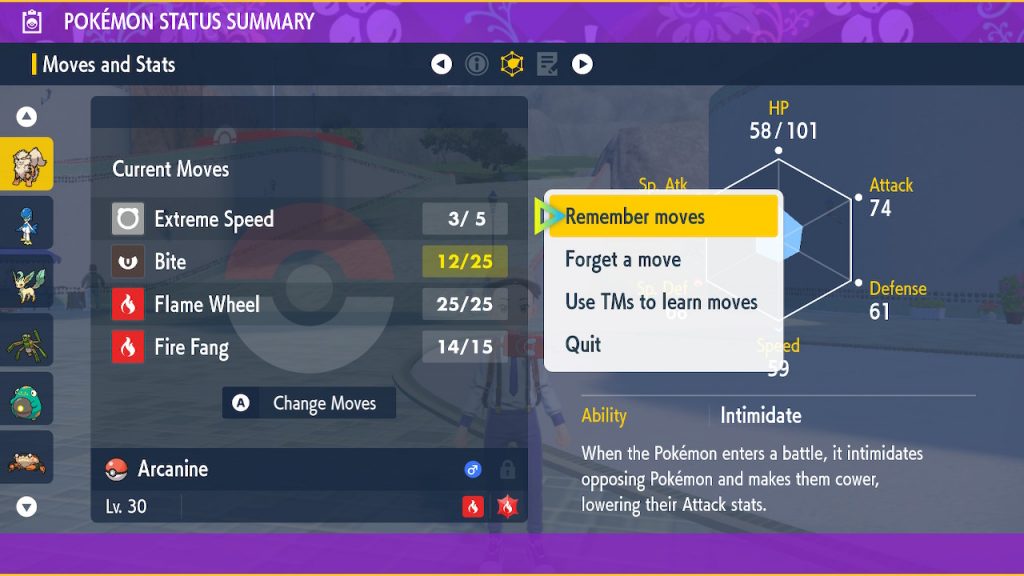
- How To Remember Moves: Press [X] to open the menu and select a Pokemon in your party on the left.
- NOTE: If you select a Pokemon from the Box menu, you CANNOT remember / forget moves.
- Selecting a Pokemon opens a sub-menu — select Check Summary.
- On the summary page, press [D-Pad: Right] to select the Moves and Stats tab.
- Press [A] to open the Moves sub-menu. From here you can “Remember moves”, “Forget a move” or “Use TMs to learn moves”.
This can only be done through the main menu — if you go to the Box menu and navigate to the Summary, the page will look identical, but you won’t be able to access the Change Moves feature.
Your Pokemon will be able to Remember any move they’ve previously unlocked — even moves you didn’t know you had. Every Pokemon has specific moves they will always unlock as they level up. These moves are stored in the Remember menu and can be recalled at any time.
Remembering moves is still surprisingly tricky! If you travel to the Summary page from a slightly different path, you’ll never see the “Change Moves” option. You must select the Pokemon currently in your party from the main [X] menu. If you go into the Box menu, you will be unable to change moves.



