
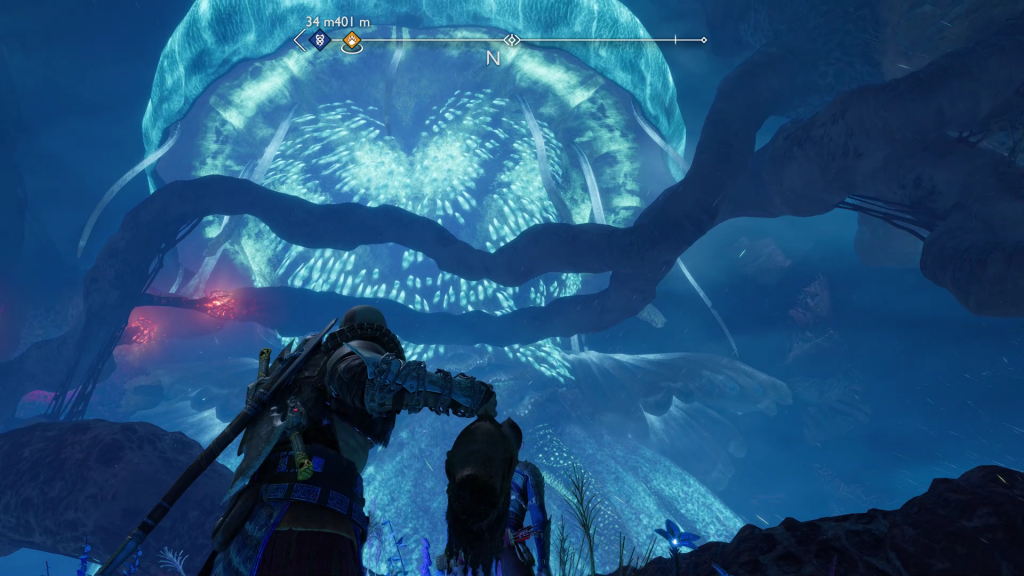
No question about it, God of War: Ragnarok is one incredible looking game. From its soaring vistas to the varying conditions among the nine realms, this dark fantasy romp is one wild and beautiful ride. However, being that it’s also very heavy on action of the intense and fast-paced variety, battles in the game can occasionally be rather frenetic and difficult, particularly as the game goes on.
With these two factors in mind, it’s going to be up to you whether you want to prioritize visual fidelity or a tighter gameplay experience. Luckily, in God of War: Ragnarok, you can change between the two modes at any time during your playthrough.
Other God of War: Ragnarok Guides
How to Fully Explore the Crater – How to Upgrade Armor and Weapons – How to Jump – How to Heal and Use Ragestones – How to Use Enchantments – How to Give Kratos Witchtime – How to Unlock the Secret Muspelheim Realm – How to Increase Your Healthbar – How to Upgrade from PS4 to PS5 – How to Fully Upgrade the Amulet – How to Complete Across the Realm’s Favor – All Cosmetic Armor – Best Graphics Settings – Atreus Combat Guide – How to Unlock the Crater – How to Transmogrify Weapons – How to Use Crystalline Shards – How to Regenerate Health – How to Beat Bjorn, the Giant Bear – How to Increase Spartan Rage – How to Open All Gates in the Wetlands – How to Earn More Hacksilver – How Long Does it Take to Get the Blades of Chaos – Best Runic Attacks You Don’t Want to Miss – Is There a Photo Mode – What Are the Difficulty Settings – How to Get and Use Shattered Runes
How to Change Your Graphical Mode in God of War: Ragnarok
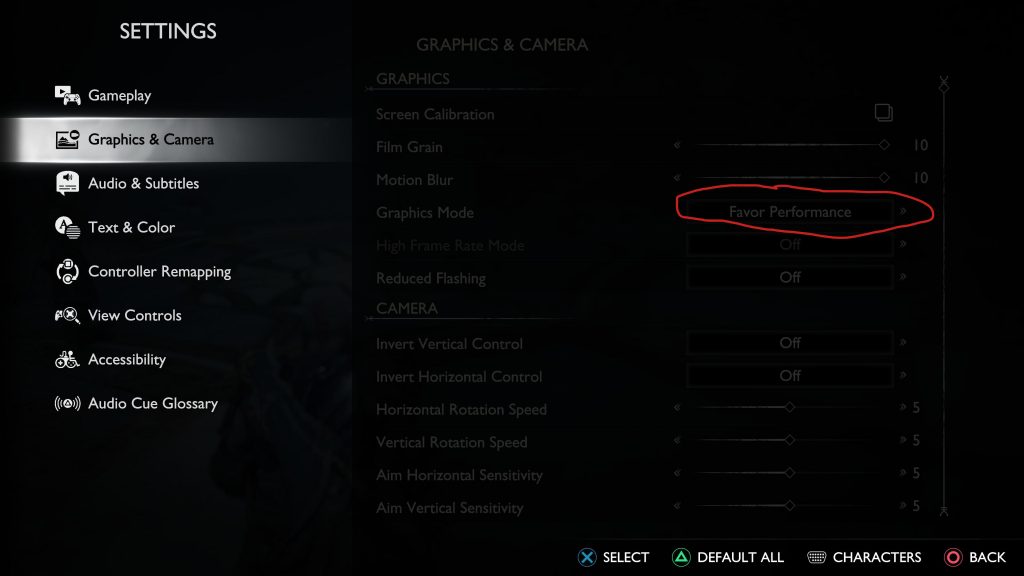
If you want to change to Performance mode at any time during your God of War: Ragnarok playthrough, simply tap the Options/Pause button during any standard gameplay moment (i.e.: not during a cut scene or special event). Doing so will give you Settings as one of your many choices as to what you’re trying to access or change. Select that option, then Graphics and Camera, and you will be given several different ways to alter or swap out your current gameplay style.
The one you want to choose is Graphics Mode, which is fourth from the top. Selecting that option will give you the ability to choose between Favor Performance or Favor Visuals. Favoring Performance will increase the framerate at the cost of the game not being quite as beautiful as it once was, while selecting Favor Visuals will have God of War: Ragnarok looking its absolute best, but possibly at the cost of the occasional frame-clipping or movement lag. It’s up to you as the player to decide which is most important to you but, rest assured, the game will look and play with fantastic fidelity regardless of which option you choose, particularly on the PS5.







