
While Overwatch 2 is, at its core, a team-based experience, there’s nothing stopping solo players from playing matches alone. It’s certainly true that teams that are able to communicate with one another using voice comms can create more well-organized plans, but Overwatch 2 simply encourages voice-based communication, it doesn’t require it.
For those who like to chat with random players in a lobby, this is a non-issue as voice and text chat are on by default. That said, for those that are simply looking to play the game solo without wanting to communicate in ways other than the small handful of preselected emotes, the constant chatter from other players can be a little grating. Luckily, there are ways to turn off both chat features, or just one if you prefer one over the other.
More Overwatch 2 guides:
| How to Unlock the Founder’s Pack | How to Unlock Role Queue | How to Unlock Every Character | Does it Have Crossplay and Cross-Progression? | How to Merge Accounts | Which Characters are Unlocked and Free? | Best Characters in Each Class For Beginners | How to Play Tracer | How to Play Kiriko | What Does MIT Mean? | What Do Endorsements Do & What Do They Mean? | How to Get Golden Weapons | How to Play Orisa | All Role Passives Explained | All Passive Abilities Explained | How to Get a Free Legendary Reaper Skin | Best Reticle Settings | How to Play Sombra | What Are Legacy Credits? | How to Play Moira |
Muting Voice and Text Chat in Overwatch 2
Muting both text and voice chat in Overwatch 2 is simple and can be toggled off and on at any time. This means that should you generally enjoy voice chat during matches but encounter someone you don’t want to hear from, you can disable chat mid-match and turn it on again once they’re gone. The same goes for text chat.
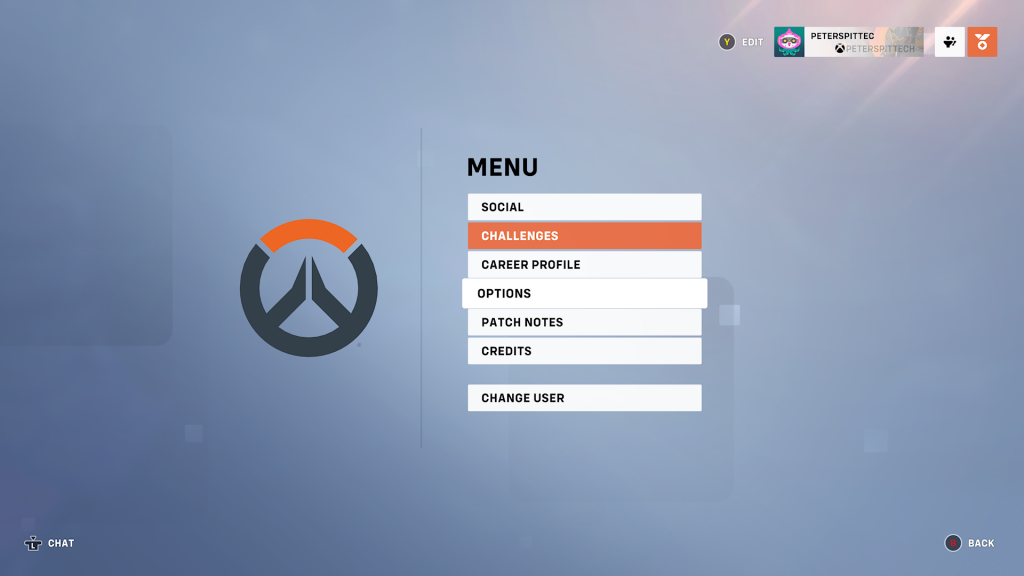
To do so, open up the start menu. As mentioned above, it can be opened at any time whether you’re actively in a match, waiting in a lobby, or switching between menus. With the menu open, select “Options.” In the settings menu, voice chat and text chat will be located in two different places.
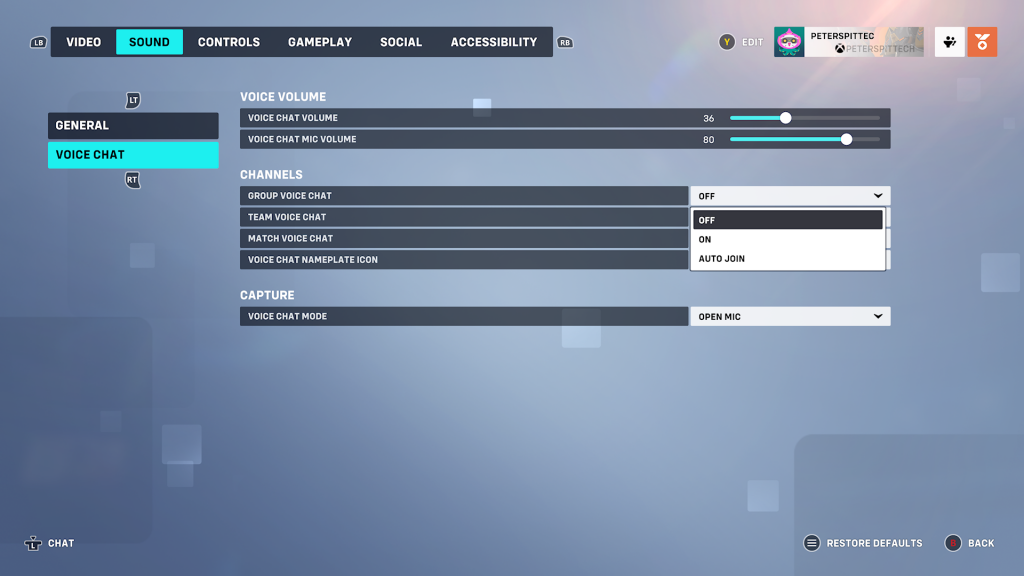
For voice chat, tab over to “Sound” and then select “Voice Chat.” From here, you can adjust settings such as the chat volume and whether or not you want voice chat to appear when capturing footage of the game. To turn off voice chat, toggle the “Group Voice Chat,” “Team Voice Chat,” and “Match Voice Chat” settings to “Off.”
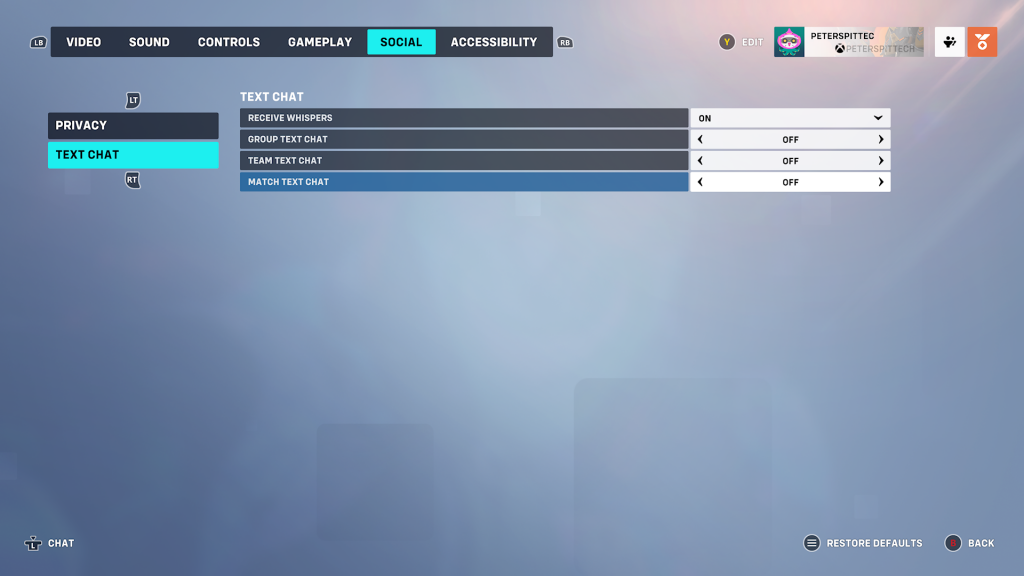
To turn off text chat, tab over to “Social” and then select “Text Chat.” Adjust the toggles for “Group Text Chat,” “Team Text Chat,” and “Match Text Chat” to turn it off completely








