
There are a surprising amount of options to play around with in Overwatch 2‘s settings menu. From accessibility settings such as color-blind modes and text-to-speech reading to voice line toggles and Overwatch League score spoilers, there’s a lot to sift through when personalizing the game.
One setting that deserves a second look for players who want to customize their HUD to fit their preferred gameplay style is the expansive list of reticle options. While most games tend to give you only a little control over the reticle such as Apex Legends‘ color-blind options, Overwatch 2 gives the player complete control over what they want to see when rushing into battle.
More Overwatch 2 guides:
| How to Unlock the Founder’s Pack | How to Unlock Role Queue | How to Unlock Every Character | Does it Have Crossplay and Cross-Progression? | How to Merge Accounts | Which Characters are Unlocked and Free? | Best Characters in Each Class For Beginners | How to Play Tracer | How to Play Kiriko | What Does MIT Mean? | What Do Endorsements Do & What Do They Mean? | How to Get Golden Weapons | How to Play Orisa | All Role Passives Explained | All Passive Abilities Explained | How to Get a Free Legendary Reaper Skin |
How to Find Reticle Settings in Overwatch 2
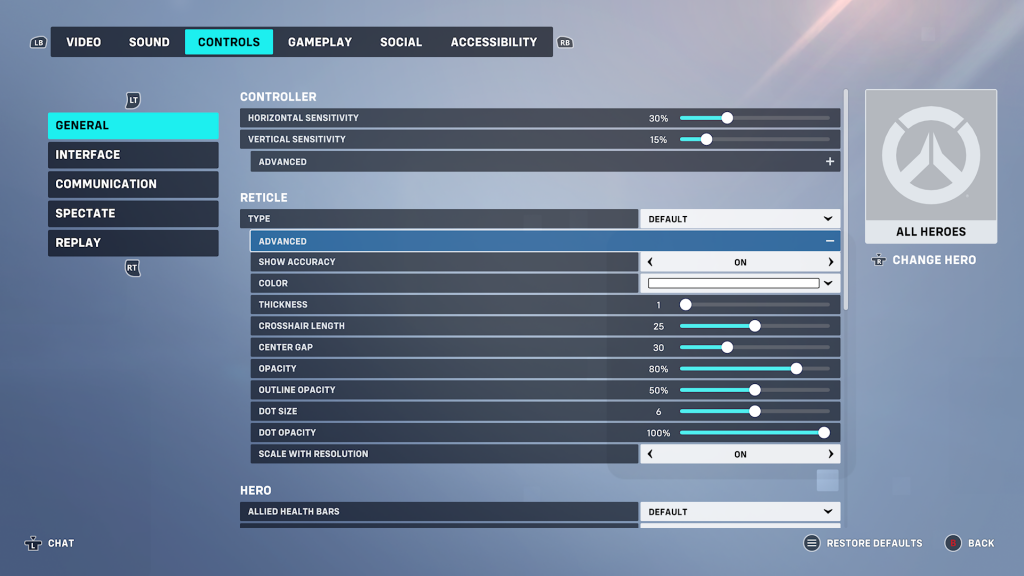
Before being able to edit your reticle, you’ll need to know where to look to change the settings. They can be altered at any time, but since you aren’t able to actually pause a match, it’s best to change them before starting a game. If you want to be able to see what it looks like in real-time, load into the Practice Range and you’ll be able to see your reticle free from worry or distraction.
To find the reticle settings menu, hit the start button (on PC, escape,) then go to options. Tab over to “Controls,” and go into “General.” Inside, you’ll see a section for Reticle. Click the dropdown bar that says “Advanced” and you’ll have access to all the settings you’d like.
Good Reticle Settings in Overwatch 2
The reticle changes for each hero in Overwatch 2 so it would be inaccurate to say that one custom setup works for all characters. While all custom reticle settings are about personal preference, some options such as the color of the reticle, are entirely about the colors that you, personally, can see the best so we’ll leave off any color options for you to set yourself.
Additionally, it’s worth pointing out that the reticles below aren’t the end-all-be-all settings for every character, they’re just good starting places for you to work from if you want customized reticles. Change them as you see fit to better enhance your style of play.
Reticle Settings for Sniper Characters
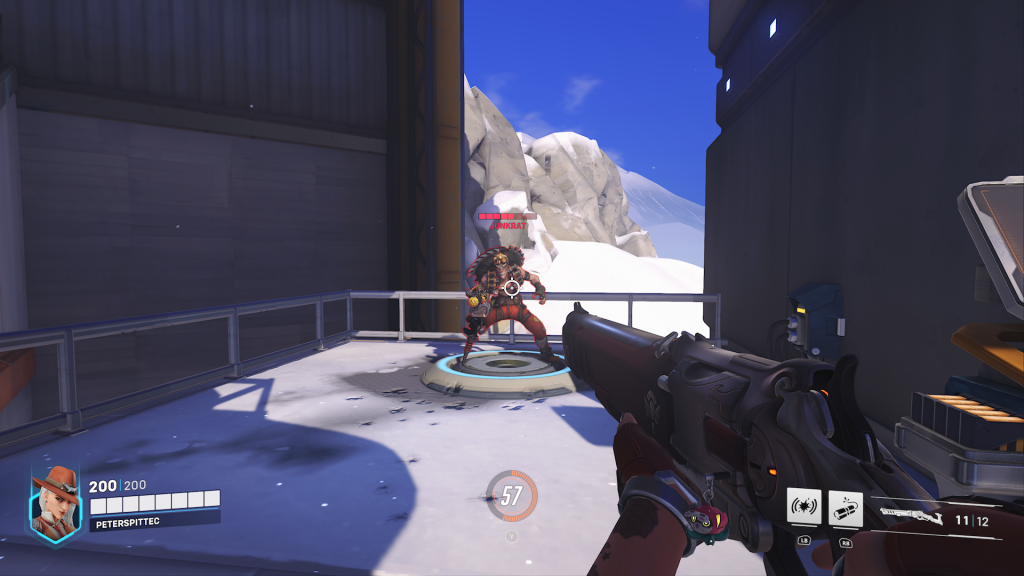
Heroes with high-accuracy weapons need a reticle that’s small enough to represent their pinpoint precision even when firing from the hip. The following settings work best for characters like Ana, Ashe, Hanzo, and Widowmaker.
Type: Circle and Crosshairs
Show Accuracy: On
Thickness: 2
Crosshair Length: 5
Center Gap: N/A
Opacity: 90%
Outline Opacity: 100%
Dot Size: 6
Dot Opacity: 60%
Scale With Resolution: On
Reticle Settings for Close-Quarters Characters
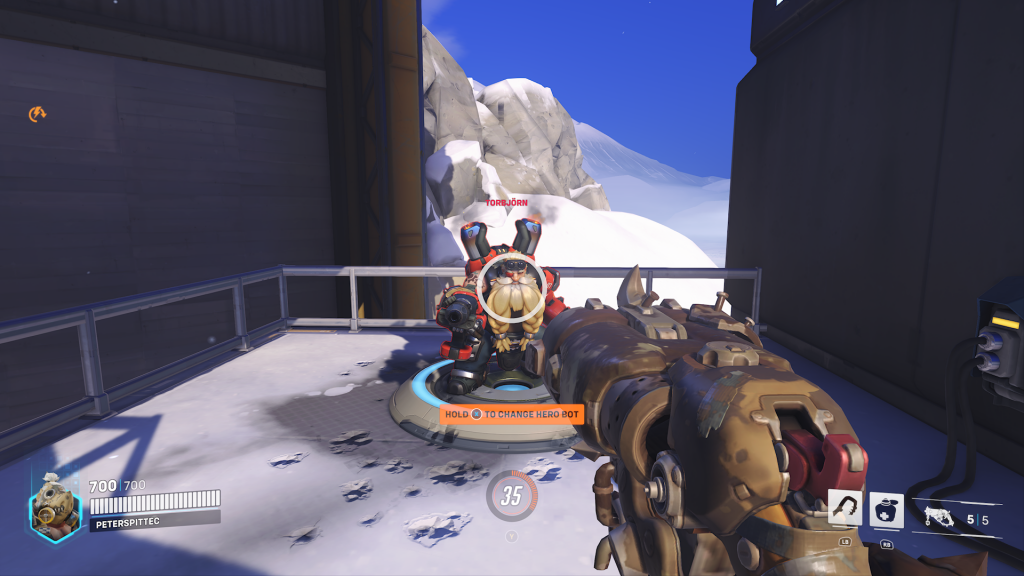
Characters that are optimal for close-quarters fighting like Reaper, Roadhog, Tracer, or Winston should use a circle reticle that encompasses the totality of their attacks. Making the outline thicker shows the player where they should be optimally aiming for the most amount of damage. Keeping the reticle opaque helps from obscuring too much of your view.
Type: Circle
Show Accuracy: On
Thickness: 4
Crosshair Length: N/A
Center Gap: N/A
Opacity: 50%
Outline Opacity: 20%
Dot Size: 3
Dot Opacity: 100%
Scale With Resolution: On
Reticle Settings for Rifle Characters
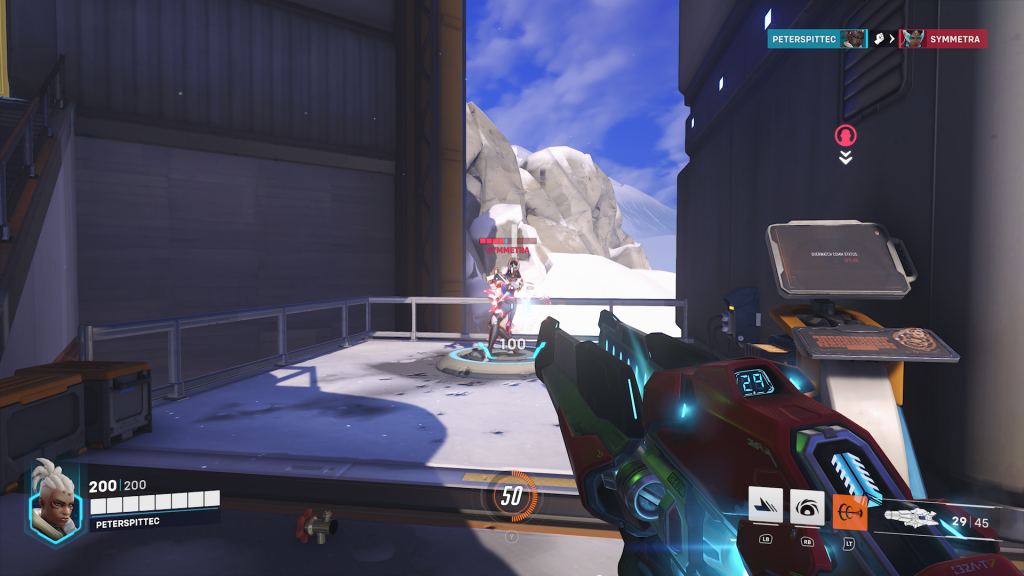
The characters that use more-traditional rifles like Soldier: 76, Sojourn, Orisa, or Baptiste benefit from using a reticle that’s more in line with something you’d find in games like Call of Duty or Valorant. Keeping the reticle open by only using crosshairs gives them a good view of the battlefield as they excel at medium range where the player may be picking their next target as they’re finishing off their current one.
Type: Crosshairs
Show Accuracy: On
Thickness: 1
Crosshair Length: 10
Center Gap: N/A
Opacity: 100%
Outline Opacity: 100%
Dot Size: 5
Dot Opacity: 100%
Scale With Resolution: On
Reticle Settings for Melee Characters
The unfortunate thing is that since all melee characters play pretty differently, it’s hard to come up with one specific reticle that will work generally well across the board. Luckily, the default reticles for those types of characters tend to be pretty solid.





