

There are a handful of currencies in Overwatch 2. Since the game has gone free-to-play, in-game currency is necessary for unlocking things like the premium battle pass which includes exclusive items such as voice lines, rare character skins, and the battle pass exclusive hero Kiriko.
There are four types of currency in Overwatch 2: Competitive Points, League Tokens, Overwatch Coins, and Legacy Credits. Each has its own place and use in the game, but Legacy Credits are unique thanks to their role in the original Overwatch. If you played the first game, you likely have some Legacy Credits accumulated on your account.
More Overwatch 2 guides:
| How to Unlock the Founder’s Pack | How to Unlock Role Queue | How to Unlock Every Character | Does it Have Crossplay and Cross-Progression? | How to Merge Accounts | Which Characters are Unlocked and Free? | Best Characters in Each Class For Beginners | How to Play Tracer | How to Play Kiriko | What Does MIT Mean? | What Do Endorsements Do & What Do They Mean? | How to Get Golden Weapons | How to Play Orisa | All Role Passives Explained | All Passive Abilities Explained | How to Get a Free Legendary Reaper Skin | Best Reticle Settings | How to Play Sombra |
What Are Legacy Credits?
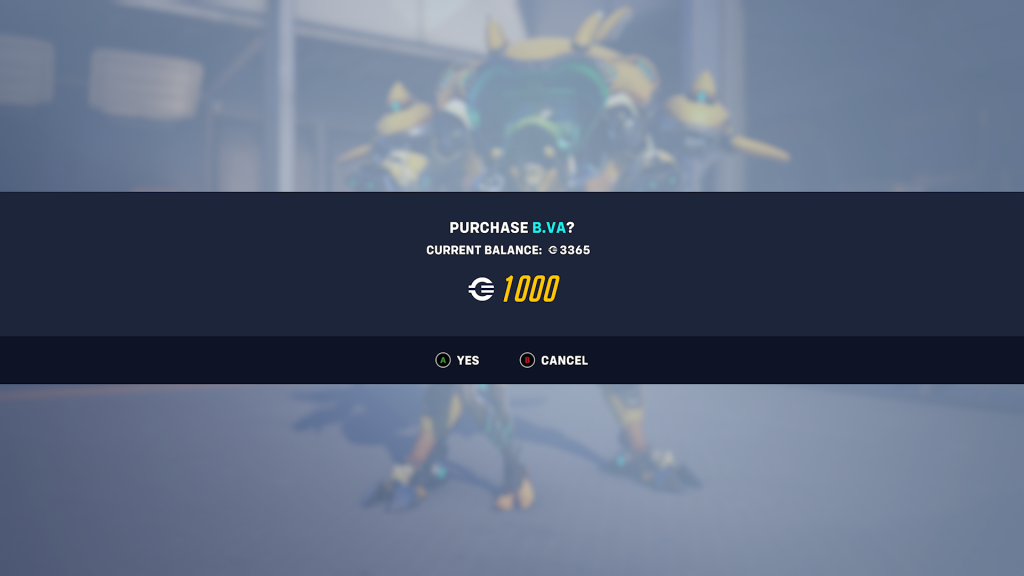
Legacy Credits are an in-game currency in Overwatch 2 that was given to players of the first game who had leftover, unspent Credits. Because Credits were the primary form of currency in the original Overwatch that was both earned through playing the game and bought via microtransactions, Blizzard wanted to make sure that players who had unspent Credits didn’t lose anything when making the switch to the sequel.
How To Check Your Legacy Credits Balance
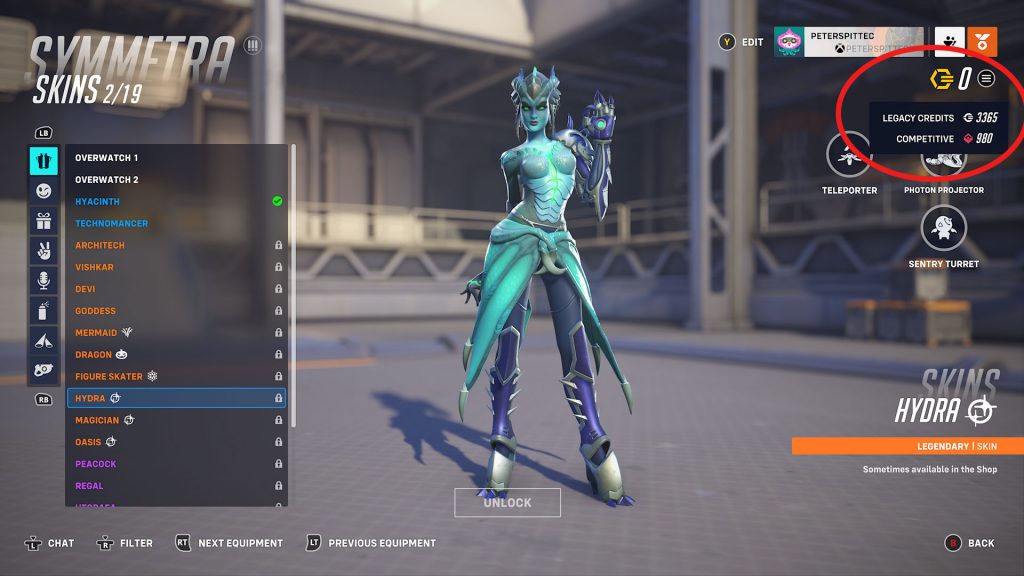
If you played the original Overwatch even just a little bit, it’s worth taking a look at your balance to see if you have any Legacy Credits. There are a few ways to view your various currencies, but one of the easiest is to go to the “Heroes” menu and then select a hero (it can be a random hero, it doesn’t matter who you pick.) Select “Skins” or any of the other cosmetic tabs on the left side of the screen and you’ll see your current balance of Overwatch Coins in the top right corner of the screen. Hit the button prompted next to your balance, the start button on controllers, and then you’ll see your balance of both Legacy Credits and Competitive Points.
What Can You Spend Legacy Credits On?
Legacy Credits can be used to purchase skins and other cosmetics in Overwatch 2. When browsing the different cosmetic offerings, you’ll see that some items can be bought with golden Overwatch Coins and some can be bought with white Legacy Credits. When you have an item that can be bought with Legacy Credits, the balance displayed in the top right corner of the screen will switch from Overwatch Coins to Legacy Credits.

Can You Get More Legacy Credits?
Unfortunately, there is no way to get more Legacy Credits once you’ve spent them. Because they’re simply the remnants of the currency from the original Overwatch, they aren’t able to be replenished. This is a little frustrating for those who might be just shy of being able to make a purchase of one of the higher-priced items, but it does make sense in a way since Blizzard is shifting the playerbase’s focus to the new Overwatch Coins.




