
A feature that is a personal favorite of mine in just about any game with weapons, whether they be medieval swords or futuristic laser guns is the ability to inspect said weapon that your character is holding. When it comes to Call of Duty, this feature was introduced with unique weapon animations for melee weapons in Black Ops 3 with a more universal weapon inspection being included in Modern Warfare Remastered. Now, the latest title in the long-running FPS franchise Modern Warfare 2 once again has this feature. This guide will explain how to inspect your weapons in Call of Duty: Modern Warfare 2.
More Call of Duty guides
Call of Duty: Warzone- What is the Sticks and Stones Limited-Time Mode? | Warzone and Vanguard: How to get the Al-Asad Operator Bundle | Call of Duty: Vanguard and Warzone- How to Unlock the RA 225 Submachine Gun | Vanguard and Warzone: How to Unlock the EX1 Assault Rifle | Warzone: What is a Supply Box UAV in Season Five | Warzone: What is the new Rage Serum Field Upgrade in Season Five?
How to Weapon Inspect In Call Of Duty: Modern Warfare 2
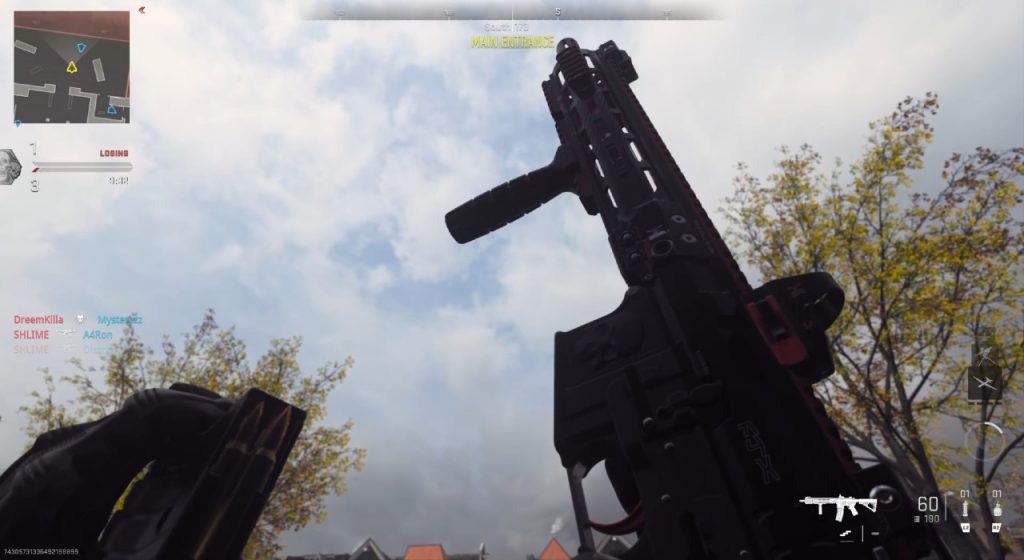
Each weapon in Modern Warfare 2 comes with a unique animation that puts the gun on full display. While giving you no tactical advantage whatsoever, it is a fun extra feature that, as I have said before, is one that I greatly appreciate as do many other players not just in Call of Duty but games in general.
The way to weapon inspect in Modern Warfare 2 is the same way you did in the first Modern Warfare reboot title from 2019. If you are playing with a controller, whether it be on PlayStation, Xbox, or PC, you will need to hold down the Left D-Pad to activate the inspect animation. If you are on Keyboard and Mouse, you will need to hold down the ‘I’ Key. These are the default buttons for weapon inspecting and can currently not be changed on a controller but can be rebound on Keyboard and Mouse by going into the Keybinds section of the settings and entering the “Combat Advanced Keybinds.” The first option on this list of keybinds will be for Weapon Inspect.
Call of Duty: Modern Warfare 2 will release for PlayStation 4, PlayStation 5, Xbox One, Xbox Series X|S, and PC on both Steam and Battle.net on October 28, 2022. Stay tuned to Gameranx for future guides on the upcoming title as well as Warzone 2.0.
More Call of Duty guides
Modern Warfare 2- How to Redeem a Beta Code | Modern Warfare 2- How to Play the Beta | Dates and Platforms | Modern Warfare 2: How to get Early Access to the Campaign | Call of Duty: Modern Warfare 2- New Ledge Hang Mechanic Explained | Call of Duty: Modern Warfare 2- Prisoner Rescue Game Mode Explained | Call of Duty: Modern Warfare 2- New Perk System Explained | Call of Duty: Modern Warfare 2- Knock Out Game Mode Explained | Call of Duty: Modern Warfare 2- How to Switch Between Killstreaks and Scorestreaks



