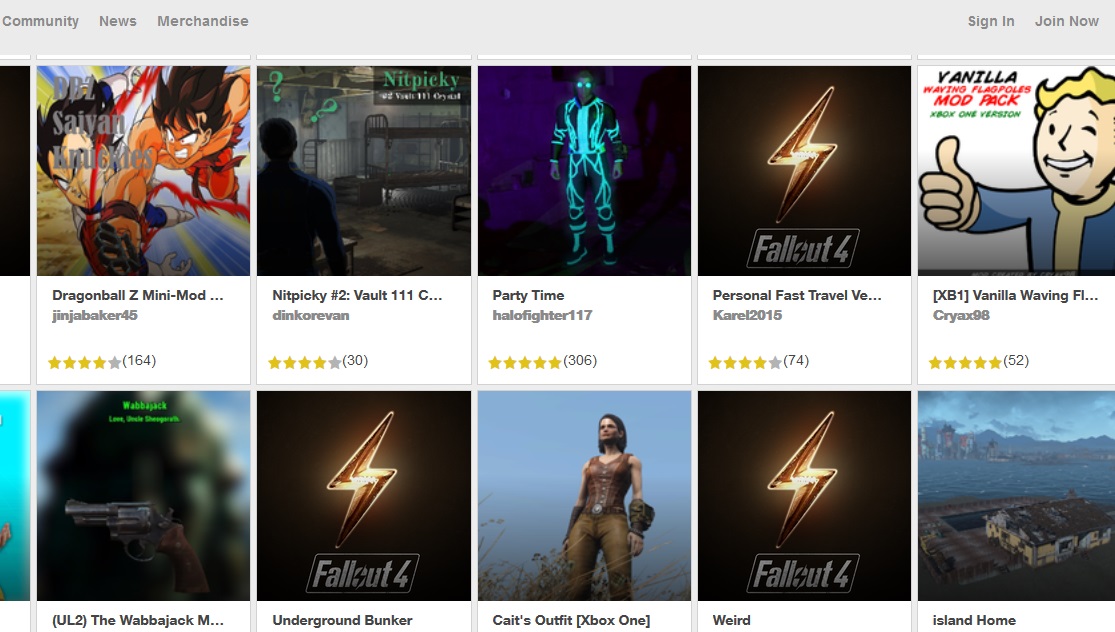
Mods have arrived for Fallout 4 on consoles. Now anyone and everyone can enjoy all the weird, wonderful tweaks to the Commonwealth with the massive influx of compatible free add-ons available on Bethesda.net. The modding features can be pretty overwhelming if you’re not familiar with linked accounts or load orders, so we’re here to help with all the info you need to start downloading mods on console right now.
Powerful mod tools allow creators to go wild with the irradiated apocalypse, including everything from new locations to outfits and alterations to your companions. Want a new radio station? That’s available. So are weapons and ammo for the discerning shooter, and a few blatant cheats — spawn items, activate cheats with a portable computer, or rain down caps with a cash-shooting minigun. Check out the full list of mods with help from our instructions below, and let us know which mods are your favorites in the comments.
If you’re a true survivor, check out Gameranx’s massive list of guides, how-to’s, secret locations, and everything else a fresh Vault 111 escapee needs to thrive on the Fallout 4 Ultimate Commonwealth Guide.
How to Install Mods on Consoles | Xbox One & PS4
NOTE: Mods are a planned feature on PS4 but are not yet released on that platform. According to Bethesda’s website, the process for installing mods on Xbox One and PS4 should be identical. If something changes when the PS4 mods are released, we’ll update this article with the information you need.
- Download and install the latest patch on console. Reset the console and insert your Fallout 4 physical media or start the application while connected to the internet to begin downloading.
- Register for an account on Bethesda.net here. If you don’t already have one, register right here.
- Next, go to the Bethesda.net Mods tab here to begin browsing mods available on PC, PS4 and Xbox One.
- In the upper-right above the mod thumbnails, you’ll find a drop-down menu where you can filter the mods based on console or PC compatibility. Select your preferred platform and begin browsing.
- On the Mods main menu option, you’ll be able to browse available mods as well.
- There is a 2 GB limit to the amount of mods you can have active on console.
- In the Mods main menu option, you can also change the mod load order or deactivate current mods, allowing you to swap mods in and out from your library and easily manage the 2 GB mod limit.
- While browsing mods, select “Add to Library” to save the mod, adding it to your linked account on console.
- Load your console copy of Fallout 4 and open the Mods main menu option to find the full list of mods added to your library.
- Remember, you can enable/disable mods from the Mods main menu option or reorder them. Always load the most important mods first by placing them in the first few slots of the load order list.
- With the mods you’ve selected enabled, simply load your most current game and enjoy.
Changing the load order of mods and adding mods will always generate a new save file so that your previous un-modded save files are not corrupted, ruined, or crash. Mods are community-driven projects and have not been thoroughly tested, and many mods may conflict with each other. If you download lots of mods, expect to run into technical issues. It’s just inevitable!
Otherwise, enjoy all the new content available to you. The Commonwealth just got a little weirder.
Need more Fallout 4: Far Harbor locations, collectibles, and info? Check out the rest of our DLC guides on Gameranx:
- Fallout 4: Far Harbor – All New Weapons | Locations Guide
- Fallout 4: Far Harbor – All New Armor & Apparel | Locations Guide
- Fallout 4: Far Harbor – Islander’s Almanac Magazine Locations
- Fallout 4: Far Harbor – 3 Workshop Locations | Push Back the Fog Guide
- Fallout 4: Far Harbor – New Recipes | Just Add Saltwater Guide
- Fallout 4: Far Harbor – Breathe Underwater | Dive Suit Location
- Fallout 4: Far Harbor – Bowling Ball Launcher Location Guide
- Fallout 4: Far Harbor – How to Get 3 New Settlement Guard Dogs
- Fallout 4: Far Harbor – Easy Vim! Unique Power Armor Location
- Fallout 4: Far Harbor – DLC Unique Perks | How to Unlock
- Fallout 4: Far Harbor – Best Gear Guide | Assault Marine Locations
- Fallout 4: Far Harbor – All 5 DiMA Memory Puzzle Solutions
- Fallout 4: Far Harbor – Item Console Codes | Weapons & Armor Cheats
- Fallout 4: Far Harbor – Discover the Secrets of Cranberry Island
- Fallout 4: Far Harbor – Tourism Guide | 10 Essential Locations