• Skip to main content
  • Skip to header right navigation
  • Skip to site footer
Gameranx

Gameranx

Video Game News, Lists & Guides

  • News
  • Features
  • Platforms
    • Xbox Series X
    • PS5
    • Nintendo
  • Videos
  • Upcoming Games
  • Guides

Sonic Racing: CrossWorlds – How to Unlock Jukebox Music

September 25, 2025 by Matt Villei

Mixtape.

Sonic the Hedgehog is famous for its impeccable music. Sonic Racing: CrossWorlds gives players a chance to use some of the most popular tracks from the franchise’s history in the Jukebox. While the game starts with an expansive range of music options, there is a way to unlock new music. Players can also assign these tracks to play during their races. This guide will show players how to unlock Jukebox Music in Sonic Racing: CrossWorlds.


How to Unlock Jukebox Music in Sonic Racing: CrossWorlds

You can unlock new music for the Jukebox by completing the Time Trials. You will need to get an A Rank on 3 separate courses to get a new album from the history of the Sonic franchise. Every time you get 3 A Ranks, you will get a new album.

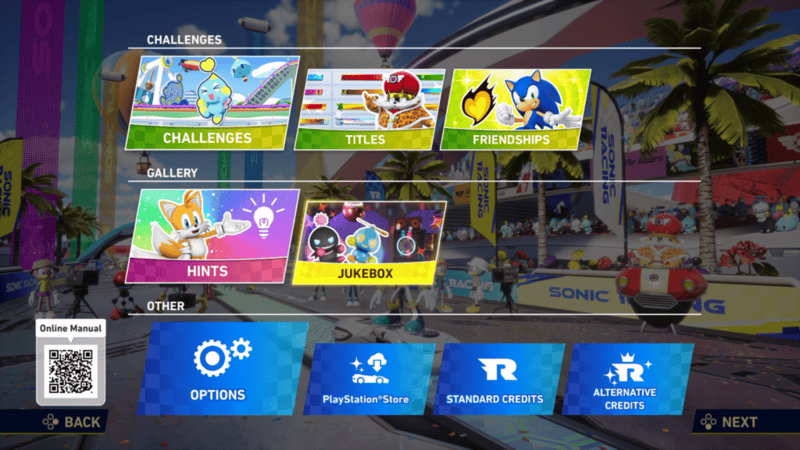
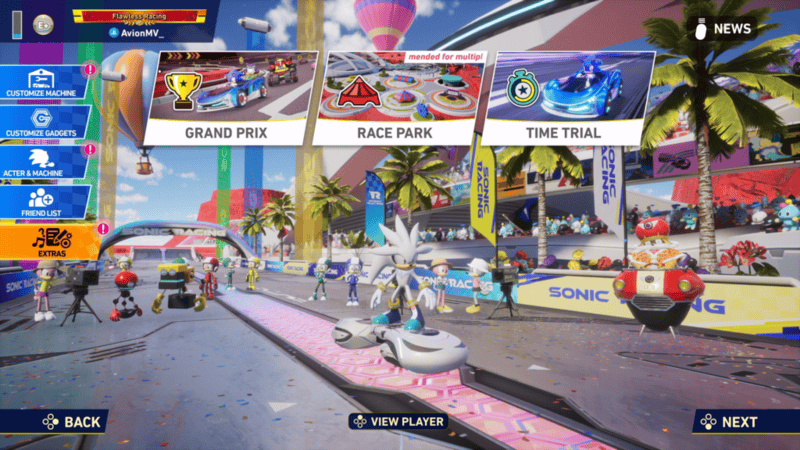
The menu for the Jukebox can be found in the Extras menu. By going into this menu, you will find a list of
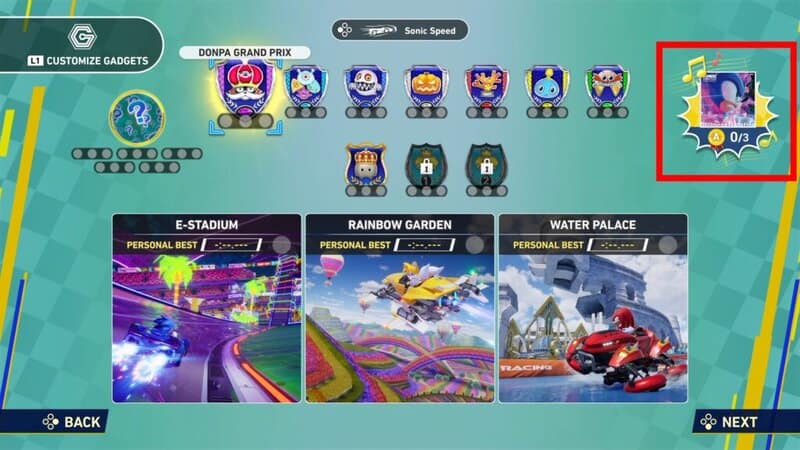
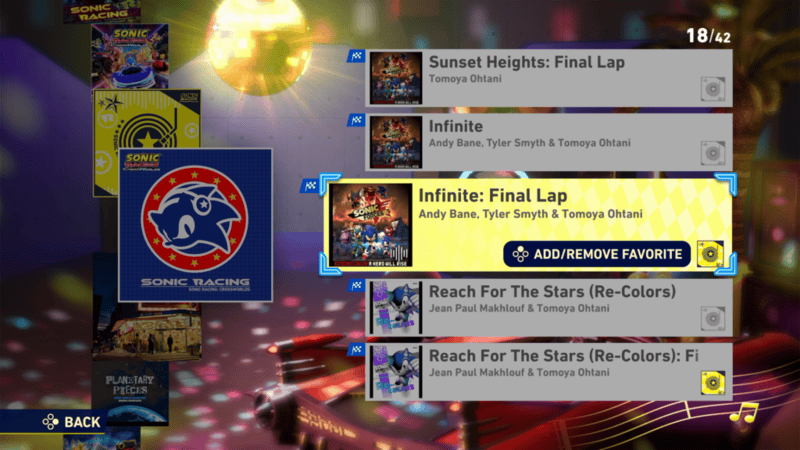
The menu for the Jukebox can be found in the Extras menu. By going into this menu, you will find a list of albums which you can go into to listen to the songs. You can also select albums and set them as the songs for the first, second, and final laps of each race. You can’t directly choose which songs play during your races, but if you set an album, a random song from that album will play during the lap it is set to. You can add songs to your Favorites album and set that album for your laps, meaning you are given some control over which songs play during your race.
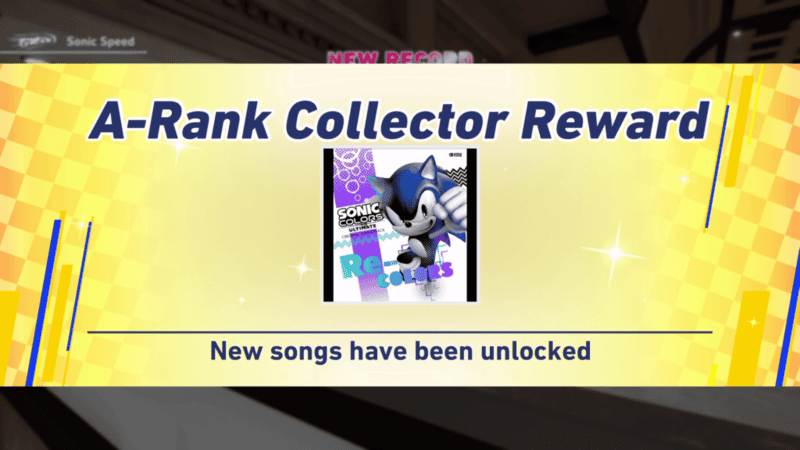
You now know how to unlock new music for the Jukebox in Sonic Racing: CrossWorlds. Stay tuned to Gameranx for more news, updates, and guides for Sonic Racing: CrossWorlds as well as other great games in the future.
Related Guides

Sonic Racing: CrossWorlds – All Red Star Ring Locations
Sonic Racing: CrossWorlds -How to Unlock Super Sonic
Sonic Racing: CrossWorlds – How to Unlock the Corrupted Sage Skin
Sonic Racing: CrossWorlds – How to Unlock Mirror Mode
Sonic Racing: CrossWorlds – How to Unlock Super Sonic Speed
Sonic Racing: CrossWorlds – Friendship System Explained
Sonic Racing: CrossWorlds – Full Item List
Sonic Racing: CrossWorlds – Full Roster List
Sonic Racing Crossworlds
Sonic Racing: CrossWorlds – Full Achievement and Trophy List

Share this post:

FacebookTwitterLinkedInPinterest

Recent Videos

20 Games You UNINSTALLED Before They GOT GOOD

20 Games You UNINSTALLED Before They GOT GOOD

50 Insane Gaming Details That BLEW OUR MINDS

50 Insane Gaming Details That BLEW OUR MINDS

GTA 6 - 66 NEW Things Players Have FOUND

GTA 6 - 66 NEW Things Players Have FOUND

ELDER SCROLLS 6 IN TROUBLE? NEW OBSIDIAN FALLOUT GAME & MORE

ELDER SCROLLS 6 IN TROUBLE? NEW OBSIDIAN FALLOUT GAME & MORE

AC Black Flag Resynced: 10 Things The Game DOESN'T TELL YOU

AC Black Flag Resynced: 10 Things The Game DOESN'T TELL YOU

Top 25 NEW Coop Games of 2026

Top 25 NEW Coop Games of 2026

Assassin's Creed Black Flag: Resynced - Before You Buy

Assassin's Creed Black Flag: Resynced - Before You Buy

25 Best Games You Can Get For UNDER $20 (2026)

25 Best Games You Can Get For UNDER $20 (2026)

Xbox dropped a BOMBSHELL

Xbox dropped a BOMBSHELL

Category: FeaturesTag: Guides, Nintendo Switch, PC, PS5, sonic racing crossworlds guides gameranx, Sonic Racing: CrossWorlds, Xbox Series X/S

Sidebar

Recent Posts

  • Hopes That Criterion Games Will Return To Burnout Ends: “We Are Solely Focused On Battlefield”
  • Former Sony Exec Claims Publishers Price Their Games On PlayStation – But There’s A Lawsuit That Says Otherwise
  • Newly Independent Compulsion Games Now Looking To Collaborate Across Games And Entertainment
  • Startup Claims They Have Built UHD Blu-Ray’s Successor, Just As PlayStation Ends Making Physical Games
  • PlayStation Facing Antitrust Complaint In Mexico Over Physical Game Discs

Copyright © 2026 · Gameranx · All Rights Reserved · Powered by Mai Theme