
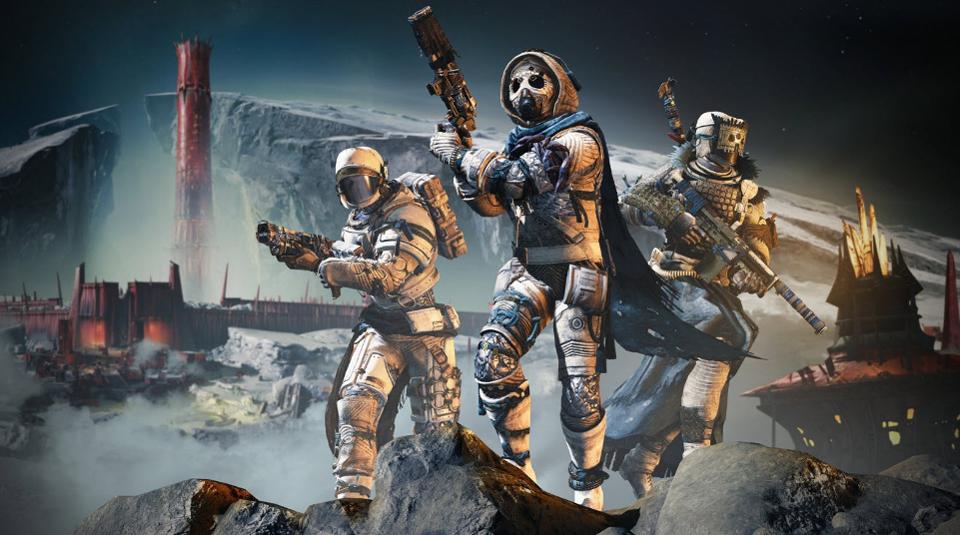
Cross-Saves are coming to Destiny 2. A new free-to-play version, including all the Year 1 content, is coming right around the same time, meaning you’ll be able to download and play Destiny 2 from multiple different platforms, all while sharing the same save file. You’ll have to sign up to make the functionality work, but once everything is logged-in, your playtime will be carried over no matter what version of the game you’re playing.
Not everything is so simple. Here, we’re going to explain everything you need to know about cross-saving in Destiny 2. There’s a lot of wrinkles — you’ll have to purchase Year 2+ DLC like Shadowkeep and Forsaken separately to access content for each platform you’re playing on. You’ll be able to spend and unlock content that shares to all your files with Silver, but Silver itself is locked to each specific platform. It sounds confusing, so let’s break it down, piece-by-piece.
How To Setup Cross-Saves | Cross-Platform Play Guide
Once you setup a Cross-Save account, you’ll be able to instantly access save files on PC, PS4, and Xbox One. Google Stadia will also be supported when it releases later this year.
Setting up Cross-Save doesn’t transfer accounts — instead, you’re using the same account on multiple platforms.
The Cross-Save feature will be available on August 20th. Expect to see more information then.
- To begin linking your accounts early, follow the process on the official Bungie Website here.
How Many Characters Can I Have?
In the setup, you’ll be able to select your Active Character Set. You can only choose three characters. These are the characters that you’ll select and play as on your shared cross-save account.
Can I Be In Multiple Clans?
You can only be in one clan. An account registered with Cross-Save can only join a single clan, or you’ll continue to be in the clan you joined on your activate character set. Clan objectives can be completed on all connected platforms.
How Does Silver Work?
Silver is tricky. Silver IS carried over between platforms, but you must spend Silver on the platform it was purchased on. You’ll see your total Silver Amount in the Cross-Save Account screen. Any items purchased with Silver from the Eververse Vendor will be available on all connected platforms.
How Does DLC Work?
You must own Year 2+ DLC on each platform. So, you’ll need to purchase Forsaken and Shadowkeep separately for each platform you own. Destiny 2 is going free-to-play for all Year 1 content, so you won’t need to purchase any of the first DLC episodes. Forsaken and Shadowkeep are $40 each, but they’re also standalone content, so they’re not required.
Source: [1]
More Destiny 2: Forsaken guides on Gameranx:
- Destiny 2: Forsaken – Last Wish Raid Guide | How To Beat Every Boss & Puzzle Encounter
- Destiny 2: Forsaken – 8 Essential Tips To Help You Master Gambit Mode | Beginner’s Guide
- Destiny 2: Forsaken – How To Find Every Exotic Weapon (So Far) | Exotics Guide
- Destiny 2: Black Armory – How To Get The Last Word Exotic Hand Cannon | Exotic Quest Guide
- Destiny 2: Revelry Event – How To Get The Arbalest Linear Fusion Rifle | Exotic Guide
- Destiny 2: Forsaken – How To Activate Heroic Tangled Shore Public Events | Heroic Guide
- Destiny 2: Forsaken – How To Activate Heroic Dreaming City Public Events | Heroic Guide
- Destiny 2: Forsaken – How To Unlock New Supers | Visions of Light Guide
- Destiny 2: Forsaken – Paul McCartney Returns In This Hilarious Lost Sector | Easter Egg Guide
- Destiny 2: Forsaken – All Region Chests Locations Guide | Tangled Shore
- Destiny 2: Forsaken – All Region Chests Locations Guide | The Dreaming City
- Destiny 2: Forsaken – How To Unlock The Dreaming City | Awoken Talisman Quest Guide
- Destiny 2: Forsaken – How To Use Small Gifts & Secret Cats | Reverie Armor Unlock Guide
- Destiny 2: Forsaken – How To Unlock The Malfeasance Hand Cannon | Exotic Guide







