

• Skip to main content
  • Skip to header right navigation
  • Skip to site footer
Gameranx

Gameranx

Video Game News, Lists & Guides

  • News
  • Features
  • Platforms
    • Xbox Series X
    • PS5
    • Nintendo
  • Videos
  • Upcoming Games
  • Guides

Marvel Snap: How to Turn Off Vibrate

November 16, 2022 by Bryn Gelbart

Marvel Snap has vibration and haptic feedback turned on my default but you can turn it off in the game’s options menu.

On the mobile version of Marvel Snap, vibration and haptic feedback are turned on by default. There are moments during matches where your phone will vibrate to communicate something about the game. Vibration will occur when you find a player in matchmaking or when it is getting close to the end of the turn. These indicators will help players who aren’t necessarily looking at their phone realize they need to pay attention to the game. These subtle hints can be helpful for many players, but some would understandably prefer to play with them off.

If you don’t want vibration turned on on the mobile version of Marvel Snap, you might be stumped looking for the right option because there is no “vibrate” setting. Instead it goes by a different name. But don’t worry, the process for turning off vibrate in Marvel Snap is very easy and can be done right from the main menu of the game.


More Marvel Snap Guides:

Marvel Snap: The Best Cards for Beginners | How to Fix Unable to Communicate with Matchmaking Error | Marvel Snap’s Locations Keep The Exciting At Every Turn | Marvel Snap Won’t Make You Buy Its Cards | Marvel Snap: How to Get New Cards | How to Know Which Card is Revealed First


How to Turn off Vibration in Marvel Snap

On the home screen of the Marvel Snap app you will see a small gear icon in the upper left hand corner. This is your options and settings menu. Once you tap on this gear the settings menu will pop up. From here you will want to select the Haptics slider from the list. This will be listed right underneath the graphics settings options for frame rate.
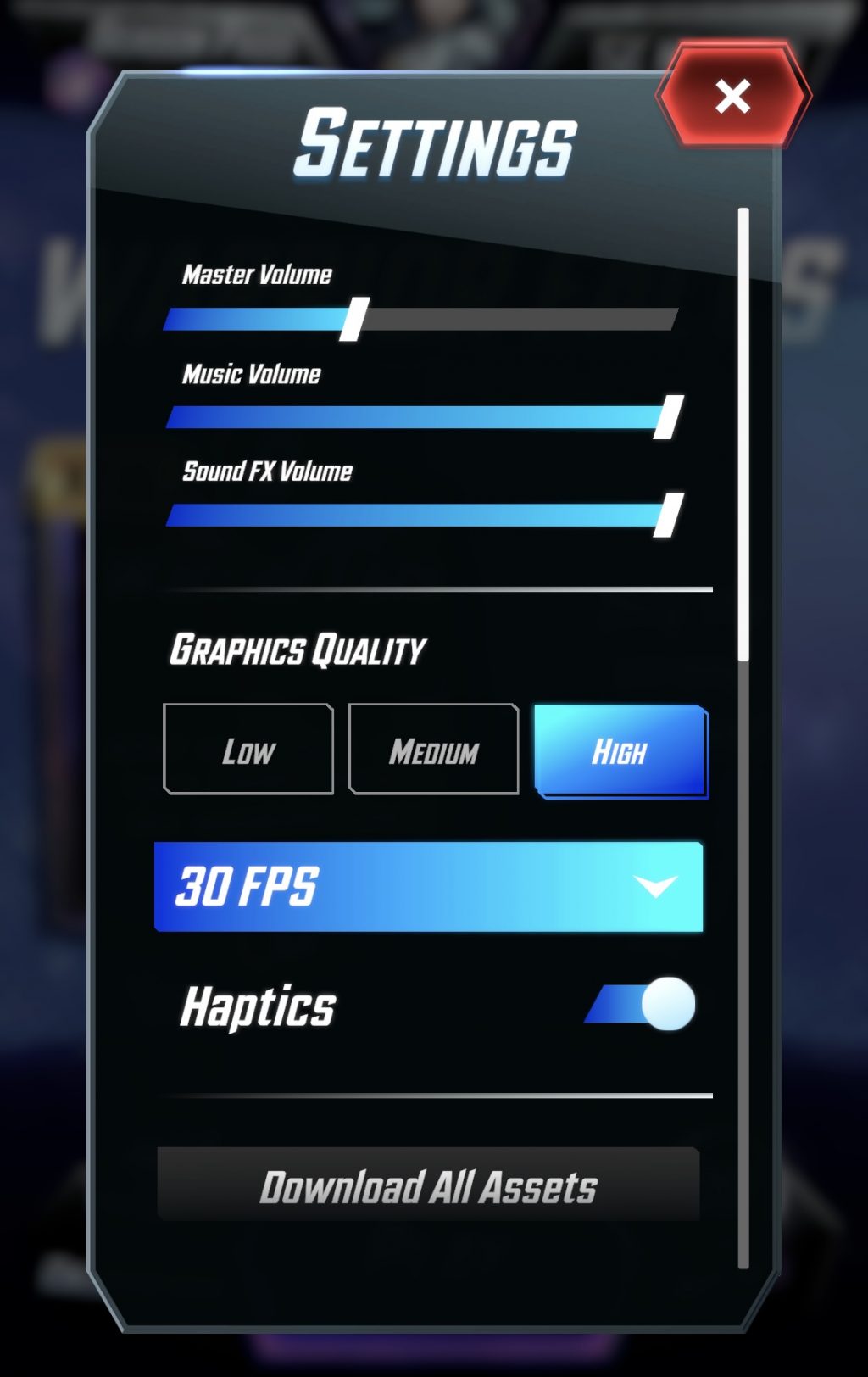
From here, you can toggle haptics on and off which will impact whether or not you are playing Marvel Snap with vibrations or not.

Share this post:

FacebookTwitterLinkedInPinterest

Recent Videos

10 BIGGEST Lies Ever Told by Developers

10 BIGGEST Lies Ever Told by Developers

Diablo 4: Lord of Hatred - Before You Buy

Diablo 4: Lord of Hatred - Before You Buy

20 Upcoming SMALLER Games of 2026 That Excite Us

20 Upcoming SMALLER Games of 2026 That Excite Us

Top 10 NEW Games of May 2026

Top 10 NEW Games of May 2026

20 Insane Things Games Did That NOBODY NOTICED

20 Insane Things Games Did That NOBODY NOTICED

20 Open World Games That MAKE YOU FEEL LONELY

20 Open World Games That MAKE YOU FEEL LONELY

AC BLACK FLAG REMAKE BIGGEST CHANGES & MORE

AC BLACK FLAG REMAKE BIGGEST CHANGES & MORE

Saros - Before You Buy

Saros - Before You Buy

How Capcom Did The IMPOSSIBLE

How Capcom Did The IMPOSSIBLE

Category: FeaturesTag: Guides, MARVEL SNAP, Mobile, PC

Sidebar

Recent Posts

  • Take-Two Looking At Doing Something “With All Our Intellectual Property,” Like L.A. Noire
  • Denuvo And 2K Games Adds 14 Day Online Check To Their Games After DRM Is Compromised
  • Rumor: Valve’s Internal Pricing Targets For The New Steam Machine Have “Skyrocketed”
  • The Blood Of Dawnwalker Culls This September 3, Launch Details Revealed
  • Dataminers Believe They Have Solved The PS4/PS5 DRM “Mystery” – Will Sony Get Away With It?

Copyright © 2026 · Gameranx · All Rights Reserved · Powered by Mai Theme

