

Armored Core 6: Fires of Rubicon constantly barrages players with bullets, missiles, and other deadly artillery. Because of this, healing is extremely important when it comes to keeping yourself alive and your AC functional. This is where the Repair Kit system comes in. These consumable items will replenish AP, the health of your Armored Core, but might notice at the start of the game that each mission limits the total amount of Repair Kits that can held is only 3. Some players might want to figure out if there is a way to increase the amount of healing items they can carry and, therefore, increase the amount of mistakes they can make during an encounter. This guide will let players know if it is possible to increase the number of Repair Kits that the player can carry in Armored Core 6: Fires of Rubicon.
More Armored Core 6: Fires of Rubicon Guides:
Armored Core 6: Fires of Rubicon – Full Achievement and Trophy List | Armored Core 6: Fires of Rubicon – How to Change Weapons, Colors, and More | AC Customization Explained | Armored Core 6: Fires of Rubicon – Illegal Entry Walkthrough | Mission 1 Guide | Armored Core 6: Fires of Rubicon – How to Defeat the HC Helicopter Boss Fight
Can You Increase Repair Kits In Armored Core 6: Fires of Rubicon
The simple answer to this question is no, there is no upgrade available in-game that will provide players with more Repair Kits for their ACs. While some levels will provide players with Resupply points where any used Repair Kits can be replaced with new ones, the maximum number will always be 3. Also, restarting from the start of a mission or a checkpoint will also replenish the Repair Kits.
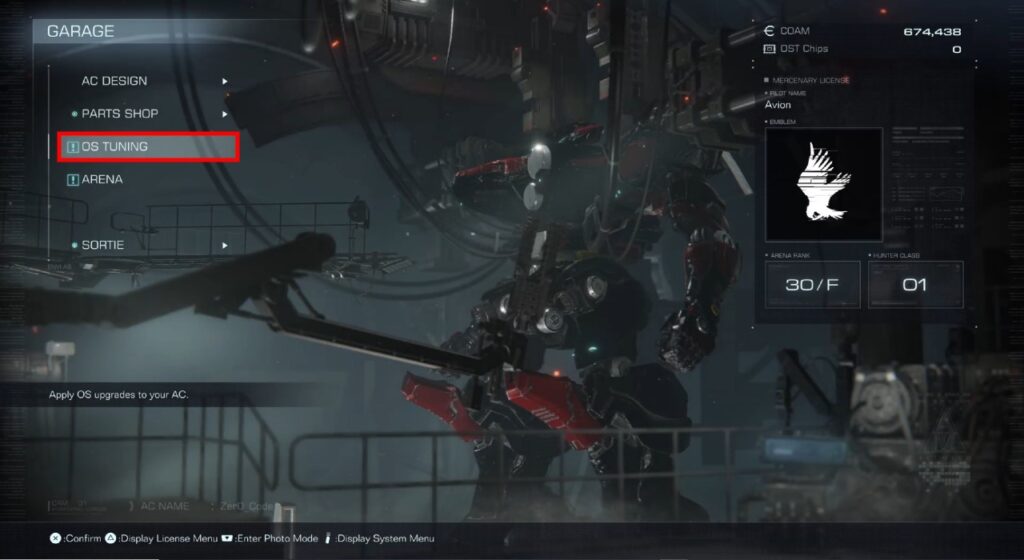
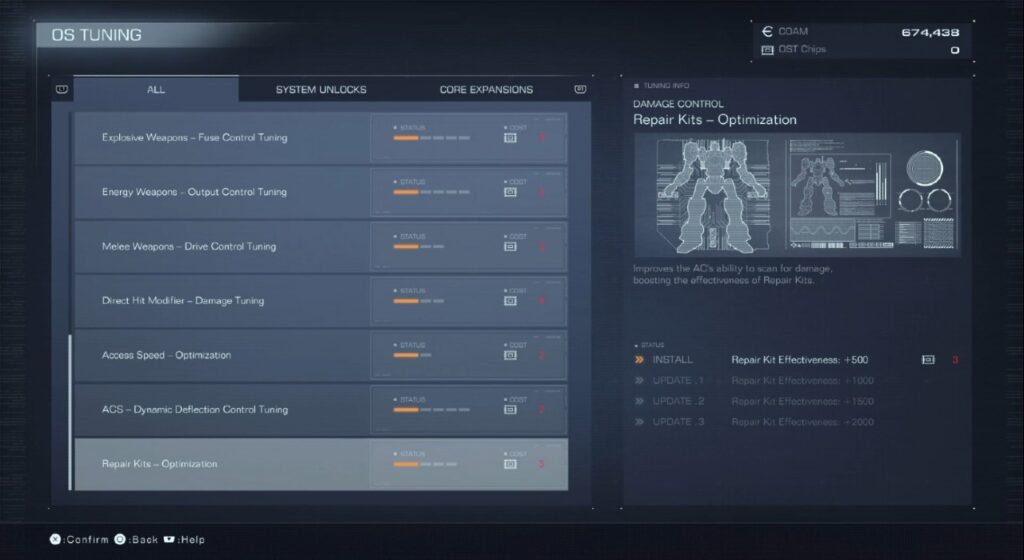
That being said, it is possible to make these Repair Kits more powerful and provide more AP to the player’s health bar when used. This can be done in the OS Tuning menu in the Garage by spending OST Chips from the Arena, which is unlocked alongside the OS Tuning tab in the Garage. The Arena will put players against strong AC pilots with the reward being OST Chips.
Players can unlock the OS Tuning tab in Chapter 1 by completing either Mission 9: Retrieve Combat Logs or Mission 10: Investigate BAWS Arsenal No. 2 since players have the choice of completing either of these missions before the other. Once the tab is unlocked, will need to go to the Damage Control section and upgrade Repair Kits – Optimization. This will allow players to make this healing item stronger at the cost of OST Chips. Each upgrade makes the Repair Kit stronger by 500 AP, with the final unlock allowing the Repair Kit to do an extra 2000 healing to a player’s AP.
Stay up to date on all of Gameranx’s guides by checking out our Guide Index for Armored Core 6: Fires of Rubicon.