
Table of Contents[Hide][Show]
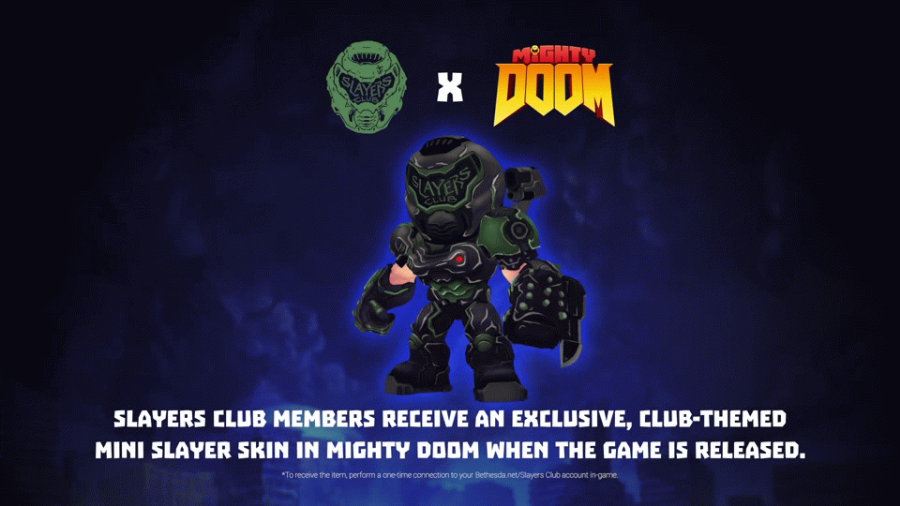
Don’t miss out on some slick free offerings for Mighty DOOM — including a Mini Slayer and a cosmetic upgrade for your Rocket Launcher. These free items won’t be available forever, so here’s a quick rundown explaining how to claim both the Mini Slayer’s Pack and how to claim your free Slayer’s Club rewards. They’re useful and absolutely worth it for new players — even some veterans have missed out on the Slayer’s Club Skin, believing it was only available for Beta players. Nope, the Slayer’s Club Skin is still available for everyone, but you’ll have to dig into the menus to really find it.
Mighty DOOM is available to download FREE here: iOS | Android.
More Mighty DOOM guides:
Best Weapons | What To Buy With Crystals | Gear Farming Tips | EXP & Coin Rewards Per Level | How To Beat Doom Hunter Base
How To Claim The Mini Slayer’s Pack
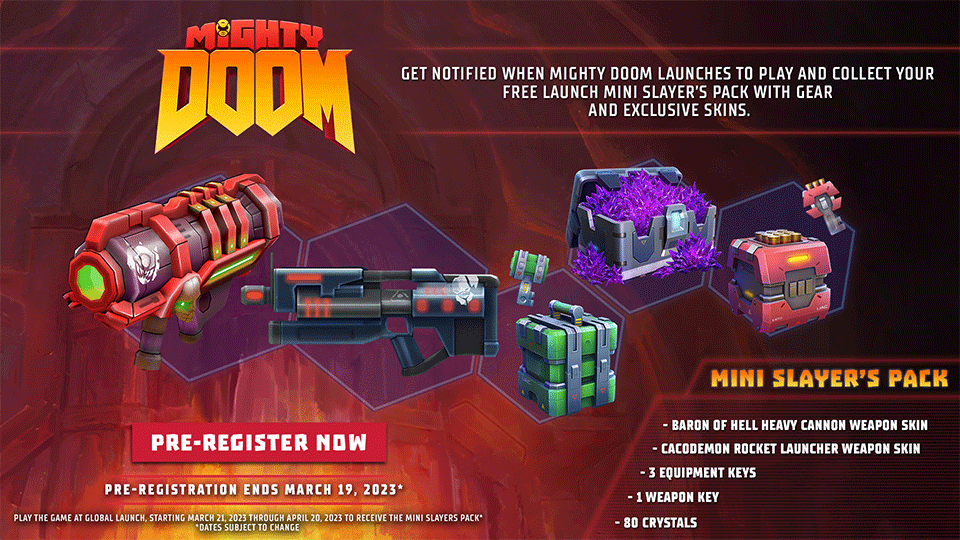
The Mini Slayer’s Pack is a free bonus reward for early adopters of Mighty DOOM. It is available until April 20th, 2023 — so download Mighty DOOM and grab it before its gone for good.
- To claim the Mini Slayer’s Pack: Reach Level 3 to unlock the Store. Go to the Store Tab and you’ll find the Mini Slayer’s Pack on the Special Offers display.
- Click the reward to ‘purchase it’ and instantly collect the items inside.
The Mini Slayer’s Pack includes 80 Crystals, 1 Weapon Key, 3 Equipment Keys, a Cacodemon Rocket Launcher skin and a Baron of Hell Heavy Cannon skin.
- To equip weapon skins: Open your Inventory Tab and select a weapon. You’ll see a selection of cosmetics under the weapon description. Any cosmetics you’ve already unlocked will display [Use] under the thumbnail. Tap the [Use] button to equip.
How To Claim The Slayer’s Club Skin
The Slayer’s Club Skin is an exclusive reward for linking your to your Slayer’s Club account through Might DOOM. To earn it, you need to link your account. Create your free account here. You’ll need a Bethesda.net account to access the Slayer’s Club.
- How To Link Slayer’s Club Account: Access the Settings menu in Mighty DOOM.
- Settings Location: On the Mission Tab, tap the Gear Icon in the upper-left corner.
- On the Settings Menu, select Slayer’s Club.
- Enter your Slayer’s Club account Login and Password.
Once your account is linked, you’ll automatically unlock the Slayer’s Club Skin.
- To equip the Mini Slayer skin: Open the Inventory Tab and tap [Slayers]. Tap The Mini Slayer and tap the [INFO] button at the bottom-right corner of the screen. You’ll go to a menu showing the different Slayer Skins you’ve unlocked.
Now you can show off your fancy Slayer skin to the world — with screenshots. These cosmetics don’t have any special effect in-game, but they are pretty nifty and let you customize your Slayer very quickly without spending real money on microtransactions.