
• Skip to main content
  • Skip to header right navigation
  • Skip to site footer
Gameranx

Gameranx

Video Game News, Lists & Guides

  • News
  • Features
  • Platforms
    • Xbox Series X
    • PS5
    • Nintendo
  • Videos
  • Upcoming Games
  • Guides

Fortnite: Battle Royale – How To Fix The Blue Screen Lobby Bug | All Platforms Solution

August 17, 2022 by Kevin Thielenhaus

Blue no more.

[Image Source: 1]

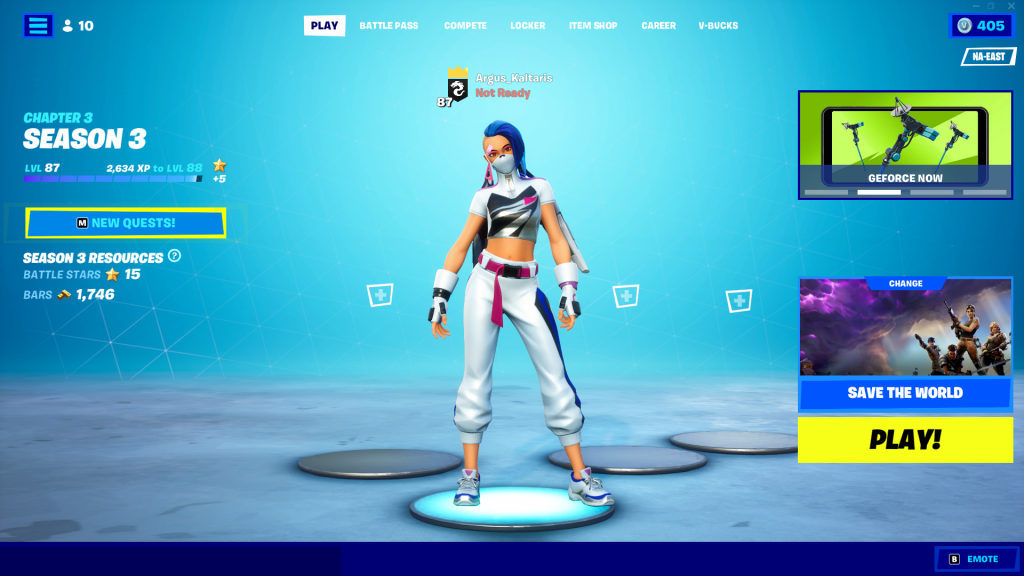
Fortnite: Battle Royale doesn’t just demand your time and attention — this game demands you keep a schedule to get all new stuff on offer like Goku skins. A wasted day can mean missing important events, and one of the most annoyingly persistent bugs is the Blue Screen Lobby error. Seemingly due to errors in patch installation, the blue screen lobby makes playing a pain. Luckily, players have been circulating an easy solution for everyone caught in the infinite blue screen loop.

Sometimes the lobby is just blue. Sometimes it causes crashes or audio issues when you hop into an actual game. Either way, you’ll want to get rid of it ASAP.


More Fortnite Chapter 3 guides:

How To Get Kamehameha & Nimbus Cloud | How To Watch Episodes Of DBZ: Super | How To Join A Versus Battle | Where to Find a Zero Point Fish | Prime Shotgun Locations Guide | How to Unlock Indiana Jones Skin | The Ruins Location Guide


How To Fix The Blue Lobby Bug

The bug seemingly occurs on PC and console — and it can be fixed on both versions without requiring a reinstall.

  • Open the Settings Menu and navigate to the Language Selection.
  • Change your language to any other language. For example: English (US) to English (UK) will work.
  • Change your language back to your native language.

And that’s it! Just changing this setting will fix the issue. You need to make sure the language change is confirmed, then you can swap it back to your normal language. This will work with any language — as long as you swap languages on the menu from your default, doing this will get rid of this dreaded bug.


The blue lobby bug has been a persistent problem, appearing recently during the Chapter 3 launch and then again with the new DBZ content update. There’s no telling when it might strike again — so it doesn’t hurt to have a solution at your fingertips.


Share this post:

FacebookTwitterLinkedInPinterest

Recent Videos

20 Games Where You REGRET Doing The RIGHT THING

20 Games Where You REGRET Doing The RIGHT THING

Why a SUPERMAN Video Game Is So Hard To Make

Why a SUPERMAN Video Game Is So Hard To Make

20 Games That Are WAY Better on Higher Difficulty

20 Games That Are WAY Better on Higher Difficulty

GTA 6: 10 Features IT SHOULD STEAL

GTA 6: 10 Features IT SHOULD STEAL

Windrose - Before You Buy

Windrose - Before You Buy

10 BRAND NEW GAMES, STARFIELD PS5 BACKLASH & MORE

10 BRAND NEW GAMES, STARFIELD PS5 BACKLASH & MORE

10 Secret Game Endings That BLEW OUR MIND

10 Secret Game Endings That BLEW OUR MIND

Mouse: P.I. For Hire - Before You Buy

Mouse: P.I. For Hire - Before You Buy

REPLACED - Before You Buy

REPLACED - Before You Buy

Category: FeaturesTag: Fortnite, Guides, PC, PS4, PS5, Xbox One, Xbox Series X/S

Sidebar

Recent Posts

  • Epic CEO Tim Sweeney Claims Xbox Is Trying To Bring Xbox Mobile To Google, After Asha Sharma Confirms It Isn’t Dead Yet
  • Callina Liang Reveals She Really Grew Her Thighs To Become The Street Fighter Movie’s Chun Li
  • IO Interactive Explains How 007 First Light Builds On Hitman’s Gameplay Systems
  • Did Spanish Streamer El Xokas Really Try To Pass Off A Fake GTA 6 Screenshot As Real?
  • Nintendo Being Sued For Tariff Refunds – Before The Refunds Have Been Issued

Copyright © 2026 · Gameranx · All Rights Reserved · Powered by Mai Theme

