
Table of Contents[Hide][Show]
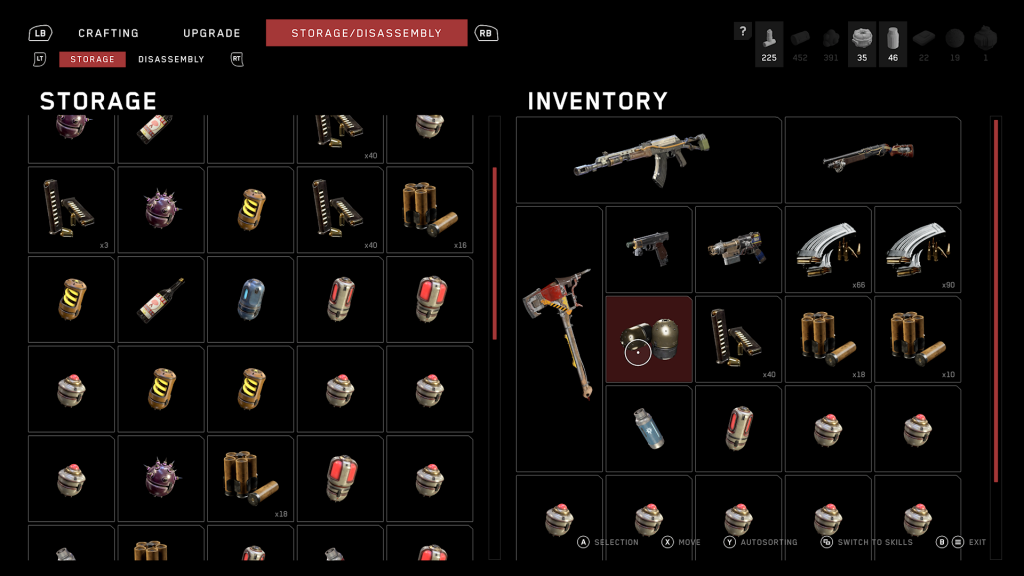
Early in Atomic Heart, you’ll quickly realize that inventory space comes at a premium. Large weapons like the shotgun, and your many melee weapons, all take up multiple inventory spaces. And you’ll need all the healing items you can get. You can only hold so much ammo too, so if you want to stay stocked up, you’ll have to limit the number of weapons you’re carrying. For the early game, you’ll be stuck with about four. But you’ll quickly begin unlocking many, many more weapons.
If you’re sick of running out of space and don’t want to give up those precious healing items or ammo, then you’ll want to follow a specific upgrade path. Upgrades in Atomic Heart can’t be checked from the menu — you have to actually unlock the right skills to see what you can get next. And if you’re skipping, you can stick yourself with an extremely limited inventory. Want to double the size of your carrying capacity? Here’s what you need to do.
More Atomic Heart guides:
How To Disable All Robots In A Region | All Vavilov Complex Blueprint Locations | Testing Ground 1 Puzzle Solutions | How To Use Cartridge Modules | Testing Ground 1 Guide | Testing Ground 2 Guide | Testing Ground 6 Guide | Testing Ground 8 Guide | Testing Ground 9 Guide | Testing Ground 10 Guide | Testing Ground 11 Guide | Testing Ground 12 Guide
How To Increase Inventory Capacity
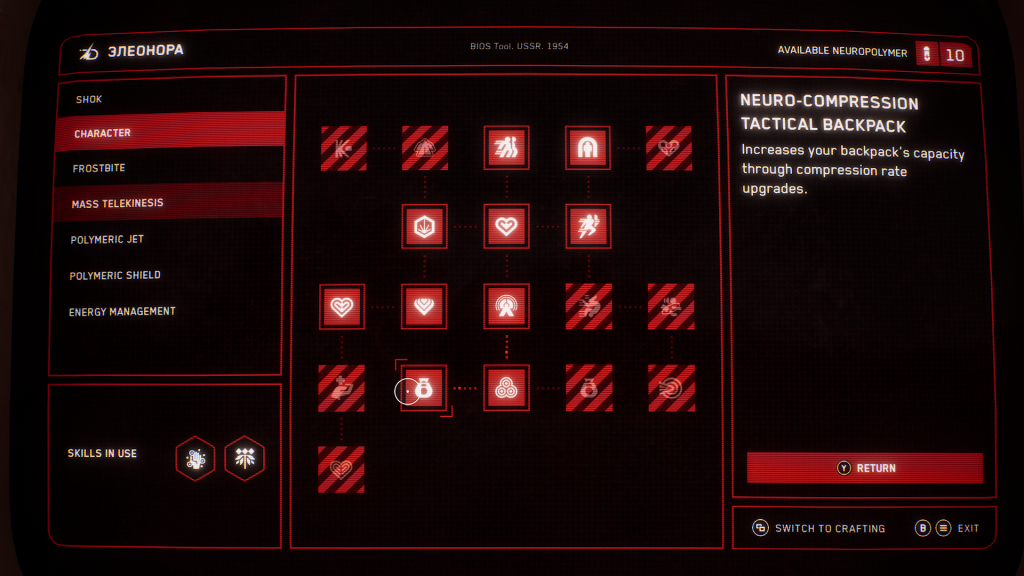
Your character starts with 20 Inventory Slots by default. By unlocking upgrades, you can increase inventory space by +20 slots, doubling your carrying capacity and allowing you to carry more ammo, more healing items, and many more weapons.
- Inventory Upgrade: Under the Charles Upgrade Menu available at any NORA unit, you need to unlock ‘Extra Capacity Cluster Munitions‘ at the bottom of the CHARACTER menu.
- After unlocking this upgrade, two Inventory skills will become available. ‘Neuro-Compression Tactical Backpack‘ is available twice, and is only available after purchasing the previously mentioned upgrade.
- Each of these upgrades costs 75 Neuropolymer and increases storage by +10 inventory slots.
- Unlock both for a total +20 inventory slots.
That’s twice your normal inventory. Increasing carrying capacity also increases how many weapons you can carry — that’s the primary function, and all weapons on your quick-select menu can be swapped fast. You’ll want to limit yourself to a maximum of six or seven weapons. After that, you won’t be able to hot-swap and you’ll need to manually switch out weapons on the weapon wheel.
What Else You Need To Know About Inventory
Inventory space isn’t 100% required for several reasons — your 20 slots can carry multiple weapons and ammo, and you can carry fewer healing items if you’re bringing Medium or Large healing items with you instead of only Small. The first inventory upgrade, ‘Extra Capacity Cluster Munitions‘ also increases the number of ammo units you can carry per stack. So you can carry more ammo without using up more inventory slots.
In addition, you may not realize this at first, but all items you collect when your inventory is full will automatically transfer to NORA Storage. In Storage, you can swap in new items to fill out your missing ammo or healing or disassemble items to get resources back. This is especially useful if you find weapon duplicates in the environment. Break weapons down from the Storage menu for a huge stack of crafting resources.
You’ll also find your storage absolutely packed with items if you don’t check it often and if you’re exploring thoroughly, opening every large chest you find. Your storage will be packed with ammo you can’t carry with you, and you’ll be swimming in healing items. Make sure to stop at NORA often and refresh your items. You’ll rarely need to craft items if you check your storage.




