
Table of Contents[Hide][Show]
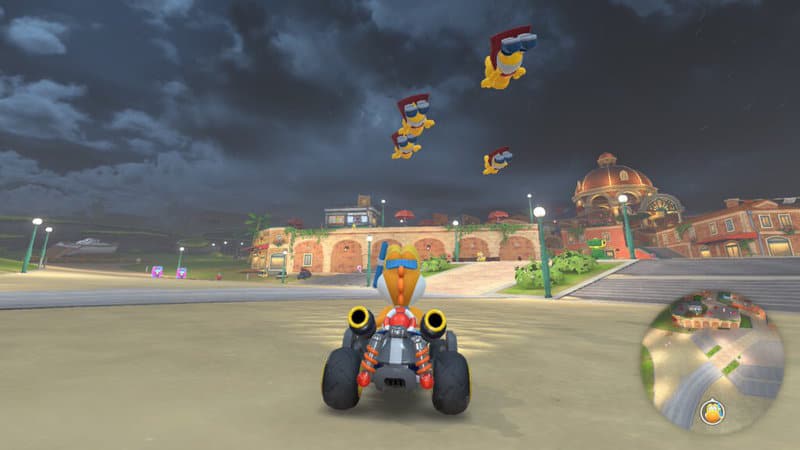
Free Roam is a new mode exclusive to Mario Kart World that’s also one of the most complicated in the series — instead of racing, you’re free to do whatever you want in the huge continent that connects all the courses together. There’s a whole lot to do in Free Roam and you’ll have to explore to discover it all yourself, but exploring can be difficult without a map. The game doesn’t openly explain how to access the world map in Free Roam mode, and if you’ve been trying all the logical buttons, you might think there’s no map at all.
There is a way to open the map, and it’s surprisingly simple. We’ll explain in the full guide below. If you’re looking for more tips and beginner guides, learn all the ways you boost, how to unlock Rainbow Road, or how to unlock the secret Mirror Mode. There’s so much more to discover too — check out how to unlock every character and costume, or how to quickly unlock every vehicle.
How Do I Start Free Roam?
Free Roam is available from the Main Menu. There is no Main Menu option available, instead you’ll need to press [+] on your Nintendo Switch Joy-Con or Pro Controller to begin.
- Free Roam: On the main menu, press [+] to launch Free Roam.
This transitions the player into the character currently driving in the demo footage — you’ll start exactly where the main menu character is, with their vehicle and character choice. You can swap vehicles and character by pressing [+] again and opening the pause menu. There’s an option to switch characters here.
How To Open The Free Roam Map
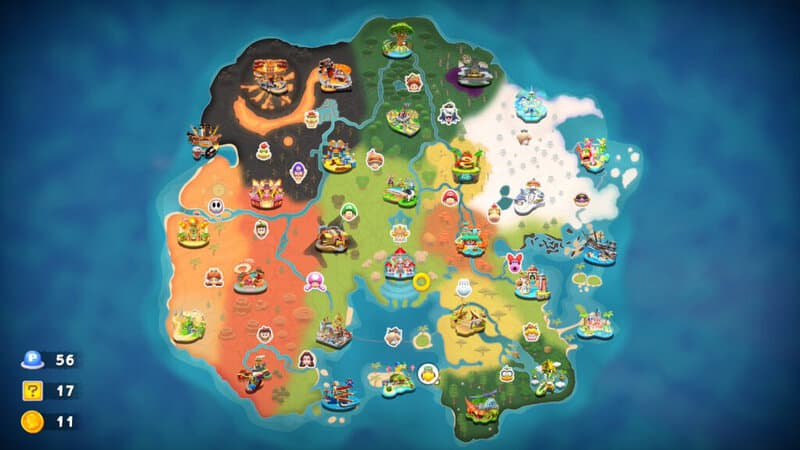
While in Free Roam, exploration can be very difficult without a map to help you. There’s an in-game map you can utilize to find your way and learn about your current collectibles.
- Press [Y] while in Free Roam mode to open the world map.
- The World Map shows your current location and number of P-Block missions, “?” collectibles and Peach Medals you’ve found so far. They’re in the lower-left corner.
You can also check locations for “?” blocks. Each map location has multiple — cursor of them to see how many “?” blocks you’ve found and how many are left at each location. By cursor-ing over the character portraits on the map shows how many costumes you’ve unlocked so far, and how many you have left to unlock. It’s another very useful function of the map.
What Is Free Roam?
So, the big question is — what is free roam in Mario Kart World? Free Roam is an open-world map game mode that’s limited to one-player (you can’t play cooperatively or online with friends) and can be used as a lobby while waiting for online matches. You might see ghosts of other players in Free Roam, but you can’t interact with them and they’re not actually other players.
Free Roam is mostly a mode for exploring, completing missions by activating P-switches, and finding collectibles like Peach Medals and “?” blocks. Both of these are very well-hidden and tricky to find, and while there’s no real reason to unlock them, if you collect 10 of each collectible, it’s possible to unlock Mirror Mode.
Other than that, you might want to learn more about secrets in Free Roam like drivable semi-trucks and UFOs. There’s a lot to explore, so dive in with a lot more confidence while using the very-handy map function.







