
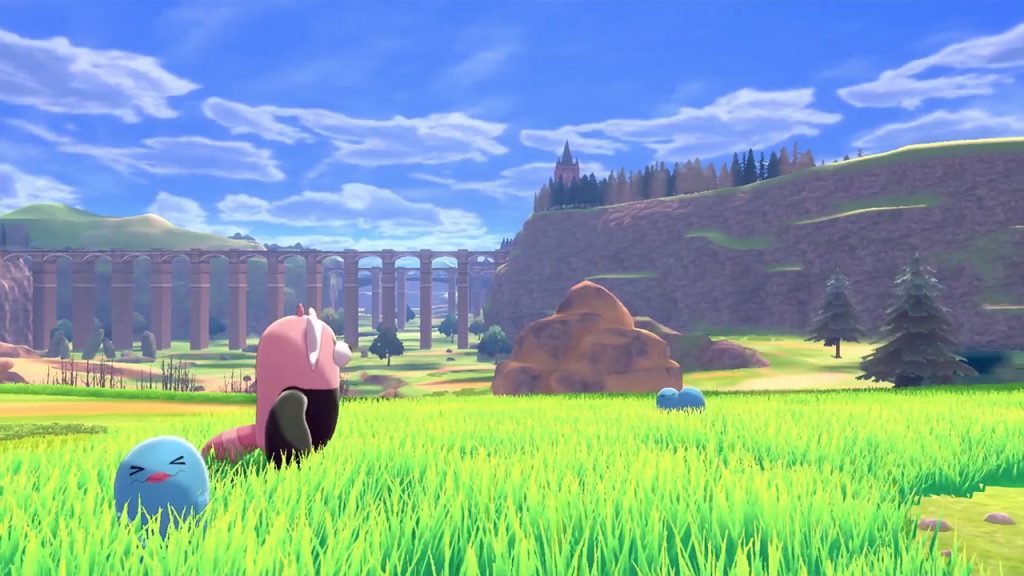
The Wild Area is a new addition to Pokémon Sword & Shield — it’s a vast plain where you can find tons of Pokémon to fill out your Galar Pokedex. Depending on the weather, you’ll encounter completely different Pokémon, and some of these weather conditions can be pretty rare. If you don’t want to wait and search for different weather conditions every day, it is possible to alter the weather with a little Nintendo Switch tweaking.
It’s all about the internal clock. No, we’re not using it to exploit the game, complete Poke Jobs instantly, or farm endlessly — this is just a way to alter the weather to the conditions you want. Certain days always rain, snow, etc — all you have to do is change the date to match those days. It’s still kind of a glitch, as we’re all meant to sit and wait until the lucky day. If you’re impatient and want to start catching rare Pokémon, here’s what you need to do.
More Pokémon Sword & Shield guides:
How To Evolve All The New Galar Region Pokémon | Evolution Guide | What’s Exclusive To Each Version? | How To Catch Shiny Pokémon | Pick This Starter Pokémon For An Early Advantage | How To Easily Evolve Farfetch’d Into Sirfetch’d | Brilliant Aura System | How To Catch Improved Pokemon | Combo & Ultimate Moves | Move Tutor Locations | How To Catch Pokemon Easier | False Swipe & Hypnosis Guide | Easter Eggs, Secrets & References Guide
How To Change The Weather | Wild Area Guide
To change the weather, you’ll need to change the date on your Nintendo Switch console. To make sure the date actually works, you need to change the date to a future time — a date in the past will not work.
Change the date to the following days to get different weather conditions in the Wild Area. You might have to ride around on your bike to find it, but it’s always somewhere.
- Snowstorm: 2/1/20
- Overcast: 3/1/20
- Sandstorm: 4/1/20
- Normal: 5/1/20
- Fog: 6/1/20
- Intense Sun: 7/1/20
- Raining: 10/1/20
- Thunderstorm: 11/1/20
- Snowing: 12/1/20
Remember to disable Sync Via Internet and to only select these dates in the future. If you’re looking at this guide in 2020 — remember to change these numbers to 2021! And so on!
Source: [1]
How To Change The Date In-Game
It is possible to change the date in-game. You can reset daily activities, reset Raid Dens, and change the weather — but you won’t be able to speed up breeding, instantly complete Poke Jobs, or farm the lotto.
To change the date in-game, follow these steps.
- Make sure you’re [Offline / Local] in the Y-Comm menu.
- Go to any Max Raid Den in the Wild Area.
- Select ‘Invite Others‘ — don’t worry, if you’re online, you’ll never actually invite anyone.
- Press [Home] while the menu says ‘Searching’ and open [System Settings].
- In [System Settings], go to System -> Date & Time -> Move the day ahead by 24+ hours.
- Check and make sure ‘Synchronize Via Internet‘ is disabled.
- Go back in-game and press [B] to back-out of the Max Raid Den.
Follow those instructions in the Wild Area, and you can change the weather conditions as much as you want. Unique Pokémon will always spawn in certain weather, and some of the rarest (and most useful) Pokémon are locked behind specific Wild Area weather conditions. Give them all a try to complete your Pokedex!








