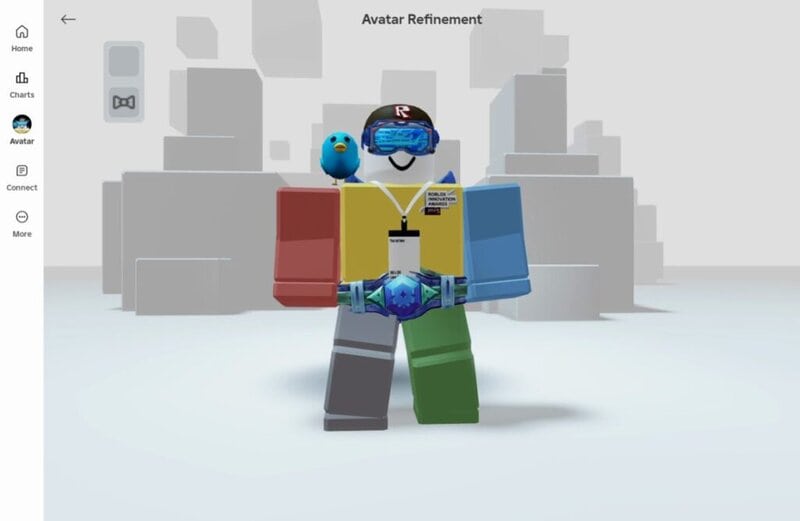
There are certain features within Roblox that are meant to “stand above” the others in one form or another. The Creator Studio is one, as that’s where gamers can go in to create their own titles that will become part of the grander universe. However, another important thing is the item creator. After all, there are plenty of people within the game who make various clothing items and accessories not only to make something cool but also to potentially make money off it. There’s a big marketplace within the universe, and it’s mainly comprised of player items. So, having the versatility to augment items is a must.
Sure enough, the team did add an “Accessory Adjustment Tool” last year for players to toy around with. The catch was that the tool was only about face and head accessories and nothing else. However, the team has now updated that and revealed in a blog post just how in-depth it now is:
“We’re excited to announce the launch of the Accessory Adjustment Tool APIs for Neck, Shoulder, Front, and Back Accessories. Last year, we introduced the Accessory Adjustment tool for Head and Face Accessories in the Avatar Editor and with APIs for adjustment within your experiences.
Today, we’re expanding to include Front, Back, Neck, and Shoulder accessories. Using the upgraded HumanoidDescription API 106, you can allow users to adjust the position, rotation, and scale of those accessories on their avatars – whether they own the items or are previewing them before purchasing. This opens up a whole new level of compatibility between avatars and their accessories.”
Why is this so important? Well, customization is a key part of the Roblox experience, and the dev team wants nothing more than to see just how far players can push things in all matters. So, if they’re not able to adjust their avatars or their accessories to “get the look they want,” then they’re doing something wrong.
Being able to size things up or down on various parts of the avatar’s body might seem like a small thing, but it’s actually pretty significant as the blog post points out. Versatility is the name of the game here, and this adds to it in a significant way.
More than likely, more adjustments to the accessory tool will come in the months to follow, especially since there are still a few places that “need adjusting.” So, you’ll want to stay tuned for that.