
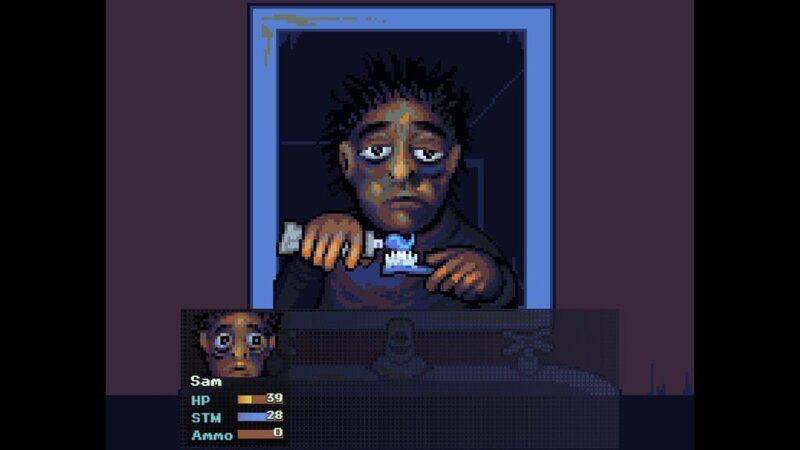
Currently, there’s no way to play Look Outside with Fullscreen enabled through the in-game options. After launching this tiny indie game, you’ll be stuck in windowed mode even if you resize the window. There’s an easy way to play with the gameplay window fully covering your monitor, and we’re going to talk about it below — it’s actually really simple, something the community has been sharing since Day 1 of this very strange little game, so scroll down to get your answer and start playing the game with as much immersion as possible.
Look Outside is a tiny RPG Maker wonder. Like Undertale, this $10 RPG is filled with surprising gameplay, horror and a lot of laughs. After a strange meteorite passes Earth, your lonely apartment building goes dark and anyone that looks outside changes forever. Forced to survive for 15 days until the meteorite passes, you’ll have to talk or fight your way out of nightmarish situations, scavenge for food or try to discover the truth for yourself. Whatever you do, you probably don’t want to Look Outside.
How To Play On Fullscreen
Look Outside is stuck on Windowed Mode by default. To change it, you’ll need to press a button on your keyboard.
- Fullscreen Mode: Press [F5] after launching Look Outside.
- You may need to press [FN + F5] depending on your keyboard setup.
F5 will switch the selected tab to fullscreen. Tap it once to go to fullscreen — it will fit to your monitor and remove the windowed mode buttons and outline. Press F5 again to reset and return to windowed mode.
This mode can be a little buggy — for example, recording software may not detect Look Outside when using fullscreen mode, so you’ll need to stick with windowed if you’re streaming. It can also cause some sizing issues during battles where the wrong-sized attack animations or the wrong sprites will appear.
The developer has promised many more patches to fix stability, balance gameplay and eventually add more content to the game.





