
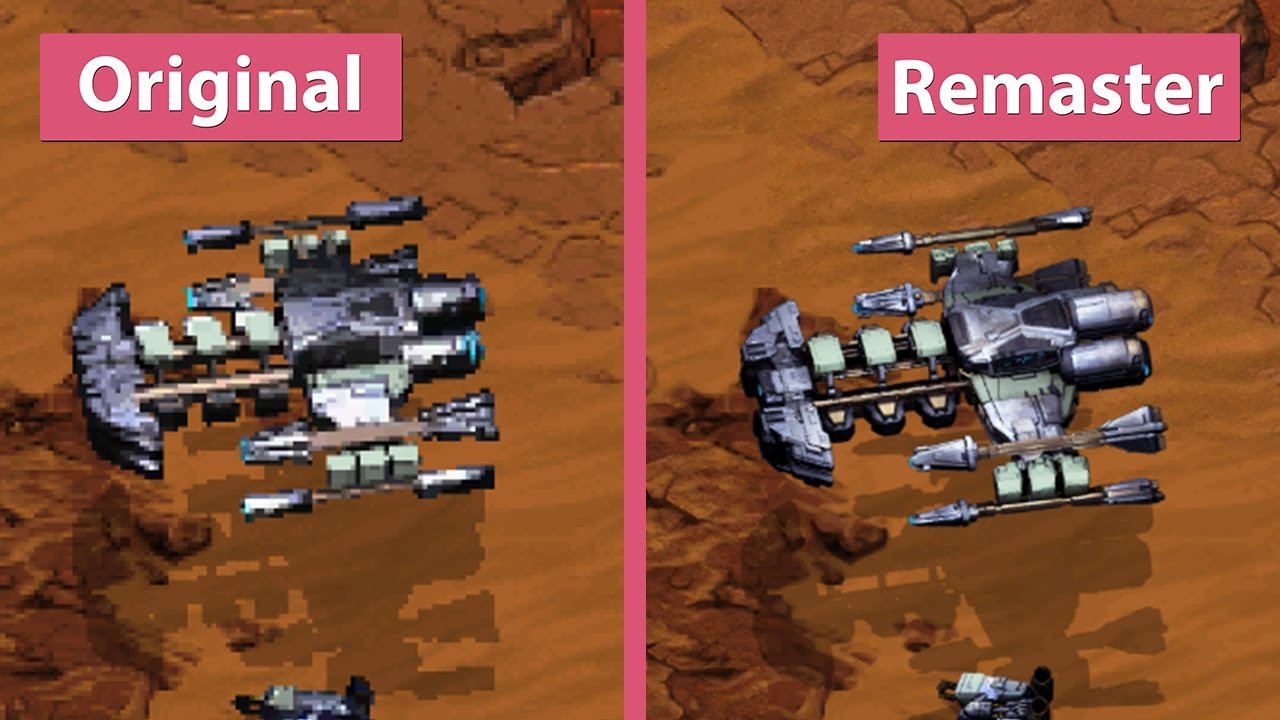
There’s one cool feature you might not know about in StarCraft: Remastered. With the press of a button — or a trip to the options menu, you can instantly swap between old and new graphics. If you bought StarCraft: Remastered, and don’t think it looks like much of an improvement — prepare to get your socks figuratively knocked off.
HD enhancements weren’t the only change to StarCraft: Remastered. So old-school fans might be completely put-off by the new voice acting in the game. All the units have “new” voice-lines — it’s just new actors reading the old script — but it’s just close enough, not everyone is noticing the difference. Those that are noticing, and going a little crazy. “Did it always sound like this?” you might ask. Well, we have your answer. No, it did not always sound like this, and you can switch back and forth freely for the best possible experience.
More StarCraft: Remastered guides on Gameranx:
- StarCraft: Remastered – How To Enter Cheats | Cheat Codes List
- StarCraft: Remastered – How To Unlock “Dark Origin”| Secret Level Guide
How To Swap New & Old-School Graphics
There are two settings you’ll want to access in the options menu — graphics and audio. You can customize your options and play with new graphics / old audio, or old graphics / new audio. It’s all in the options, but there’s another way to instantly swap between the display graphics in-game, giving you a clear picture at all the in-game improvements to each character sprite.
- To Swap Between Old / New Graphics In-Game:
- Presss [F5]
It’s a tiny feature almost no one in the press is talking about, and it’s also one of the best features in the game. Swapping between old /new to compare isn’t exactly a brand-new game-changing addition, but it’s one we greatly appreciate. Other games, like the remaster of Halo: Combat Evolved also included a quick-change button, revealing that our imaginations always made old games look better than they did in reality.
The original (non-upgraded) version of StarCraft is still available for free on Blizzard’s official platform. Download the installer right here. It’s required before purchasing StarCraft: Remastered.








