

Fans clamoring to pick-up a PlayStation Classic might have their nostalgic memories shattered when a large number of games packed into the tiny plug-and-play machine don’t run as well as you remembered. Nine out of these twenty games are negatively effected by a pretty strange change in the emulation — they’re tagged as PAL region instead of NTSC region. PAL is the European region code, and PAL games run at 50hz instead of the standard 60hz NTSC region players are used to.
Essentially, a bunch of games have noticeably worse performance on the PlayStation Classic than when they were originally available. And if you’re the type of person that doesn’t mind doing a little modding, you can actually improve the framerate and change all your games to NTSC region — restoring the 60hz performance in the process.
To do that, you’ll have to access hidden Emulation Menus — and that’s actually a whole lot easier than you might realize. All you need is a compatible USB keyboard. Yes, really.
How To Improve Framerate With Hidden Emulation Menus | Tweaks Guide
[WARNING: The emulation menus feature many untested features that we don’t recommend. Many of these menu options can’t be easily reversed, so access these menus at your own risk.]

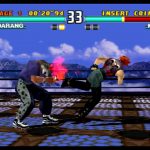
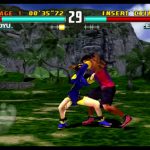

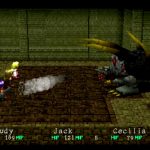


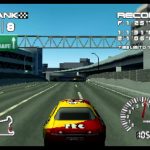
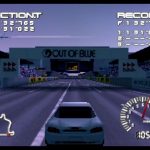
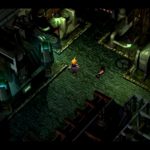
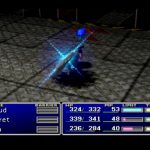



To improve framerate, you’ll first need to access the hidden Emulation Menus on the PlayStation Classic. To do this, you’ll need to connect a USB keyboard to the device — not every keyboard will work. Simple mechanical keyboards build for Windows PCs seem to work more often. Apple Keyboards don’t. LED keyboards may not get enough power from the console, and may require a different power source.
Once you connect a working keyboard, you can access the hidden emulation menus on the PlayStation Classic.
- How To Access Emulation Menus: After plugging in a USB Keyboard into the PS1 Classic, press [Escape] on the keyboard.
Now that you’re in, you can change the settings to switch all your games to NTSC region. This will instantly improve performance on many of your games — bumping games up from 50hz to 60hz. Doing this is very safe and simple, and you won’t have to risk causing problems with your console.
- How To Change Region Settings: In the Emulation Menu, scroll down and select [Region]. From this menu, you can change the global region setting to NTSC.
- Changing this setting will speed up FPS on games stuck in PAL.
There are lots (and lots) of other options you can experiment with in the Hidden Menu, but I only recommend testing if you’re aware of the consequences, and don’t mind bricking your PS1 Classic. Changing the display and output settings can cause glitches in your games, and doing anything to the BIOS can seriously ruin your console. Best to leave the tweaking to the experts.







