
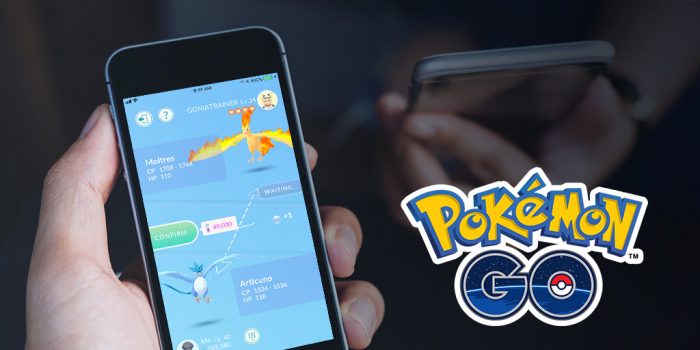
Trading is one of the cornerstones of any Pokémon game, and Pokémon GO is finally adding that feature very, very soon. In addition to trading, you’ll also be able to gift Pokémon and make friends. These are pretty significant features, so we’re going to break down everything you need to know before anything is officially updated.
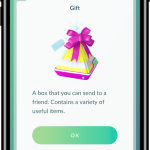
Trading and gifting are all connected to the new Friends List system. By adding real-life friends, you’ll be able to keep track of their progress and earn fresh bonuses. This includes a new type of item — called “Special Gifts”, these are unique presents you’ll sometimes get when spinning PokeStops. You can’t open them yourself, but you can send them to friends. Give your friends plenty of gifts (and join them on activities) to increase your friendship level. There’s a lot of stuff to know about friendship level, so let’s just get into the main guide.
How To Add Friends & Trade Pokemon | New Features Guide
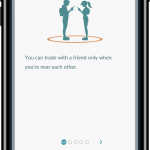
Trading and Gifting are all part of the new Friendship System. To begin trading, you’ll need to add some friends. You can only trade Pokémon with Friends.
- How To Add Friends:
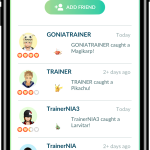
- To add friends, go to your Friends List and tap “Add Friends”
- Input the Trainer Code of your friend to add them.
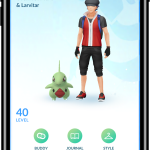
You can access your Friends List under the “Friends” tab on your Trainer Menu. Once you add friends, you’ll be able to get a variety of bonuses, and increase your Friendship Level. This is pretty important for trading — the better your friendship level, the easier you can trade.
- How Friendship Levels Work:
- Friendship Level offers a variety of bonuses. You can increase the Friendship Level of a friend once per day by joining raids (or Gym Battles) with your friend, sending gifts, or trading.
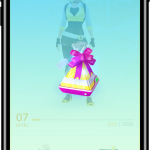
- After adding a friend, you’ll find Special Gifts randomly when spinning PokeStops. These gifts can only be sent to friends, you can’t open them! Special Gifts may also contain eggs that hatch with Alolan Form Pokémon!
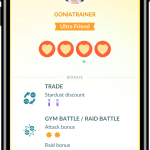
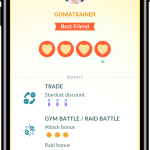
- The higher your Friendship Level, the more bonuses you’ll receive. When working together in Raids or Gym Battles, you’ll get an Attack Bonus. When trading, trades will cost less Stardust.
- There are four Friendship Levels: Good Friend, Great Friend, Ultra Friend, and Best Friend.
- Friendship Level offers a variety of bonuses. You can increase the Friendship Level of a friend once per day by joining raids (or Gym Battles) with your friend, sending gifts, or trading.
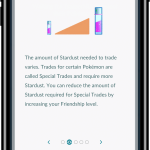
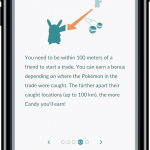
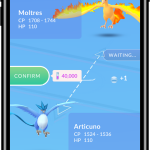
Friendship Levels are very important for trades. Every trade costs Stardust. The higher the friendship level, the lower the Stardust cost for trades.
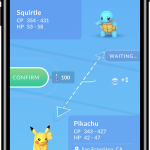
- How To Trade Pokémon:
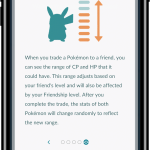
- You can only trade Pokémon with players on your Friends List.
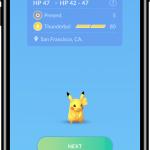
- You must be Level 10+ to trade Pokémon. At first, you can only trade Pokémon you’ve captured.
- All Pokémon trades cost Stardust. Increase your Friendship Level to get a huge Stardust discount on trades.
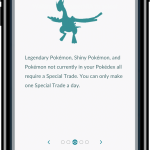
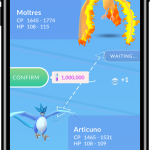
- To trade Legendary, Shiny, or Pokémon not in your Pokedex, you’ll have to do a Special Trade.
- You must be “Best Friend” or “Ultra Friend” Friendship Level to unlock Special Trades.
- You can only complete one Special Trade per day. Special Trades are much more expensive than standard trades.
- Mythic Pokémon can not be traded, even with Special Trades.
And that’s (basically) everything you need to know about trades.

More Pokemon GO tips, tricks, and FAQs:
- Pokemon GO: 9 Essential Tips, Tricks & Answers To Your Questions
- Pokemon GO: Get All 3 Eeveelutions Every Time
- Pokemon GO: Perfect Pokeball Throws With AssistiveTouch
- Pokemon GO: How to Become A Gym Leader
- Pokemon GO: How to Earn Coins (Fast) & What They’re Used For
- Pokemon GO: Where to Find (And Catch) Pokemon | Spawn Locations
- Pokemon GO: iOS & Android Compatibility – Which Versions Work
- Pokemon GO: Easy Ways to Earn XP & Level Up Fast
- Pokemon GO: How to Take In-Game Screenshots
- Pokemon GO: Is It Out In Your Country? | Availability List
- Pokemon GO: All the Moves, Ranked Best to Worst | Complete List
- Pokemon GO: 6 Essential Facts You Need to Know About the Buddy System
Source: [1]








