
• Skip to main content
  • Skip to header right navigation
  • Skip to site footer
Gameranx

Gameranx

Video Game News, Lists & Guides

  • News
  • Features
  • Platforms
    • Xbox Series X
    • PS5
    • Nintendo
  • Videos
  • Upcoming Games
  • Guides

30 Fortnite: Battle Royale Secrets & Settings The GAME DOESN’T TELL YOU

May 26, 2018 by Kevin Thielenhaus

Stay competitive in Fortnite: Battle Royale with 30 secrets and settings you really need to know. From controller configurations, to graphics settings, to in-game secrets, here’s all the vital information the game doesn’t explain..

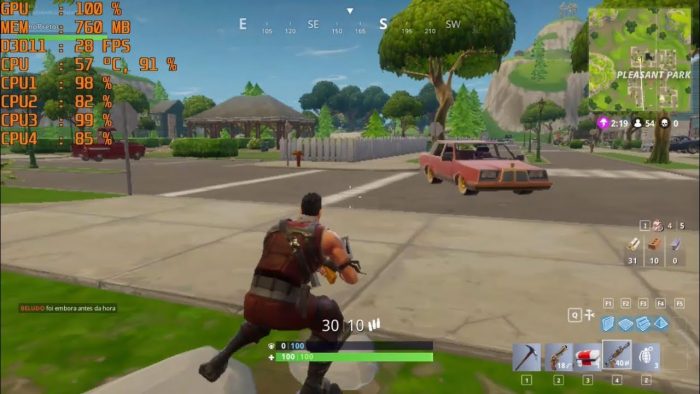
#18 Lower PC Settings To See Your Opponents Easier

This is an old one, but it’s important to remember if you’re new to the competitive scene. You don’t necessarily want pretty graphics — you need visibility. A high FPS is very important too, but visibility can literally save your life every single time. You’ll have to mess around with your PC settings to find the best possible combination that runs well for you (60 FPS is recommended!) but here’s a few suggestions.

  • Frame Rate Limit: 60 FPS
  • View Distance: Epic
  • Shadows: Off
  • Anti-Aliasing: Off
  • Textures: Medium (Or Low)
  • Effects: Low
  • Post Processing: Low
  • Motion Blur: Off

Distracting effects like Motion Blur, Shadows, and Post Processing should all be turned to Low, or turned Off entirely. You’ll also want to increase the View Distance as far as it will go — lower slightly if your computer is struggling, but View Distance should be your top priority.

  • NOTE: On console, settings are way easier. Just find the setting that says “60 FPS” — turn that ON. This is a PS4 Pro / Xbox One X only feature.

#17 Increase Brightness To See Better In Dark Areas On Console / PC

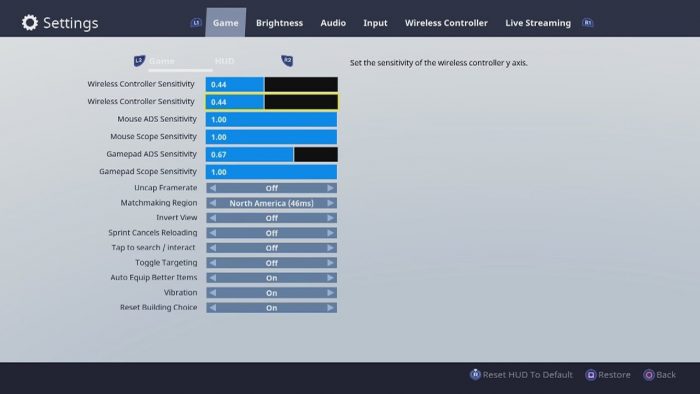
Speaking of sight, here’s a basic tip that’s important on PC and Console. If you can’t see your enemies in dark areas, you’re probably not going to score any headshots. Kick up the brightness in the in-game settings. That’ll help defeat campers wearing the Black Knight costume in the shadows.

If the brightness settings are too eye-splitting, you can soften contrast in your TV / monitor settings. Those are unique to every monitor or TV, so you’ll have to investigate that for yourself. Like a lot of these tips, it isn’t 100% required to win a game or two, but you’ll be kicking yourself when you run by a crouching player hiding under a tree’s thick shadow.

Pages: Page 1 Page 2 Page 3 Page 4 Page 5 Page 6 Page 7 Page 8 Page 9 Page 10 Page 11 Page 12 Page 13 Page 14 Page 15

Share this post:

FacebookTwitterLinkedInPinterest

Recent Videos

10 WEIRD Gaming Stories of April 2026

10 WEIRD Gaming Stories of April 2026

ROCKSTAR RESPONDS TO GTA 6 PRICE & MORE

ROCKSTAR RESPONDS TO GTA 6 PRICE & MORE

Invincible VS - Before You Buy

Invincible VS - Before You Buy

What The HELL Is Going On With PlayStation DRM?

What The HELL Is Going On With PlayStation DRM?

10 BIGGEST Lies Ever Told by Developers

10 BIGGEST Lies Ever Told by Developers

Diablo 4: Lord of Hatred - Before You Buy

Diablo 4: Lord of Hatred - Before You Buy

20 Upcoming SMALLER Games of 2026 That Excite Us

20 Upcoming SMALLER Games of 2026 That Excite Us

Top 10 NEW Games of May 2026

Top 10 NEW Games of May 2026

20 Insane Things Games Did That NOBODY NOTICED

20 Insane Things Games Did That NOBODY NOTICED

Category: FeaturesTag: Fortnite, Guides, iOS, PC, PS4, Xbox One

Sidebar

Recent Posts

  • Sonic Racing CrossWorlds Should Be Having A Free Play Steam Weekend – But Denuvo Is Blocking It
  • Fortnite Unleashes A Galaxy Of Experiences For Star Wars Day
  • Final Fantasy XIV Will Support Switch 2’s Mouse Mode, And Also Mouse And Keyboard
  • BoxBoy! + BoxGirl! Gets Rating For Nintendo Switch 2
  • LEGO Batman Legacy of the Dark Knight Has Gone Gold

Copyright © 2026 · Gameranx · All Rights Reserved · Powered by Mai Theme

