
• Skip to main content
  • Skip to header right navigation
  • Skip to site footer
Gameranx

Gameranx

Video Game News, Lists & Guides

  • News
  • Features
  • Platforms
    • Xbox Series X
    • PS5
    • Nintendo
  • Videos
  • Upcoming Games
  • Guides

30 Fortnite: Battle Royale Secrets & Settings The GAME DOESN’T TELL YOU

May 26, 2018 by Kevin Thielenhaus

Stay competitive in Fortnite: Battle Royale with 30 secrets and settings you really need to know. From controller configurations, to graphics settings, to in-game secrets, here’s all the vital information the game doesn’t explain..

#14 Settings You’ll Want To Turn On (Or Off!)

Right when you get into the game, jump into the general settings menu. On console (or even PC) there are a few simple settings you’ll want to change around. These are all very, very minor points — but every little bit helps when you’re trying to stay competitive.

  • Turn ON 60 FPS (Prioritize smooth gameplay over graphics.)
  • Turn ON Stop Reloading On Sprinting (This is the easiest way to cancel out of reload.)
  • Turn ON Tap To Search / Interact (One tap instead of holding the button down.)
  • Turn OFF Vibration (If you’re using a controller.)
  • Turn ON Auto Aim (If you’re on console. Don’t turn this off!)
  • Turn ON Reset Building Choice (Resets to the Wall building option.)

#13 Put On Your Headphones! Sound Is Incredibly Important

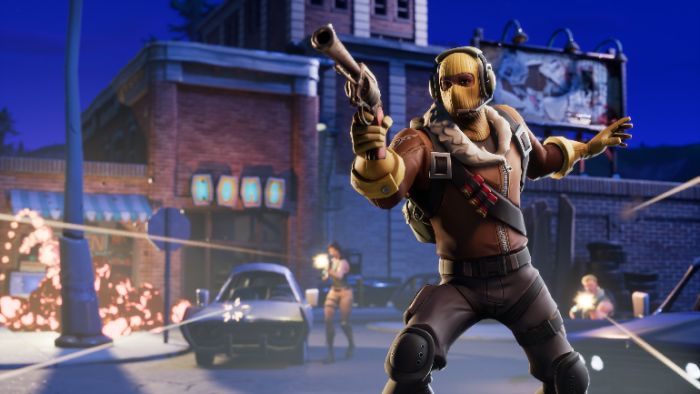
Sound can and will get you killed in Fortnite. Knowing what makes noise and what doesn’t changes everything, and if you want to hear those quiet footsteps in an adjacent room, you’re going to need headphones. Footsteps are easy to miss on your TV or monitor, and you just might be giving away your location without even knowing it.

If you want to make less noise, crouch to make your footstops quieter. There are also visible movement / audio cues — sprinting doesn’t just make more noise than regular running, it also creates a dust trail on the ground that follows your character, making you easier to spot (and follow) at long range.

With headphones, you’ll be able to hear audio cues that you’d probably normally miss. Ambushes are one of the best tactics in Fortnite, and if you don’t detect your enemy before they detect you, the fight might already be over.

Pages: Page 1 Page 2 Page 3 Page 4 Page 5 Page 6 Page 7 Page 8 Page 9 Page 10 Page 11 Page 12 Page 13 Page 14 Page 15

Share this post:

FacebookTwitterLinkedInPinterest

Recent Videos

Halloween: The Game - Before You Buy

Halloween: The Game - Before You Buy

5 Games That Look VERY DIFFERENT With Nvidia DLSS 5

5 Games That Look VERY DIFFERENT With Nvidia DLSS 5

The Blood of Dawnwalker - Before You Buy

The Blood of Dawnwalker - Before You Buy

10 WEIRD Gaming Stories of August 2026

10 WEIRD Gaming Stories of August 2026

Onimusha: Way of the Sword - Before You Buy

Onimusha: Way of the Sword - Before You Buy

15 NEW Free Games of 2026 You SHOULDN'T MISS

15 NEW Free Games of 2026 You SHOULDN'T MISS

20 Single Player Games You Can PLAY for UNLIMITED Hours

20 Single Player Games You Can PLAY for UNLIMITED Hours

GTA6 GAME LENGTH, WORLD SIZE & MORE

GTA6 GAME LENGTH, WORLD SIZE & MORE

GTA 6: Gameplay DETAILS WE FOUND

GTA 6: Gameplay DETAILS WE FOUND

Category: FeaturesTag: Fortnite, Guides, iOS, PC, PS4, Xbox One

Sidebar

Recent Posts

  • Final Fantasy VII Revelation’ DLC Plans Have Just Been Revealed
  • Call of Duty RICOCHET Team Just Admitted They Placed An Erroneous Player Ban
  • Rockstar and Sony Presents GTA 6 DualSense Controllers For PS5
  • Final Fantasy VII Revelation Releases On April 8, 2027
  • The Witcher Remake Development Is “Temporarily Integrated” To The Witcher 4

Copyright © 2026 · Gameranx · All Rights Reserved · Powered by Mai Theme
