
Previously, transferring saves from Ghost of Tsushima PS4 to the PS5 version was a tricky prospect. Now that the Director’s Cut is available, Ghost of Tsushima saves are much easier to manage between the two version. You no longer need to have Ghost of Tsushima PS4 installed, then upload their file manually. It was a pain, but files are much easier to deal with now — if you’re planning on getting the Director’s Cut, there’s a very easy way to transfer your old save file from the PS4. If you have a PS+ account, it’s even easier.
With the Ghost of Tsushima: Director’s Cut you can upgrade your PS4 version with a separate $19.99 purchase on the PS Store if you’re aiming to save a little money. The Director’s Cut adds new resolution features, a 60FPS framerate option, and the full Iki Island expansion with loads of new story content and missions to complete.
More Ghost of Tsushima guides:
10 Tips To Help You Become A Master Samurai | Beginner’s Guide | How To Get The Sly Cooper Easter Egg Trophy | Best Ghost Weapons & Tactics To Unlock First | Regen & Double Supplies Charm Locations | Origami Easter Eggs | How To Farm Unlimited Predator Hides
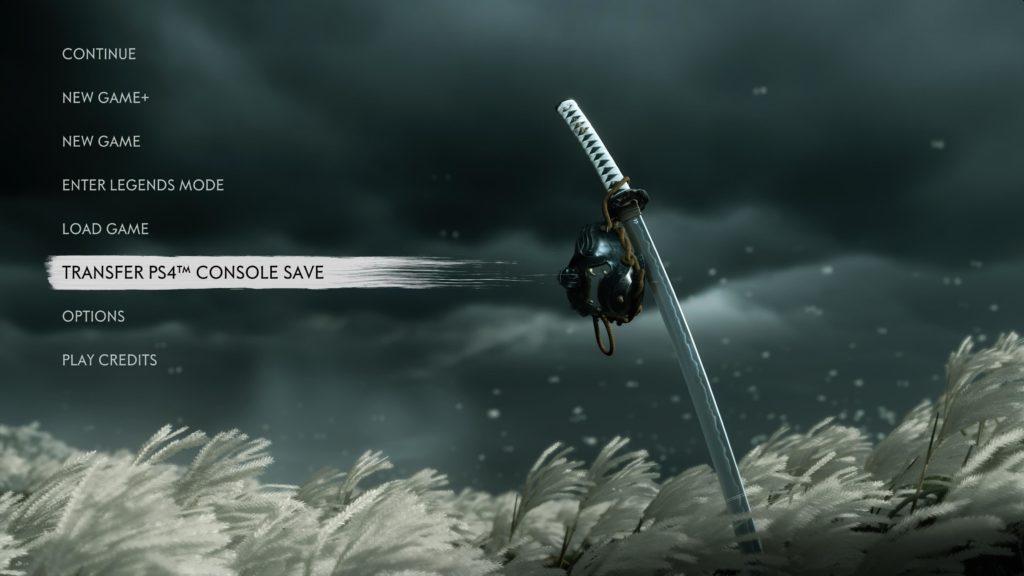
How To Transfer Your PS4 Save To PS5 | Director’s Cut Guide
Transferring your PS4 save to PS5 got a whole lot easier. Doing it is easy for the Director’s Guide. Make sure to download and install the latest patch before transferring files.
- To transfer your PS4 save to the PS5, install the Ghost of Tsushima: Director’s Cut on PS5 -> then select “Transfer PS4 Console Save” from the Main Menu.
There are multiple ways you can transfer your PS4 save. If you’re a PS+ Subscriber, you can manually download the PS4 save file to your system memory. You can also use an external HDD to upload your save file on PS4 and connect to a PS4 — but using Cloud Saves through PS+ is much easier.
Previously, you were forced to download and install the PS4 version of Ghost of Tsushima onto your PS5 system storage. Now, all you need is the Ghost of Tsushima save file on PS5 storage to transfer. To upload your save to PS5, you’d need to download / install BOTH versions of Ghost of Tsushima on the PS5. That was very annoying, and thankfully it’s no longer required.