
Coins are the in-game currency for the store in Pikmin Bloom, and even if you’re reached Level 15, you might not have earned a single coin. In the store, you can purchase useful items to speed up Seedling growth, buy Nectar to increase your friendship level, or expand your storage capacity. Some items can only be purchased with real money, but most everything can be bought with coins. And coins you can earn yourself, but it won’t be easy.
Obviously, you can also purchase coins with real money using the shop. If you’re really into Pikmin Bloom and enjoy flower planting — which is using the petals you’ve collected to plant flowers while walking to collect more Step Energy — you can earn up to 30 gold coins a day. That’s not bad. Do it for 10 days, and you’ll have enough to buy some of the most expensive stuff in the show. This is an agonizingly slow method that’s going to take forever. At least it’s free.
Download Pikmin Bloom for free here: iOS | Android
How To Earn Free In-Game Currency | Shop Coins Guide
Coins are the in-game currency of Pikmin Bloom. You can spend them in the Shop for helpful items, or purchase Coins through real money microtransactions. You can also earn them!
- To earn free Coins you need to plant flowers.
- You will earn 1 Coin for every 500 flowers planted.
- You can earn up to 30 Coins per day.
Early in the game, you’ll unlock the ability to plant flowers. To plant flowers, you need to feed Pikmin nectar — feed enough nectar and the plant on the Pikmin’s head will bud into a flower. Tap the glowing flower on a Pikmin’s head to collect the flower petals.
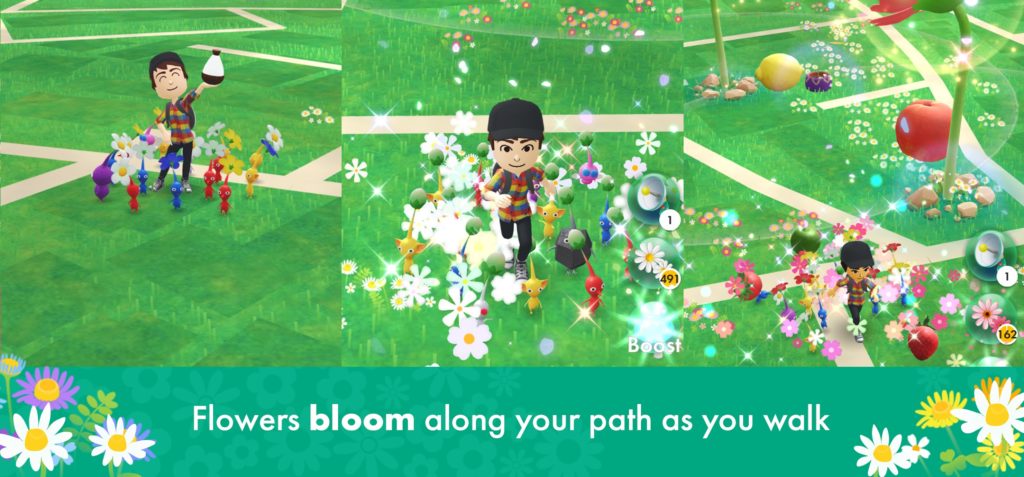
With flower petals, you can then plant flowers while walking. Before you begin walking, open the Flower Planting Menu (Flower icon) and tap the petal jar for the type of flower you want to plant. Once that has been selected, you can begin walking while the Pokemon Bloom app is running in the background.
Planting 500 flower petals will get you 1 coin. Each location has a 5 minute cooldown for a flower being planted, so its best that you move around. Pokemon Bloom doesn’t normally require distance — in this game, your steps are counted instead of distance. But when planting flowers, you need to move and walk. Its better to move in different locations and not overlap the same spot multiple times in 5 minutes. A track, for example, is not an ideal place for planing.
More Niantic mobile game guides:
All The Shadow Pokémon You Can Catch (So Far!) | Full List | How To Catch (And Purify) Shadow Pokémon | Capture Guide | How To Fight Team Rocket GO | Invasion Event Guide | How To Fight Rocket Leader Giovanni | Legendary Shadow Pokémon Guide | How The Buddy System Works | How To Earn Buddy Hearts Easily | How To Catch New Unova Pokémon | Trade Evolutions Guide | How To Trade & Evolutions List




