
• Skip to main content
  • Skip to header right navigation
  • Skip to site footer
Gameranx

Gameranx

Video Game News, Lists & Guides

  • News
  • Features
  • Platforms
    • Xbox Series X
    • PS5
    • Nintendo
  • Videos
  • Upcoming Games
  • Guides

Mafia: Definitive Edition – How To Fix Crashing On Start-Up | PC Fixes Guide

September 25, 2020 by Kevin Thielenhaus

Can’t get your copy of Mafia: Definitive Edition to launch? Here’s a quick fix for this aggravating bug.

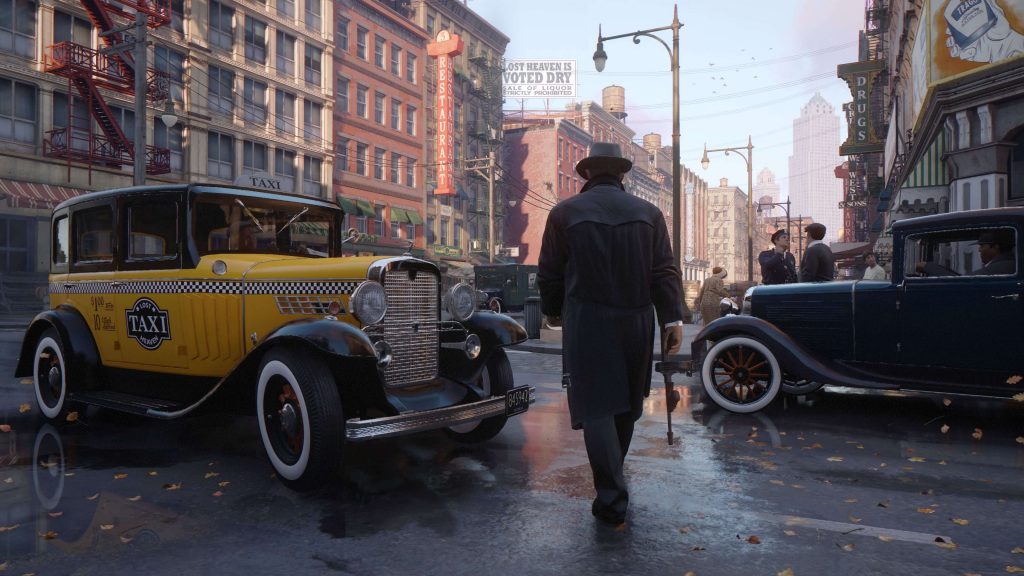
Mafia: Definitive Edition has a nasty bug for players on the Steam version that causes the game to fail to load. When some players try to launch the game, it just does nothing — the game starts and then crashes instantly. It sucks not being able to play a game you just bought, so here’s a quick and simple fix for the problem until the developers Hangar 13 release a patch.

Mafia: Definitive Edition is a complete and exacting remake of Mafia 1 on a modern engine with lush graphics, re-made cutscenes, and overhauled shooting mechanics. It’s the exact same game with all the bells-and-whistles of a modern epic on current-gen hardware. It’s kind of crazy to look back at the original and try to compare with the new version of Mafia.


More Mafia: Definitive Edition guides:

  • 10 Tips To Survive On Classic Difficulty | The Best Way To Play
  • How To Unlock Secret Super Cars | All Free Ride Activities Guide

How To Fix Crash On Start-Up / Game Fails To Launch

If your copy of Mafia: Definitive Edition won’t launch, you can bypass the launcher by accessing the installation folder.

  • Find your Mafia: Definitive Edition installation folder by right-clicking your game in your Steam Library -> Manage -> Browse Local Files
    • Steam\steamapps\common\Mafia Definitive Edition\mafiadefinitiveedition.exe
  • Find the file mafiadefinitiveedition.exe. Use this to launch the game instead, and it should launch properly.

Once you’re in-game, you can go to the Settings and disable the launcher from there. Now your game should launch without a problem.


Source: [1], [2]

Share this post:

FacebookTwitterLinkedInPinterest

Recent Videos

Onimusha Way of the Sword: 10 Things You NEED TO KNOW

Onimusha Way of the Sword: 10 Things You NEED TO KNOW

Ghost Recon Wildlands (2026) - Before You Buy

Ghost Recon Wildlands (2026) - Before You Buy

Why GTA 6 Gameplay Is Coming To NETFLIX First

Why GTA 6 Gameplay Is Coming To NETFLIX First

20 Games That We Are ADDICTED to Right Now

20 Games That We Are ADDICTED to Right Now

Trying Every GAME OF THE YEAR Game in 2026

Trying Every GAME OF THE YEAR Game in 2026

EVOLUTION of Web Swinging in Spider-Man Games

EVOLUTION of Web Swinging in Spider-Man Games

Marvel Tokon: Fighting Souls - Before You Buy

Marvel Tokon: Fighting Souls - Before You Buy

TAKE TWO BOSS RESPONDS TO NO DISCS, GTA6 GAMEPLAY ANNOUNCED & MORE

TAKE TWO BOSS RESPONDS TO NO DISCS, GTA6 GAMEPLAY ANNOUNCED & MORE

What The HELL IS GOING on With The PS6?

What The HELL IS GOING on With The PS6?

Category: FeaturesTag: Guides, Mafia: Definitive Edition, PC, PS4, Xbox One

Sidebar

Recent Posts

  • Mafia: Definitive Edition Gets ESRB Rating For PS5 and Xbox Series X|S
  • Repair Technician Claims PS5 Liquid Metal Issue Also Affects Horizontal Consoles
  • Marvel Rivals Promises A Legendary Storm Skin After A Legendary Backlash
  • Warner Bros Finally Confirms Hogwarts Legacy 2 – While The Company Is At Its Most Volatile Phase Ever
  • Ghost Of Yotei Is Getting A New Expansion And A Complete Edition

Copyright © 2026 · Gameranx · All Rights Reserved · Powered by Mai Theme
