
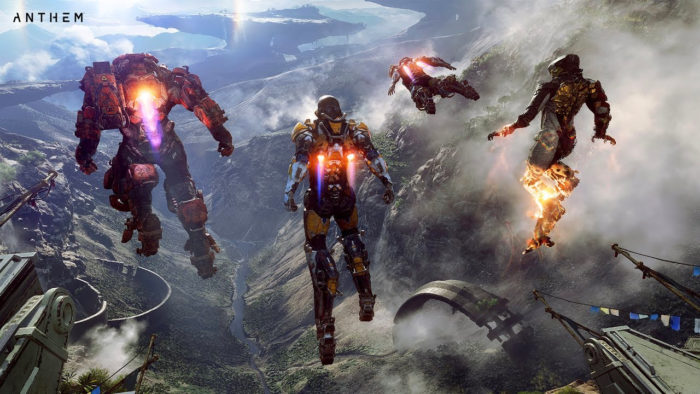
Struggling to run Anthem on your PC? You might not need an upgrade — tons of players are experiencing issues with Anthem when their powerful GPUs can handle everything else. Whether you’re getting audio stuttering, random FPS drops, or launch crashes, we’ve got a few solutions listed below that might just help you out. The game is getting patched every day, so here’s hoping Bioware and EA can smooth out some of the rougher edges on Anthem in the near future.
One of the biggest problems currently with Anthem, as of this writing, is inherent to the always-online nature of the game. Many players are experiencing constant dropped connections, stuttering movements, and long load times that are all dependent on the central servers. Sometimes, it’s hard to tell the difference between bad performance and an overloaded server. Thankfully, that’s one problem that will fix itself in the coming days / weeks — the first weekend is always the toughest when it comes to server loads.
More Anthem guides on Gameranx:
- Anthem: 10 Tips To Help You Become A Legendary Freelancer | Beginner’s Guide
- Anthem: How To Complete The Tomb Challenges Quickly & Easily | Progression Guide
- Anthem: Where To Find Titans & Corium | Shield of Dawn Guide
- Anthem: Here’s The Best Way To Farm For High Level Loot | Loot Cave 2.0 Guide
- Anthem: How To Enhance Your Favorite Weapons & Skills | Blueprints Guide
How To Improve PC Performance | Settings & Tweaks Guide

The following tips and tricks were compiled from internet sources, comments, and recommendations. Some of them might work for you, too.
How To Improve FPS [Origin UI Trick]
The Origin app can use a lot of your CPU power. To lower CPU usage by 30%, try this trick. It works for all games that use Origin.
- Start any game with Origin.
- Alt-tab once the game has loaded.
- Open “Application Settings” in Origin.
- Leave the window up in the background.
- Alt-tab back into your game.
How To Fix Crashing At Launch
Weirdly, some players are experiencing crashes at launch. The fix is extremely nonconventional, but appears to help many players pre-Day 1 patch. If you’re still experiencing issues, give this method a try.
- Change Language Settings to “French” (Or any other language.) then back to “English” — this will redownload patches and reset display settings.
How To Fix Audio Stuttering
Audio cracks and sound stuttering are a common problem for some players. To fix this, you can change the audio quality in your Audio Driver UI.
- Change default sound quality to: 24bit 44100hz
- Or drop it further to: 16bit 44100hz
Change Nvidia Settings To Improve GPU Performance
If you’re using an Nvidia graphics card, there are several settings you can change to help improve performance and make your game run much smoother. Here are a few recommendations.
- Open the Nvidia GeForce Control Panel
- Go to Manage 3D Settings -> Program Settings -> Select “Anthem”
- Change texture options to the following:
- Trilinear Optimization ON
- Texture Filtering Quality HIGH PERFORMANCE
- Texture Filtering Anisotropic Optimization ON
- Power Management Mode – Prefer MAXIMUM Performance
- Also, lower MAXIMUM PRE-RENDERED FRAMES. For some reason, lowering this feature will greatly improve FPS.
- Set MAXMIMUM PRE-RENDERED FRAMES to 1, 2 or 3 — test at 2 to see if your performance improves.
Make Sure Anthem Uses Your SSD
If you’ve installed Anthem on an SSD, make sure the game is actually using the proper location.
- Open the Control Panel -> System and Security -> Advanced System Settings -> Performance [Settings] -> Advanced [Tab] ->Virtual Memory
- Click [Change] and set to your SSD — by default, it may be set to your HDD instead.
Tweaking Anthem Settings
You can also tweak settings by enabling texture scaling in the “profileoptions_profile” file.
- Find the “profileoptions_profile” file.
- Documents \ Bioware \ Anthem \ Settings
- Open “profileoptions_profile” with any Text Editor — Note is a good program to use.
- Add these two lines.
-
GstRender.ResolutionScale 0.850000
-
GstRender.ResolutionScaleMode 0.85
-
That lowers the resolution scale to 85% — it shouldn’t be noticeable on high resolution.
And that’s all the tweaks we’ve found so far. We’ll add more if problems persist!





