
• Skip to main content
  • Skip to header right navigation
  • Skip to site footer
Gameranx

Gameranx

Video Game News, Lists & Guides

  • News
  • Features
  • Platforms
    • Xbox Series X
    • PS5
    • Nintendo
  • Videos
  • Upcoming Games
  • Guides

Nintendo Switch Finally Gets Bluetooth Audio Pairing After Four Years

September 15, 2021 by Rachel Kaser

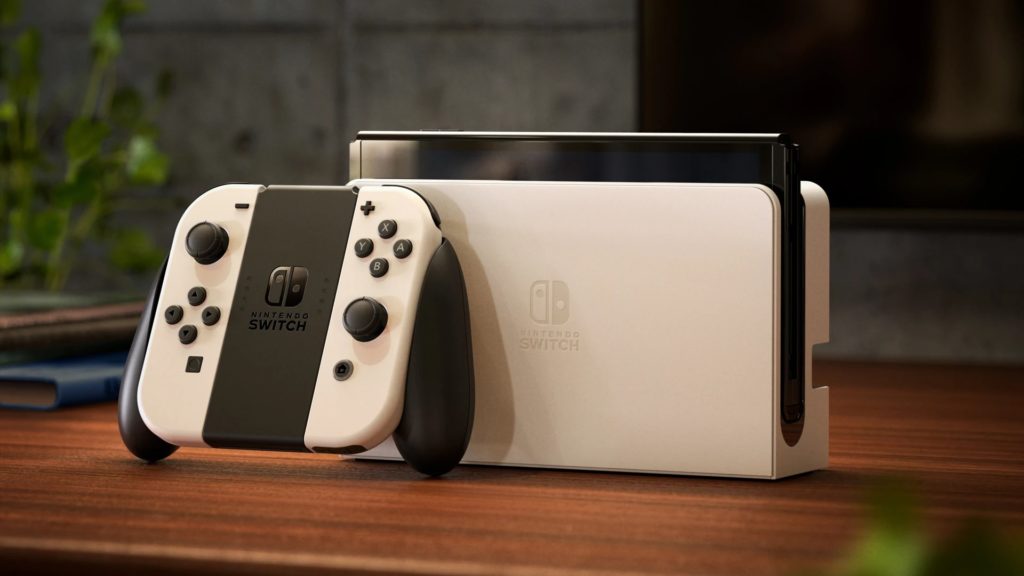
Nintendo added support for Bluetooth audio devices to the Switch, meaning you can finally pair your headphones and speakers with the console.

Credit: Nintendo

Nintendo has rolled out a new software update for Switch owners that allows users to pair Bluetooth audio devices with their consoles. That’s right, the console is finally getting a feature that’s been missing since it launched in 2017. There don’t appear to be any limits on what kind of audio devices can be attached — speakers, headphones, and such will all work with the Switch if you pair them up. This feature will work with the Switch, Switch Lite, and upcoming Switch OLED.

Nintendo announced the feature on Twitter today, to the surprise of its fans. The upgrade actually rolled out on September 14. According to the update notes, software version 13.0 adds the ability to bear Bluetooth audio devices: “Headphones, earbuds, speakers, and other audio devices that connect with Bluetooth can now be paired with Nintendo Switch family systems for audio output.”

The support page notes that only one Bluetooth audio device can be in use at any time, though “up to 10 devices can be saved on a Nintendo Switch system.” It also adds that Bluetooth microphones can’t be paired with the Switch, though that’s not a surprise given that the console doesn’t support voice chat and you have to do that through an app anyway. Another restriction in the notes is “Up to two compatible wireless controllers can be connected to the system while using Bluetooth audio.”

A few other upgrades rolled out with this update, including the ability to leave your Switch connected to the internet while it’s asleep when you have a wired internet connection: “When this setting is enabled, systems with wired internet connections will maintain internet connection even while in sleep mode. This allows for software and add-on content to download to the system while the system is in sleep mode.” This setting is enabled by default.

Source

Share this post:

FacebookTwitterLinkedInPinterest

Recent Videos

Metroid Prime 4: Beyond - Before You Buy

Metroid Prime 4: Beyond - Before You Buy

ROUTINE - Before You Buy

ROUTINE - Before You Buy

10 Upcoming FPS Games That LOOK INSANE

10 Upcoming FPS Games That LOOK INSANE

Red Dead Redemption (PS5 Switch 2) - Before You Buy

Red Dead Redemption (PS5 Switch 2) - Before You Buy

This Game Wants To Be SKYRIM 2 Before Elder Scrolls 6

This Game Wants To Be SKYRIM 2 Before Elder Scrolls 6

Marvel Cosmic Invasion - Before You Buy

Marvel Cosmic Invasion - Before You Buy

Top 25 BEST PS5 Games of 2025

Top 25 BEST PS5 Games of 2025

10 WEIRD GAMING Stories of November 2025

10 WEIRD GAMING Stories of November 2025

DESTINY 3 LEAKED, CONSOLE PRICES GOING UP AGAIN? & MORE

DESTINY 3 LEAKED, CONSOLE PRICES GOING UP AGAIN? & MORE

Category: UpdatesTag: Nintendo Switch

Sidebar

Recent Posts

  • GTA 6 Fans Discuss The Places In-Game They Want To Explore The Most
  • Epic Games Store Has A Special Mystery Giveaway For You During The Game Awards
  • How Many Gamers Have Truly 100% Completed Borderlands 4?
  • Todd Howard Invited the Obsidian Team To See Fallout Season 2 New Vegas Set
  • GTA 6 Fans Once Again Attempt To Predict “Timeframe” For What Comes Next

Copyright © 2025 · Gameranx · All Rights Reserved · Powered by Mai Theme