• Skip to main content
  • Skip to header right navigation
  • Skip to site footer
Gameranx

Gameranx

Video Game News, Lists & Guides

  • News
  • Features
  • Platforms
    • Xbox Series X
    • PS5
    • Nintendo
  • Videos
  • Upcoming Games
  • Guides

Stardew Valley: How To Join The Multiplayer Beta on PC | Invite Guide

April 30, 2018 by Kevin Thielenhaus

Anyone that owns Stardew Valley on Steam can join the Multiplayer beta. Here’s how it works.

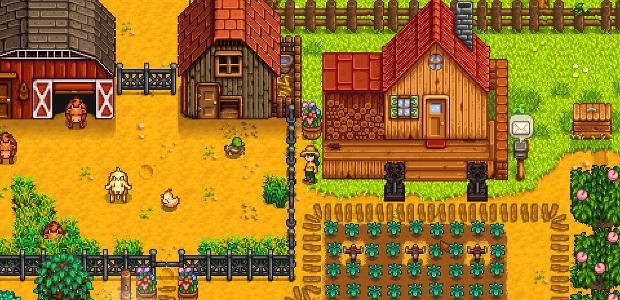
Who wouldn’t want to go farming with friends? Finally, the mythical multiplayer add-on for Stardew Valley is here, and anyone that owns a copy on Steam can hop into the open beta right away.

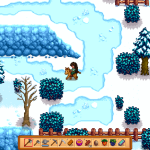
The latest update includes the beta unlock (which is open for everyone, because we can’t say it enough) and a bunch of other cool little features — you’ll have more scenes to watch as the seasons change, a new winter festival, and hats for your horses.

Stardew Valley has been teasing multiplayer for a very long time, and this is the first change most of us are going to get. Right now, no official release date has been announced for multiplayer on console, so you’ll have to wait a little bit longer if you’ve got the game on Switch, PS4, or anywhere else that isn’t Steam.


How To Join The Multiplayer Beta on PC | Invite Guide
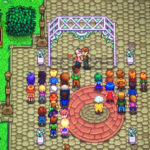
 

To join the multiplayer beta, you’ll have to own a fully copy of Stardew Valley on PC / Steam. Up to four players can collaborate on a single farm, and they can communicate with emoji or text.

Other beta features include: hat customization for horses, more seasonal event scenes, and a new winter festival with special, exclusive items you can earn. There’s also an exclusive set of items that only appears in winter you can collect. That’s something we don’t know much about yet.

  1. Right-click on Stardew Valley in your Steam Library.
  2. Select the Properties tab -> find the Betas menu.
  3. Enter the code “jumpingjunimos” under Betas and left-click Check Code.
  4. Select the beta from the drop down menu.
  5. Press ok and let the game version  update.

It’s worth noting, this is still a beta — so there will be bugs. Send bug reports, issues, or feedback to [email protected].


Are you planning on rounding up some pals to join in on this update? Let us know what it’s like in the comments section below!

Share this post:

FacebookTwitterLinkedInPinterest

Recent Videos

10 New Games That Look TOO GOOD TO BE TRUE

10 New Games That Look TOO GOOD TO BE TRUE

20 OVERHYPED Games That Actually Delivered

20 OVERHYPED Games That Actually Delivered

10 DUMBEST Things That BROKE Video Games

10 DUMBEST Things That BROKE Video Games

10 MIND BLOWING Moments in Recent Games

10 MIND BLOWING Moments in Recent Games

Is This Already The WORST Game of 2026?

Is This Already The WORST Game of 2026?

ELDER SCROLLS 6 RELEASE DELAY EXPLAINED, NEW GAME LETS YOU BE GOD & MORE

ELDER SCROLLS 6 RELEASE DELAY EXPLAINED, NEW GAME LETS YOU BE GOD & MORE

Hytale - Before You Buy

Hytale - Before You Buy

10 Recent Good Games That Didn't Sell Well

10 Recent Good Games That Didn't Sell Well

10 NEW Fan Discoveries That'll Get You Playing Again

10 NEW Fan Discoveries That'll Get You Playing Again

Category: FeaturesTag: Guides, PC, Stardew Valley

Sidebar

Recent Posts

  • Roblox: Grow A Garden – Hungry Bird Event
  • Halo Campaign Evolved Will Have New Missions Set Before Halo Combat Evolved and Halo Reach
  • GTA Online Is Ruined On PC By Modded Players
  • Rumor: Fallout 3 And Fallout New Vegas Remakes Are On The Way, But They’re Not Coming Soon
  • Life Is Strange: Reunion Ends Max’s Story – With A Returning Chloe

Copyright © 2026 · Gameranx · All Rights Reserved · Powered by Mai Theme