PC gamers understand that the mouse is crucial to what they do: it’s your hand of command in strategy games, and it’s the aiming point of your rifle or rocket launcher in shooters. Oddly enough though, we tend to make do with cheap mouse solutions whenever we can.
Part of the reason may be that mice made specifically for gaming tend to look a bit… well, ugly. PC gaming mouse design has somehow never gotten over the frosted-tips, EXXXTREME look of the early oughts rap-rock period.
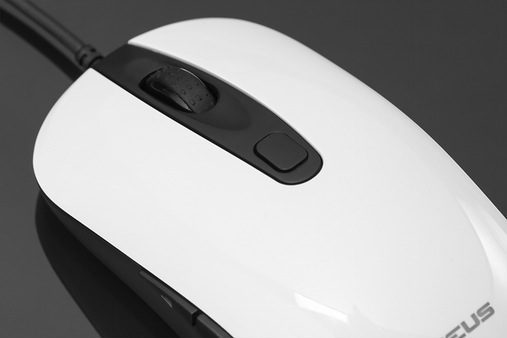
But now we have the Nixeus Revel, which is being marketed as a gaming mouse but functions just as well as an everyday peripheral that would look just as handsome at your workstation as it does at your gaming PC.
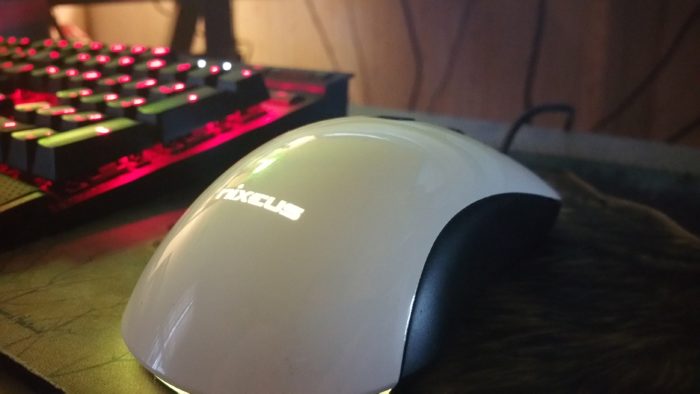
In fact, there are very few features that distinguish the corded Revel from any other task-oriented mouse. It has the classic slope that curves up in the back and angles gently forward toward to its two buttons and clickable mousewheel. Programmable page forward and page back buttons sit on the left side, just under the glossy white upper shell (the mouse also is available in matte black), and right where your thumb aligns if you use the same mouse grip I do. Those buttons are back a bit from what I’m used to, but I found they were very easy to learn and love in that position. Clicking “back” with the palm side of my thumb and “forward” with the fingertip end became natural very quickly, and I think I’ll look for this in future devices I use.
Like most modern mice, the left and right mouse buttons are integrated into the unit’s upper shell. No matter which grip you use, you’ll find that the Revel is responsive and clicky, even halfway back from the device’s front end.
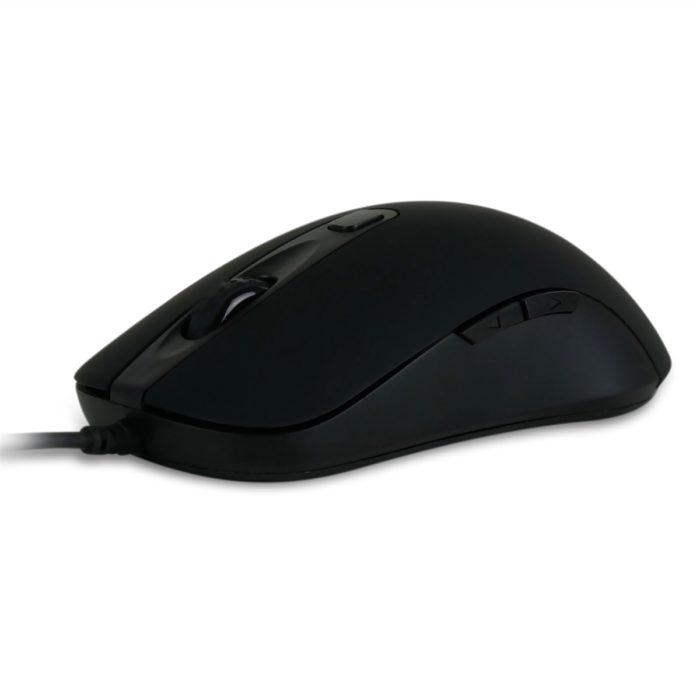
What distinguishes the Revel from other mice is its PixArt PWM 3360 optical sensor. The 3360 truly is state of the art in consumer mouse tracking, and while the Revel is unassuming to look at, it’s a fantastic mouse for precision gaming – but it comes at the cost of very few macro and programmable button options.
But positives first. The Revel registers your movements exactly the way a mouse should. In fact, in the 10 days I’ve been using it on my primary PC, I’ve often forgotten it’s there. I think that’s the best thing you can say about any peripheral.
A button placed about an inch behind the scroll wheel allows you to adjust the Revel’s DPI on the fly. I’ve used cheaper mice that have sported this feature, but none have offered the Revel’s range of options, or the consistently good tracking even at very low levels. The Revel offers eight on-board DPI settings: 400, 800, 1200, 1600, 2000, 3200, 500, and 12000. You can cycle through these on the fly with the press of a button, and your selection is visualized by the mouse’s internal lights, which change color depending on the DPI you’ve selected.
This means you can see exactly how sensitive you have your mouse set at a glance, but it does mean that you can’t necessarily color-coordinate the Revel’s internal lighting with your existing setup. This is absolutely a nitpick, but my Corsair K70 keyboard’s backing lighting is red, and red for the Nixeus Revel means 400 DPI – far lower than is usable for me at 1080p. I have to settle for a mouse that lights up yellow in the midst of the rest of my peripherals that light up red. Again, it’s a nitpick, but it does annoy me. But on the other hand, the color-coded light system makes it incredibly easy to tell right away whether your mouse is set too high or too low, sensitivity-wise.
I have other beefs with the mouse, too. It’s unremarkable-looking and feels lightweight and insubstantial. Personally, I’d like a touch more resistance in the left and right buttons. It offers very little to gamers other than the on-the-fly resolution switching. The white gloss model (which I used for this review) tends to stick to my hand as it gets sweaty (which I do a lot because I live in a humid area and am hideously out of shape).
But I really like this mouse. Again, I often forget that I’m using it. And it has a sleek look that doesn’t mark it out as a “gaming” mouse. It’s a functional all-around device. You don’t get the complicated numpad macro options that you see in, say, a Razer Naga, or the adjustable weight, but you do get a fantastically precise mouse that will serve you well in both Counter Strike: GO and Microsoft Excel.
The Nixeus Revel is available now at most online retailers for an MSRP of $49.99 USD. A sample unit was provided to us free of charge for this review.