
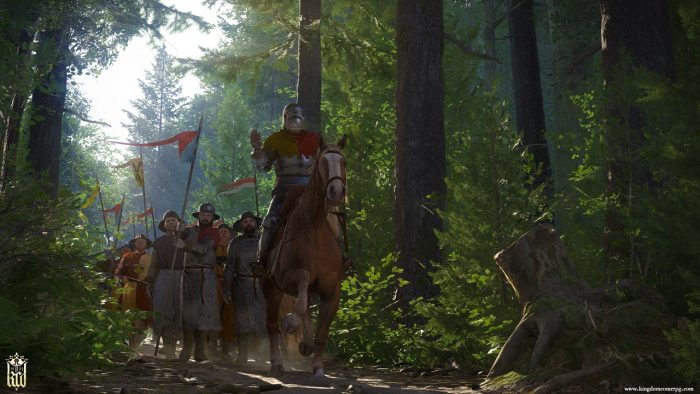
You can’t have an open-world, PC-centric hardcore RPG without console commands. Kingdom Come: Deliverance has its own console you can use and abuse to change a variety of settings and features — but the game is light on actual cheats. Still, these console commands are a pretty great way to gain even more control over your experience. You’ll be able to disable the HUD and take awesome screenshots, add a crosshair to make those archery challenges much easier, or even add items to your inventory.
While the game is out now, Kingdom Come: Deliverance is an evolving platform, and fans are eagerly uncovering all the secrets they can — including more console commands. We’ll be updating the full list of console commands below as more are discovered, unveiled, and tested. You’ll also find a list of untested, or currently unavailable commands that should work, and may work in the future, but don’t currently for whatever reason. Here’s hoping for the future.
More Kingdom Come: Deliverance guides on Gameranx:
- Kingdom Come: Deliverance – 5 Tips To Help You Get Cash | Early Gold Guide
- Kingdom Come: Deliverance – How To Start Every Courtship | Romance Guide
- Kingdom Come: Deliverance – How To Save Your Game | Beginner’s Guide
- Kingdom Come: Deliverance – How To Learn Alchemy & Brew Potions | Crafting Guide
- Kingdom Come: Deliverance – How To Improve PC Performance | Tweaks Guide
How To Use Console Commands
[Work-in-Progress: Check back soon for new console commands as they’re discovered and tested. Drop us a note if you’ve found a console command, or one of the console commands below isn’t working.]
The console is a powerful tool you can use to change settings and features on-the-fly while playing Kingdom Come: Deliverance. Using it is incredibly easy, and doesn’t require any setup.
- To bring down the console window, press the [`] tilde key in-game.
Type your command into the console, then press enter. Commands usually have a # numerical value — replace # with a number to change the setting. For settings that can be toggled on or off, use 0 for off, and 1 for on.
Also, it’s worth noting that console commands DO NOT disable Steam Achievements.
Console Commands List
[NOTE: Some of these console commands are untested, and may cause unexpected issues when used. Be prepared to load a previous save file if something goes wrong.]
- g_showHUD 0
Disables HUD. Replace [0] with [1] to enable HUD.
- wh_pl_showfirecursor 1
Adds a crosshair when firing a bow. Replace [0] with [1] to disable crosshairs.
- cl_fov ##
Sets the FoV (Field of View). [Default: 60]
- r_MotionBlur 0
Disables motion blur. Replace [0] with [1] to enable motion blur.
- r_depthofFieldmode 0
Disables depth of field during dialogue. Replace [0] with [1] to enable depth of field.
- r_vsync 0
Disables vysnc. Replace [0] with [1] to enable vsync.
- wh_ui_showCompass 0
Disables the HUD compass. Replace [0] with [1] to enable the compass.
- e_ViewDistRatio ###
Changes objects render distance. [Default: 500]
- e_ViewDistRatioVegetation X
Changes vegetation render distance. [Default: 500]
- e_MergedMeshesInstanceDist X
Changes grass animation distance. [Default: 20]






Untested, Unconfirmed, & Not-Working Console Commands
The following console commands are available to search and use in-game, but for whatever reason they don’t seem to be working currently. There might be a way to re-enable them, or they might even work with a future patch. It’s worth keeping these codes in mind.
- wh_cheat_money #
Would add gold to your inventory. Currently not working.
- wh_cheat_addItem # ItemID
Gives a # amount of items after entering the ItemID. Should work, but no ItemID table currently exists.
- g_godmode 1
Would make you invulnerable. Currently not working.
- e_TimeOfDay
Would show the time of day. Currently not working.
- p_gravity_z #
Should change the intensity of gravity in-game. Currently doesn’t seem to do anything. [Default: 13]