
Death can come quickly in Amnesia: The Bunker. Whether it be a tripwire going off when you least expect it or the monstrous Beast breaking your neck in a single attack, it is very possible that progress can be lost at a moment’s notice. This is why it is important to know how to save your game in the new survival horror title, especially since the game doesn’t utilize any form of autosave, meaning that it is up to the player to manually make sure their progress is saved. This guide will tell players how to save their game in Amnesia: The Bunker.
How To Save Your Game In Amnesia: The Bunker
What makes Amnesia: The Bunker stand out from previous entries in the series is that it leans more into the survival horror genre instead of the “hide-and-seek” horror that its predecessors utilize. Similar to other games in this genre like Resident Evil, The Bunker will allow the player to save by interacting with a specific item in a Save Room. While other games will have multiple Save Rooms dotted throughout the game, there is only a single Save Room found in Amnesia: The Bunker, and this is the Administration Office located in the Central Bunker.
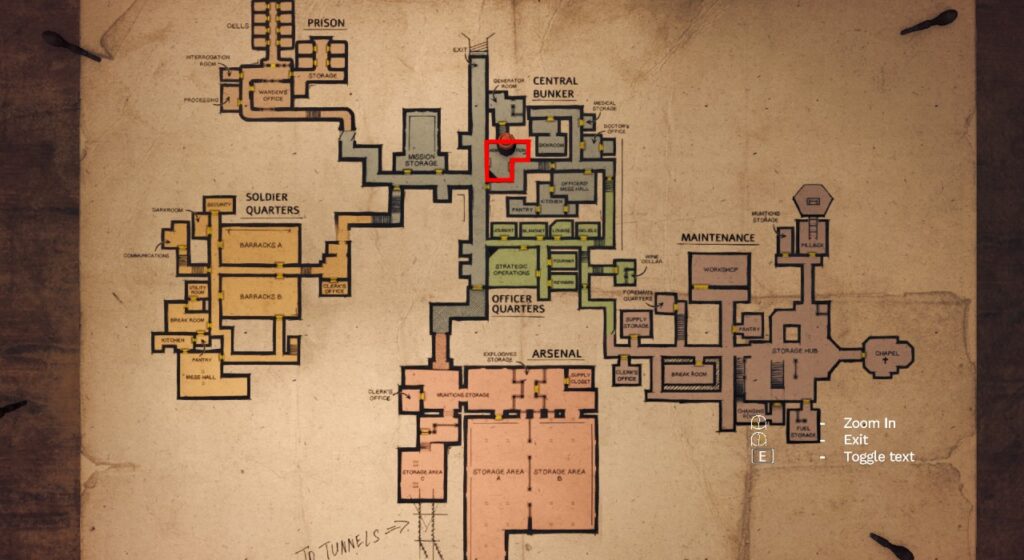
Players can reach Administration once inside the bunker and make their way through the Infirmary and through the Mess Hall. After talking to the surviving soldier and getting his pistol and ammo, go back outside the Mess Hall to find a door with a padlock on it. Shoot the lock off and go down the stairs to find another door with a red light above it. This is where you will find the Administration Office.
Once inside Administration, you will see a lantern hanging above the desk in the center of the room. Walk up to the lantern and turn it on. This will save your game. Any time the light is turned on, the game will be saved. There is no autosave in the game and no save button in any other menu, so make sure you know how to get back to Administration to make sure you don’t lose your progress. The light can be turned on and off at any time in order to save, so if you enter the room while the lantern is still active, simply turn it off and back on to save the game.
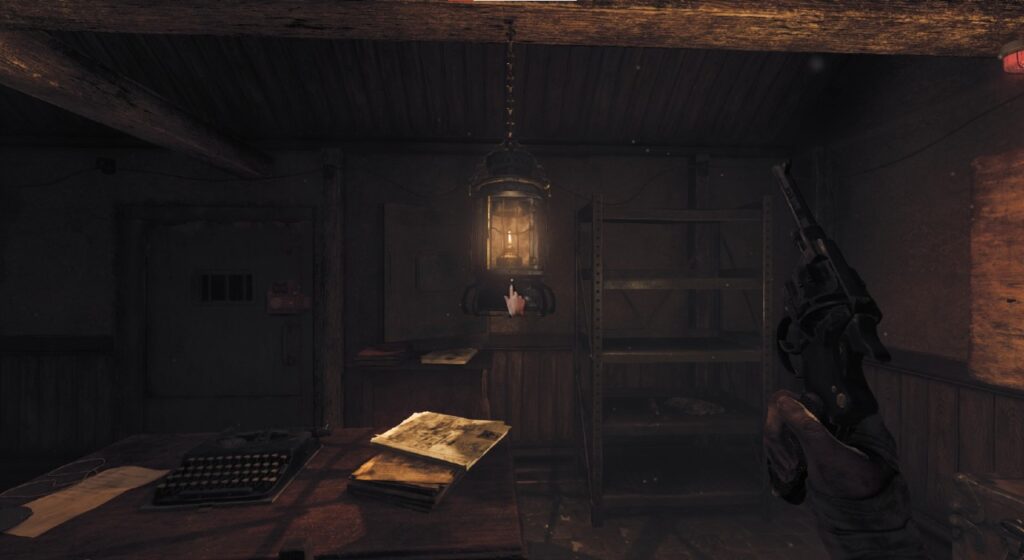
In addition to saving, this room is where you will be able to see the general map of the bunker, use an item box to manage your inventory, and manage the power of the generator in order to keep the lights of the bunker active. This means this is a place that you will be returning to often, so make sure you flip that lantern on before heading back out to make sure you keep your progress.
More Amnesia: The Bunker Articles:
Amnesia: The Bunker PC System Requirements Revealed | Amnesia: The Bunker Story Trailer Offers A Brief Look At The Monster | What Platforms Will Amnesia: The Bunker Release For?


