
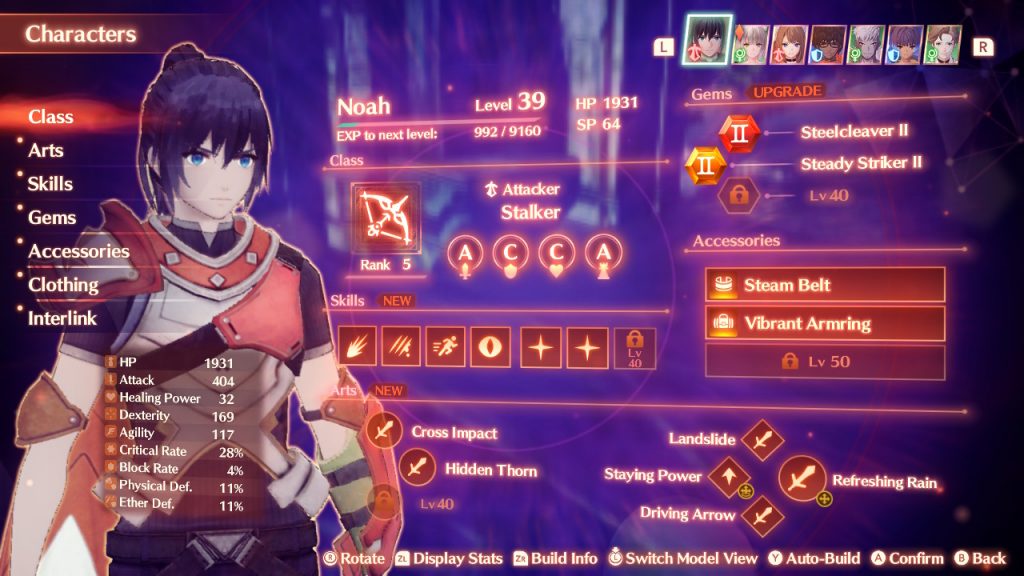
There is a staggering amount of things that you’ll need to keep track of in Xenoblade Chronicles 3. From the minute details of the game’s combat mechanics to the numerous quests you’ll be given, the game can often feel a little overwhelming. Then, you open the Characters menu. The sheer number of choices given to you here is a testament to how deep Xenoblade Chronicles 3‘s mechanics are, but can be a little much for newcomers to the series and those not looking to spend several hours of their total playtime sifting through menus.
If you’re looking for a quick way to easily manage your characters, look no further than the guide below.
More Xenoblade Chronicles 3 guides:
| 6 Easy Combat Tips | How To Unlock All Characters & Classes | Collapsed Traderpon Quest Guide | How To Unlock All Traversal Abilities | Monster Types Explained | Tactics Guide | Chain Attack Guide | How to Attack Cancel | Heroes Explained | Ouroboros Form Explained | Fusion Arts Explained | What Do You Unlock With Amiibo? | Master Arts Explained | Interlink Level Explained | What Do Nopon Coins Do? | Ouroboros Chain Attack Guide | Aggro Value Explained |
Xenoblade Chronicles 3‘s Auto-Build Class Feature
When you open up the Characters menu in Xenoblade Chronicles 3, there’s a pretty good chance that you might become overwhelmed with the number of options you’re given for each character. Each character can select from a list of Master Arts, Class Arts, and Talent Arts and select which gems and equipment will be most useful for their build to buff stats.
While these options certainly are useful for those looking to customize every aspect of the game, things get astronomically bigger when remembering that all of these options must be tweaked for every character in every class. Because the player is constantly cycling through different classes as more and more become available, it seems like too tall an order to expect players to manage all of that themselves.
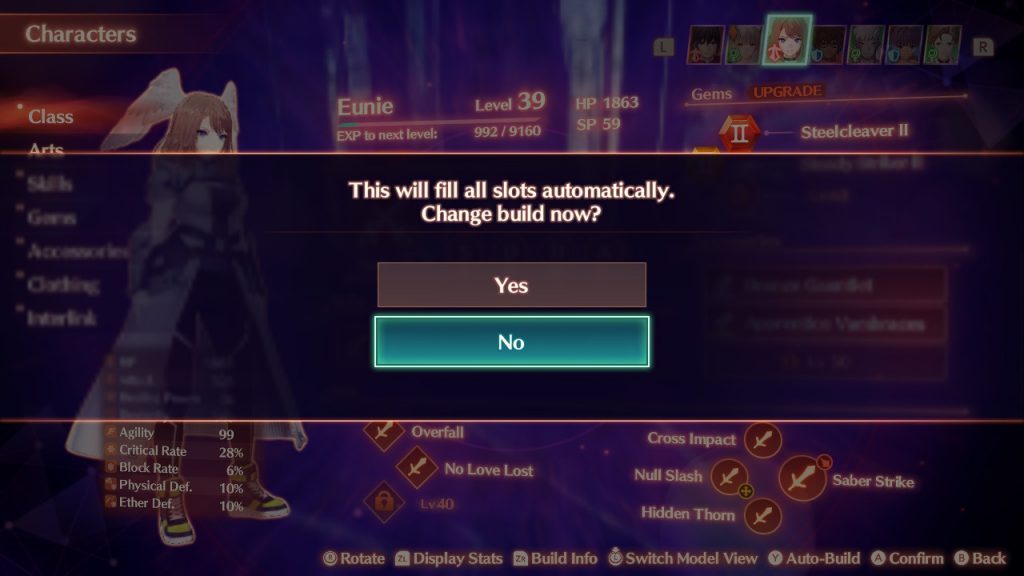
Luckily, the Auto-Build feature exists to help you out. Hitting the Y button while looking at each character in the Characters menu will automatically assign the best equipment, gems, and Combat Arts for that character. Doing this for each character every time their class changes can save you a lot of time and mental energy that would be going straight into this single menu.
Although some players might take issue with letting the AI handle party equipment management, in my opinion, it’s the way to go if you want to spend your time with Xenoblade Chronicles 3 actually playing the game instead of staring at a menu for hours. That said, the AI’s choices can sometimes be far from perfect so if you find yourself struggling with a boss or not liking a particular class, it might not be a bad idea to tweak things for yourself.
It’s also worth saying that it’s a good idea to experiment with builds specifically when it comes to Combat Arts. There are a lot of Arts available to you at any given time so it can certainly be overwhelming, but if you’re struggling to click with a specific class, it’s worth taking a look at their different Combat Arts for yourself to see if there are any changes you can make that would be more enjoyable to you.



