
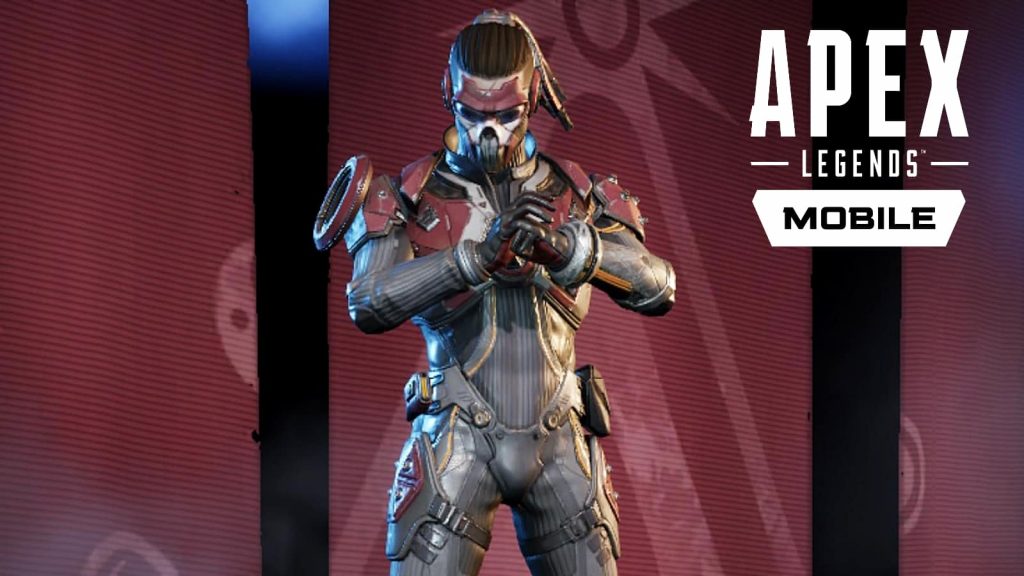
While Apex Legends Mobile is generally a pretty faithful adaptation of the popular battle royale, the smartphone version of the game has a few select key differences. Among other things, one of the biggest is that Apex Mobile features a brand new unlockable Legend that isn’t available in the console and PC versions of the game.
Fade is a character exclusive to Apex Legends Mobile so, naturally, fans want to unlock him as fast as possible to see what he brings to the table in terms of abilities and skills. Luckily, unlocking Fade is relatively simple.
More Apex Legends Mobile Guides:
| Can You Play Solo Queue? | Can You Play With a Controller? | Does Apex Legends Mobile Have Cross Progression? |
Apex Legends Mobile: How to Unlock Fade

There are two ways to unlock Fade: the first is to purchase him using Syndicate Gold, Apex Mobile‘s premium currency. Syndicate Gold is rather pricey and is essentially the same as the Apex Coins of the console and PC versions of the game. Fade costs 750 Syndicate Gold which means that players will need to purchase the 935 SG bundle in the store for $9.99 if they want to pay real money to unlock him. Because the IRL cost of purchasing Fade is roughly $10, it means that he costs the same as Legends in the base game which are similarly priced at 750 Apex Coins, and the bundle needed to get that many also costs $10.
If you’re not looking to put any cash into the free-to-play mobile battle royale, there is, luckily, another way to unlock the Legend. In order to do it for free, you’ll need to acquire 10 Fade Pieces. Fade Pieces are a currency unlocked through completing levels in the first season’s battle pass. In order to collect 10 pieces, players will need to progress to level 25.
The tricky part about this is that leveling up the battle pass can take time as the most reliable way of doing it is to complete the weekly battle pass challenges. To see them, select the “Challenges” menu and then select “BP” in the sidebar on the right side of the screen. After completing a challenge, you’ll need to come back here to claim its battle pass XP reward. Once at level 25, you’ll have enough Fade Pieces to unlock the character completely for free. While this method certainly takes longer than just buying the character outright, it’s certainly nice to not have to pay a premium for him.







