If you’ve ever wished you could sit back on your couch and play DOOM, DOTA 2, or some other PC game with a mouse and keyboard, then you would’ve been sorely disappointed as there were absolutely no peripherals available that would have allowed you to do that. The only thing you could do was compromise and play aim-intensive first-person shooters with a wireless controller, or stick to controller-driven games like The Witcher 3. It’s hardly an ideal setup for PC gamers.
Enter Corsair’s LAPDOG, a “gaming control center” that serves as a couch- and recliner-friendly surface that lets you plug a mouse and keyboard right into it and play PC games at a good distance away from your HDTV. With the Steam Machines and a variety of other living room PC gaming setups gaining in popularity, Corsair’s introduction of the LAPDOG is timely.
[themify_box style=”light-blue note rounded” ]Technical Specs
MATERIAL: Brushed aluminium and plastic
WEIGHT: 2.63kg /5.79 lbs.
DIMENSIONS: 736(L) x 260(W) x 94(H) mm
Mouse Pad: 11×11 Inch, Hard surface
USB Ports: 4, Powered. Supports USB fast charge
Padding Material: Memory Foam
Cable Length: 16ft (5m)
[/themify_box]
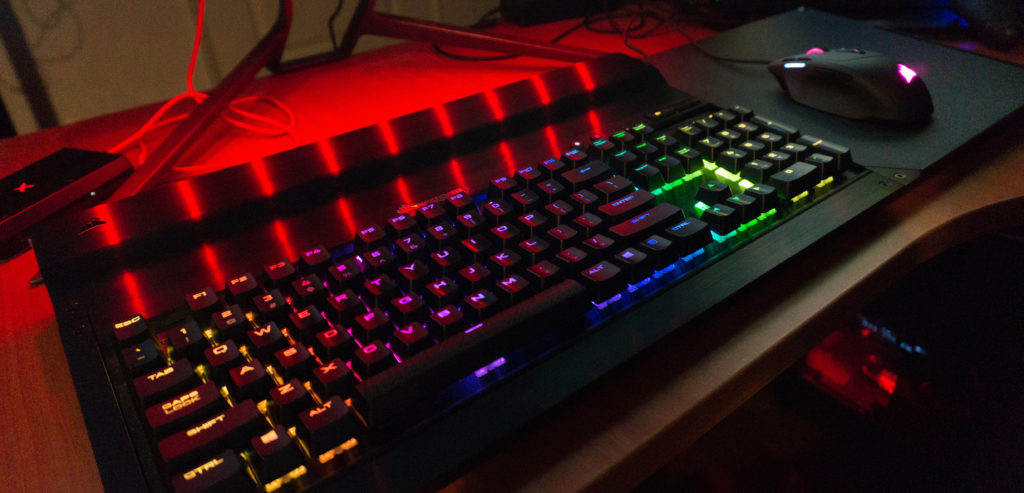
First and foremost, you’ll need to get a K65 or K70 keyboard from Corsair to use with the Lapdog, which also comes preconfigured with a keyboard if you don’t already own either of those. Other keyboards just won’t fit into the LAPDOG. Fortunately, you can use any mouse with the LAPDOG. For the purpose of this review, I used a Corsair K70 RGB RAPIDFIRE keyboard and a Corsair Sabre RGB mouse, both of which I previously reviewed. The LAPDOG works with both the full-sized K70 keyboard and the tenkeyless K65 without the numpad. You can use or remove the additional aluminum lid depending on which keyboard you have.
The LAPDOG’s surface is made of the same anodized aluminum as the K65 and K70 keyboards, and the mousepad portion to the right is made up of a hard, textured material that works with any optical or laser mouse. There’s a slight lip on the bottom and right edges to prevent the mouse from sliding off—a lifesaver if ever there was one.
While the LAPDOG can be placed flat on your desktop, it’s intended use is as a couch gaming device. To that end, there are six magnets at its base that hold the padded cushion attachment securely in place. You can safely reposition the device on your lap without worrying about it coming apart. There’s also a little slot in the middle for you to fit in the hexagonal screwdriver that comes with the LAPDOG so you’ll never have to worry about misplacing it.


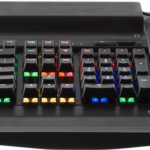
Assembly of the device is fairly easy and requires only that you unscrew the lids to secure the keyboard in place and tuck in both the wires of the keyboard and mouse. The LAPDOG comes with a handy booklet just in case you need some guidance on how to do this.
Finally, the LAPDOG plugs into your computer via USB 3.0 and comes with a power adaptor to make sure neither the keyboard nor the mouse ever lose connection. The set of wires measures up to 16 ft (5m) in length so I was able to game at a comfortable distance from the screen.
 I was impressed by how well the setup works in actuality. Leaning back on my recliner, I was able to get in a few good hours of Wolfenstein: The New Order with a headset plugged in to one of the two USB ports on the side. The only thing I had to really get used to was being able to type without proper support for my elbows. The other downside is that the LAPDOG only has support for right-handed gamers, so if you intend to game with your left hand on the mouse, that won’t be possible.
The LAPDOG may seem like an expensive metal tray for your keyboard and mouse, but the convenience it offers is well worth the price if you have a couch gaming setup. The only alternative would be to carve out your own tray and purchase extra-long extension USB cables for both your mouse and keyboard. I can conclusively say that the LAPDOG is a must-have if you intend to play PC games from the couch.
The Corsair LAPDOG Gaming Control Center retails for $119.99.
Disclosure: A unit was provided by Corsair for the purpose of this review.