
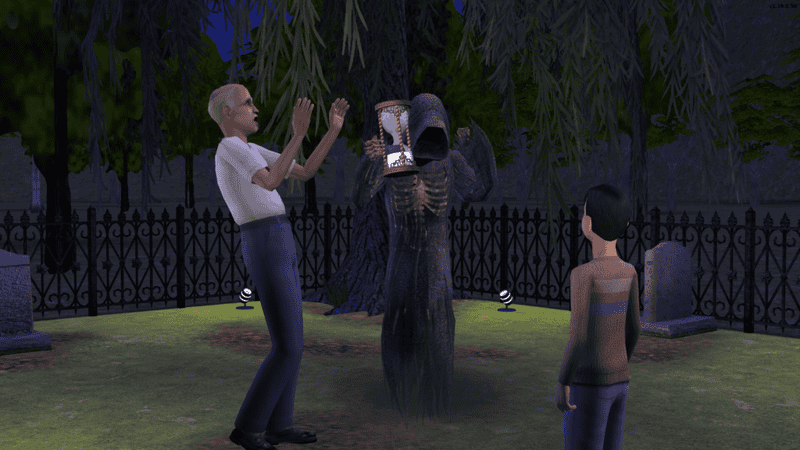
As The Sims celebrates its 25th birthday, fans are taken back to the beginning of the franchise with the launch of The Sims Legacy Collection. The first instalment of The Sims has been remastered, as well as The Sims 2 and the Legacy Collection has a whole host of cheat codes you can use as you guide your characters through the game of life.
To type in your cheats, hit Ctrl+Shift+C on your keyboard to open the text command bar that will appear towards the top left corner of your screen. Here, you can type in your codes and hit enter to activate them.
More The Sims Legacy Collection guides
The Sims 1 Legacy Collection: Cheat Codes for Money, Building, More |
The Sims 2 Legacy Collection cheats
Here are all the cheat codes that are working in The Sims 2 remake, not the original version:
- kaching – 1,000 Simoleons
- motherlode – 50,000 Simoleons
- AddneighbortoFamilycheat [on / off] – Add an NPC to the current Household by using Shift and clicking on them
- AgeSimsCheat [on / off] – Set the age group of a Sim when you click on them
- Aging [on / off] – Enables or disables aging
- aspirationLevel [0-5] – Set a Sim’s Aspiration satisfaction level
- aspirationPoints [number] – Add a specific number of Aspiration points to a Sim
- bugJarTimeDecay [on / off] – Bugs in the bug jar become immortal
- <meta /> boolProp allobjectlightson [true / false] – Permanent lighting for certain objects
- boolProp carsCompact [true / false] – Open car details in the neighborhood
- boolProp controlpets [on / off] – Control Pets
- boolprop disablePuppyKittenAging [true / false] – Set aging for puppies and kittens
- boolProp petactioncancel [true / false] – Cancel actions in a pet’s queue
- boolProp petsfreewill [true / false] – Enables free will for pets
- boolProp enablePostProcessing [true / false] – Activate film making cheats
- bloom [red / green / blue] [0-225] – Changes brightness and color during film making
- Stretchskeleton [number] – Change a Sim’s height during film making
- Slowmotion [0-8] – Enable and change the level of slow motion during film making
- boolProp guob [true / false] – Toggles shadows on indoor objects
- boolProp simshadows [true / false] – Toggles shadows
- boolProp showcatalogueflags [true / false] – Items in Build/Buy modes show which packs they belong to
- boolProp snapObjectsToGrid [ true / false] – More freedom when placing objects
- changeLotClassification [low / middle / high] – Change the class of a lot
- clearLotClassValue – Clears the lot class value
- deleteAllAwnings – Deletes all Awnings on a lot in Build mode
- deleteAllFences – Deletes all fences on a lot in Build mode
- deleteAllHalfWalls – Deletes all half walls on a lot in Build mode
- Individualroofslopeangle [15-75] – Adjusts the angle of a roof on a lot in Build mode
- deleteAllObjects [Stairs / Windows / Doors] – Deletes all stairs, windows, or doors on a lot in Build mode
- deleteAllWalls – Deletes all walls on a lot in Build mode
- deleteAllCharacters – Deletes all your Sims from your neighborhood in Build mode (this action is irreversible)
- faceBlendLimits [ on / off] – Toggles facial bounding limitations
- forcetwins – Sim will give birth to twins
- Lock_aspiration – Cancels aspiration decay for members of a household
- Maxmotives – Completes the needs of a household
- familyFunds [family name / number] – Set household funds to a number of your choice
- Modifyneighborhoodterrain [on / off] – Change the terrain in the neighborhood screen
- Moveobjects [on / off] – Move all objects in Buy/Build mode
- showheadlines [on / off] – Display thoughts above a Sim’s head
- Unlockcareerrewards – Unlock all career rewards for a selected Sim
- Expand – Expands the view of the cheat command box
- Vsync [on / off] – Increase the performance of the game at the cost of graphics
The original The Sims 2 saw the rise of motherlode, the debut of Aspirations, and a more detailed pet system, all of which have been carried over in the Legacy Collection cheat codes.






