
YoYo Games has announced that its popular 2-d game creation software, GameMaker Studio 2 is now available on MacOS computers.
Originally launching in March 2017 for PC and Ubuntu, the software has been steadily supported community receiving positive community responses. So much so that the team decided to expand the software to developers outside of PC.
“We worked tirelessly to ensure GameMaker Studio 2’s Mac debut would coincide with the needs of game developers that prefer to use platforms outside of Windows and home consoles,” said James Cox, general manager, YoYo Games. “After months carefully considering the feedback we received from beta testing and direct community outreach, we’re confident that developers who prefer Mac can now feasibly create games on the often-ignored platform. We’re always looking for ways to expand game creation to as many developers as possible, and we know Mac users will make some stand-out games with these resources.”
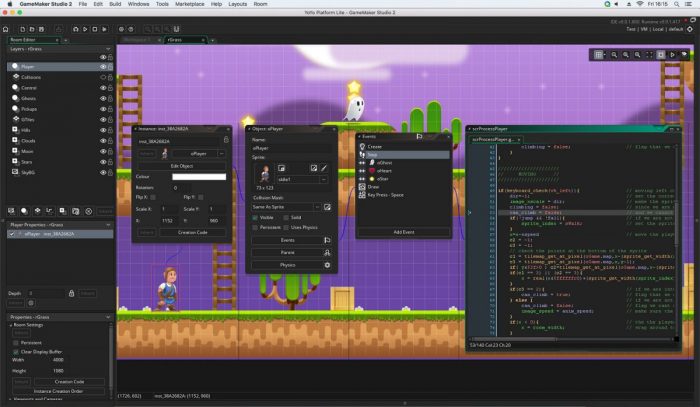
With the MacOS launch comes a new update to the software, users will now be able to access new resources and use an integrated debugger to fix buggy code. Here’s everything to expect in the update:
A “last used” list: Expedite your workflow by accessing recently used assets through the new Resent Assets section of the resources tab;
- Code folding: Maximize your editing efficiency by selectively hiding or expanding sections of code, managing large sections of text while only viewing the few lines of relevant code;
- Resource tree update: Tailor the newly redesigned resource tree to your programming needs with customizable layouts, colours, and icons to highlight sections that are important to your workflow;
- Integrated debugger: Debug your programs on Mac via a simple debugging layout with new panels for debug events, keeping the focus on cleaning up your code;
- Multi touch support: Code on the go with Mac laptops, using the standard touchpad pan and zoom features to navigate naturally through workspaces.
Grab GameMaker Studio 2 for Mac, here.


