

Take your first step into Infinite Warfare’s Zombies mode with our quick tutorial, explaining how to turn on the power. ‘Zombies in Spaceland’ is a huge map, and it looks to function a little bit like ‘Revelations‘ for Black Ops 3 — there is no one single power switch.
Instead, there are multiple switches; one in each section of the Spaceland Park map. So, what do these generators do? Turning on the power in a section of the park activates those useful perk vending machines. There are other benefits, and we’ll cover those as we discover more about this massive map.
Here’s How to Turn on the Power
There are multiple Power Generators found in the Spaceland Park, and activating them will allow you to purchase door-unlocks, perks, and traps.
- Note: Reactivating power in the different sections of the park will also turn on portals, allowing you to quickly return to the center of the map.
One generator is located in each section of the park, and below we’ll break down where to find each generator so you can restore power to the entire park.
Power Switch Locations:
Power Switches are large metallic wall-mounted switches. Activate them by holding [X / Square] or the [Use] key.

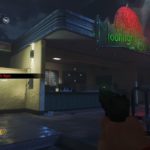
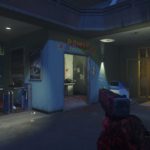
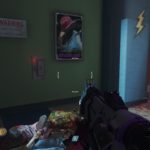
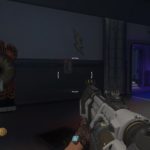
- Spawn Area: Located inside back-left ticket office from the spawn point. This is the office opposite the Quick-Revive perk machine.
- Galaxy Journey: Go through the left door of the ‘Star Mission’ attraction with the giant rocket ship facade at the back of the Galaxy Journey area. The switch is on the left wall, before entering the bumper car area.
- Astrocade: From the Galaxy Journey entrance, find the deactivated portal gateway on the right wall. Continue forward and turn right just past the gateway to find a tiny alcove near a Zombie spawn window. The switch for this mini-area is found here.
- Polar Peak Roller Coaster: In the Triton-themed section of the park, enter the roller coaster lobby and take the stairs up. The curved ramp staircase leads to another buy-wall ($1250) — unlock the path and look to the left wall right past the perk machine to find your switch.
- Kepler System: From the entrance, unlock the left path and go up the stairs to the Moonlight Cafe. The last power switch is connected to the left exterior wall of the cafe, right next to the steps.
And that’s how you return power to Zombies in Spaceland. There’ so much more to uncover in Infinite Warfare Zombies, so stick with Gameranx as we publish even more tutorials in the not-so-far future.
Check out even more Infinite Warfare & Zombies in Spaceland guides on Gameranx:
- Infinite Warfare: Zombies in Spaceland – The Complete Easter Egg Guide
- Infinite Warfare: Zombies in Spaceland – Souvenir Prize List | Coin Combos
- Infinite Warfare: Zombies in Spaceland – How to Unlock the Pack-a-Punch
- Infinite Warfare: Zombies in Spaceland – How to Summon David Hasselhoff
- Infinite Warfare: Zombies in Spaceland – Elemental Effects Upgrade Guide
- Infinite Warfare: Zombies in Spaceland – How to Repair N31L | All 3 Parts
- Infinite Warfare: Zombies in Spaceland – All Wonder Weapons Guide
- Infinite Warfare: Zombies in Spaceland – Survive on Solo With This Trick
- Infinite Warfare: Zombies in Spaceland – How to Unlock Playable Hasselhoff
- Infinite Warfare: Zombies in Spaceland – How to Get Double Pack-A-Punch
- Infinite Warfare: Zombies in Spaceland – How to Get the X-quisite Core
- CoD: Infinite Warfare – All Weapon Scan Locations | ‘Gun Nut’ Guide
- CoD: Infinite Warfare – How to Unlock the Permadeath YOLO Difficulty
- CoD: Infinite Warfare – 100% Achievement / Trophies Guide
- CoD: Infinite Warfare – All Equipment Locations | ‘Fully Equipped’ Guide
- CoD: Infinite Warfare – PC Fixes Guide | Black Screen, Low FPS, Crashes
- CoD: Infinite Warfare – Most-Wanted Target Locations | ‘Royal Flush’ Guide
Source: [1]