
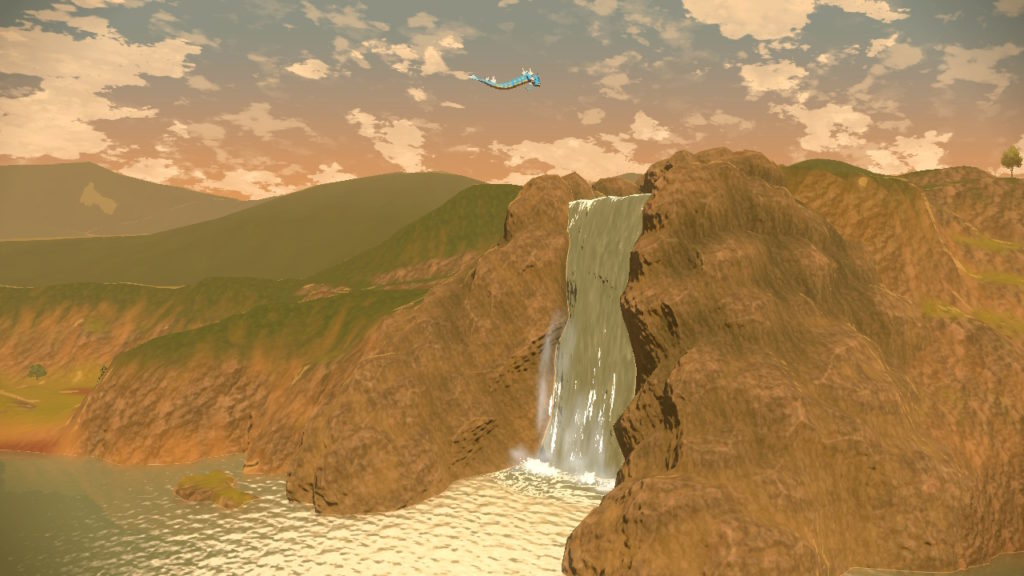
Pokemon Legends: Arceus is the most immersive game in the series — and players can make it even more immersive. No longer trapped to a grid or forced to fight Pokemon in random battles, Pokemon Legends: Arceus sends you into an ancient time when Pokemon were wild and dangerous. Pokemon are so dangerous, they just might attack your trainer if you’re not careful. Catching Pokemon is more involved when you’ve got to hide in the grass so they can’t easily spot you. You have options now! And one of those options is a first-person camera.
Perfect for taking screenshots and sharing them with friends, the first-person view can be tricky to use, and you’re likely to stumble onto it just by playing with the controls on Nintendo Switch. In first-person, you can run around the world map and take a closer look at your Pokepals. That’s when the screenshot button comes in handy — it’s the small square button on the left Joy-Con (or left-side of your Pro Controller). We’ll give a quick overview to help you access your screencaps while you’re here.
More Pokemon Legends: Arceus guides:
How To Catch Legendary Arceus | How To Catch Mythic Darkrai | How To Catch Mythic Manaphy & Phione | How To Catch Legendary Palkia & Dialga | How To Catch Every Legendary & Mythical Pokemon | How To Catch Eevee & Evolve All Forms | How To Catch Pichu, Pikachu & Raichu | How To Catch Flying Pokemon | How To Craft Pokeballs & Potions | How To Get All 3 Starter Pokemon | How To Earn Tons Of Money With Crafting | How To Level Up Fast | Easy XP Candy Guide | How To Hunt Shiny Pokemon | How To Increase Friendship Level Faster | All New Evolution Methods | How To Make Catching Pokemon Easier
How To Play in First-Person & Take Clean Screenshots
To switch to first-person view, all you need to do is hold the [Left Trigger]. You need to be away from other Pokemon — if you’re too close, this button switches to lock-on for throwing Pokeballs or Pokemon. As long as you activate First-Person before getting close to Pokemon, you’ll stay in First-Person Mode. Even if you approach a Pokemon. This allows you to get a closer look at your Pokemon you’ve thrown out, or take screencaps of wild Pokemon while you explore.
While in First-Person, the HUD is removed so you’re completely immersed in the world. Or, at least as much as possible on the Nintendo Switch. If you release [Left Trigger] you’ll exit, so learning to press the [Screenshot Button] while holding trigger can be tricky — it might require a second hand. After pressing the Screenshot Button, you’ll find all pictures in your Gallery on the Switch. You can very easily transfer your screenshots to a computer by simply removing the MicroSD card and plugging it into a computer. From there, just open the file folders and copy / paste your pictures manually.
That’s how I snap screenshots in Pokemon Legends: Arceus. Using the first-person mode makes getting beautiful shots a whole lot easier.
More Pokemon Brilliant Diamond & Shining Pearl guides:
How To Catch All Legendary Pokemon | How To Get Mew, Jirachi & Manaphy | How Get A Useful Catcher Pokemon | Where To Find Evolution Stones | All Field Moves | Early Mystery Gifts | Easier Grand Underground Catching | How To Catch Rotom & Change Forms | All Gift & Fossil Pokemon | Ultimate Moves Locations | Shiny Pokemon Hunting Guide | Easy Cash Farming Method | How To Catch Feebas, The Rarest Pokemon | Ditto Breeding Guide | Best XP Grinding Method | How To Expand Secret Base | How To Catch Mesprit