
Cars stuck in traffic? Customers glitching out at the repair depot? Bodies floating around aimlessly with seemingly no way to clear them out? These are all common occurrences in Gas Station Simulator. The new wonky simulator puts you in charge of a lonely gas station. You’ll have to pay off loans and earn cash by completing challenges like repairing busted engines, painting cars, and obviously fueling up customers. It all sounds relaxing and simple, but it is anything but.
Seeing as the game isn’t quite finished yet, its also pretty buggy. Some of these bugs can grind your daily customer traffic to a screeching halt. Cars can get stuck on the road, blocking everything up, or other weird bugs can occur that make progress totally impossible. Thankfully, the developers thought ahead and included a way to clear out all the customers and cars on the map — but even this method doesn’t always work. If you’re stuck and need help, we’ve got a few methods you really need to try before reinstalling the game.
Learn all about the best management sim games here. Or check out our favorite simulator games here.
More Gas Station Simulator guides:
How To Fix Stuck Traffic | The Big Red Button Method
If traffic is stuck or customers are bugged, there are a few simple methods you should try before going for the nuclear options — the big red button.
- Clearing A Traffic Jam: If a car is stuck on the road, you can use the broom or the excavator to clear the way. Just push the offending cars away!
Otherwise, you can use the big red button. WARNING: This button deletes all current customers and cars. That includes delivery trucks, so you may lose the money you’ve spent on a delivery.
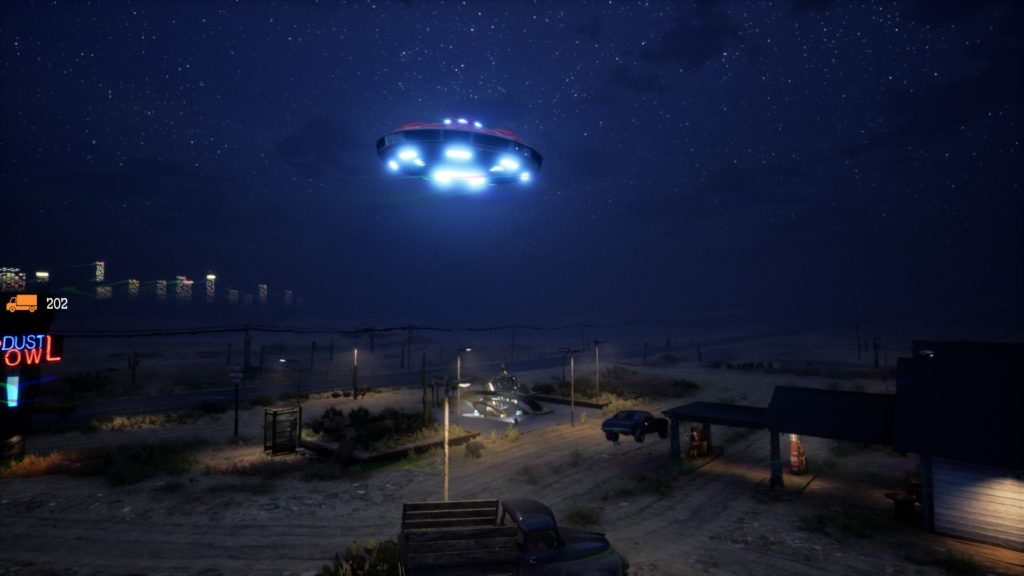
- How To Use The Big Red Button: The big red button is on the “Dust Bowl” neon sign. Here you’ll find a switch to turn off / on the gas station, and the big red button. Pushing this button resets the map, deleting all current cars and customers.
Really, the big red button summons ALIENS that zap everything away. Useful! But also something you’ll want to reserve as only a last resort. Some players report STILL being stuck, even after using the big red button.
How To Fix Stuck Traffic | When The Big Red Button Doesn’t Work
If the big red button doesn’t work for you, there’s another option you can try. This option can also be tried before using the red button, and sometimes clears out bugged customers.
- Alternate Stuck Customer Fix: Go to the “Dust Bowl” neon sign, and use the big lever. Switch the Gas Station from “Open” to “Closed” — it may require doing it multiple times.
Some players say this usually fixes their bugged NPC issues. Bugged NPCs can get stuck at the counter, at the fuel station, or while getting repairs at the garage. Flipping the gas station off / on a few times seems to clear that issue up.
Hotfixes are coming fast and furious! So even if you have a problem that can’t be fixed, here’s hoping a fully updated version of the game will repair your problems. The game is still in early access, so cut the devs a little slack.





