
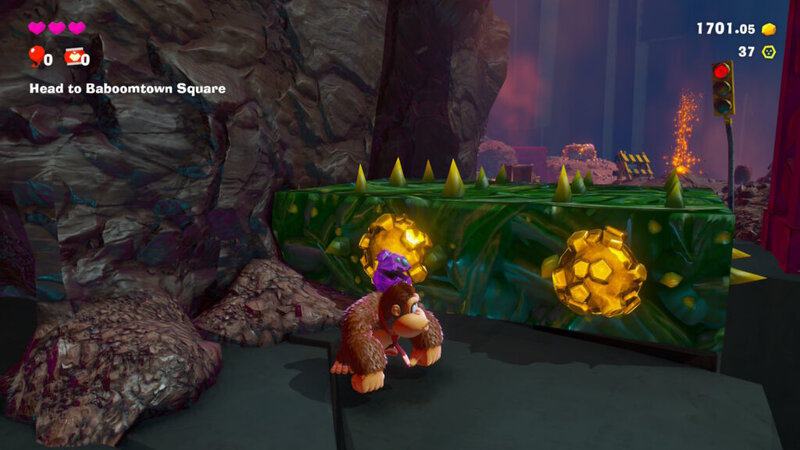
Donkey Kong Bananza gives DK the power to punch and smash basically everything in each expansive stage. Levels are like a sandbox of destruction and if you want to find literally everything, you’ll need to break everything. And some surfaces don’t want to be smashed so easily — the green spiky plant surfaces for example. These tufts of bramble will damage DK if you touch them with your fists or your feet, so you’ll need to get more creative. Instead of punching spiky plants, you’ll want to smash them.
The controls in DK Bananza are a little tricky to learn, but you’ll quickly discover that you can attack up, down or forward. And the same goes when lifting rocks above DK’s head.
How To Break Spiky Plants
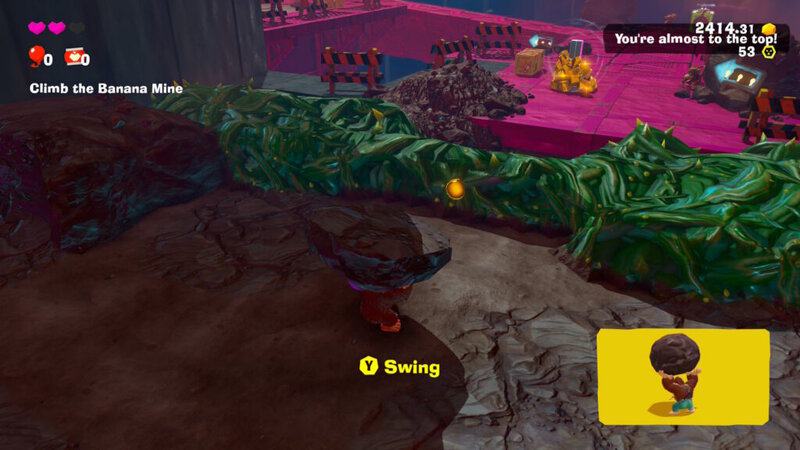
DK can’t touch the spiky green plant blocks with his bare monkey fists. If you try to smash through with punches or ground slams, you’ll lose a heart of damage. Same goes for enemies with pink spines on the outside. Any normal attacks will instead damage DK.
- Breaking Spiny Green Plants: To smash through green plant matter with visible spikes sticking out, you’ll need a weapon. DK can pull rocks out of the ground while standing on any smashable surface.
- Press and hold [ZR] to rip a big chunk of rock out of the ground. This only works if you’re standing on breakable surfaces. If you’re standing on something unbreakable, you won’t be able to grab any rocks. The more rock surface beneath DK, the bigger the rocky weapon he’ll grab.
While carrying rocks, press [Y] to perform a wide swing. Make sure you don’t touch the green spiky plant stuff — DK will still take damage if you touch it, you’ll need to smash it with the rock you’re carrying before you can get through spikes safely. There’s more you can do while carrying a chunk of rock too.
- Controls While Carrying Rocks:
- Press [Y] to swing the rock you’re holding.
- Press [X] to attack upward.
- Press [B] to smash downward.
- Press [R] to drop the rock. It will not break and becomes a physics object, so it can roll away if you don’t place it on a flat surface!
- Press [ZR] to throw the rock!
- Hold [ZR] to aim and also get descriptions of the different types of rock surfaces.
There’s a tutorial for this during the prologue while you’re exploring Sublayer 10. It’s easy to forget when so much new information is thrown at you, but the easiest way to remember rock-carrying controls is to know that they match the normal punch button inputs on your Switch 2 controller. The top button attacks up, the bottom button attacks down, etc. The hardest part is remembering how to throw, which is the same button as grabbing the boulder in the first place.






