
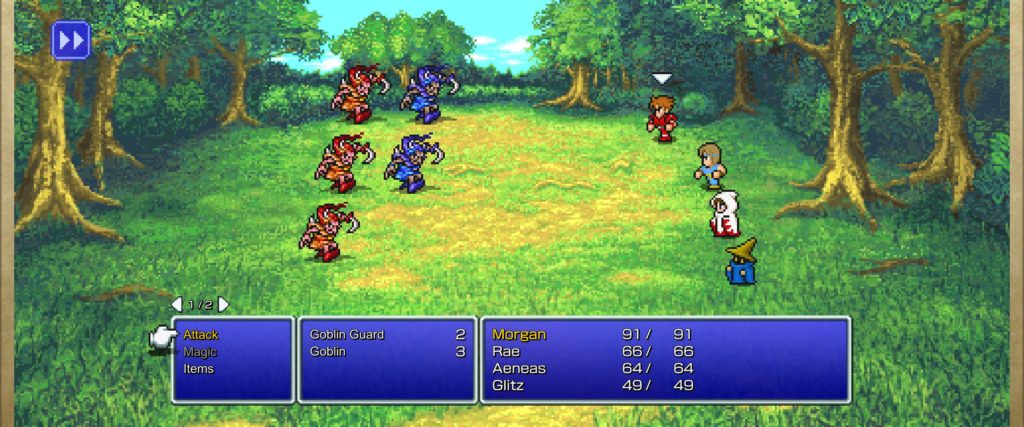
The Final Fantasy Pixel Remasters have launched on Steam, and they bring some welcome changes to the first games in the Final Fantasy series — like making them way less buggy, and balancing all the weird design choices that just made absolutely no sense. Final Fantasy 1 was so old, there weren’t even Elixirs! And that’s on top of the new enhanced pixel art and music. Most of these changes were made in older re-releases on the GBA, but they’re still welcome to have on PC.
There’s just one problem almost everyone agrees on, and its totally new and unique to the Pixel Remasters. The font is all squished and ugly. It clashes with the art and looks all wrong. Well, there’s an easy fix for that players discovered last week. All you have to do is swap out the English Font for the Japanese Font. Yes, it sounds insane, but the Japanese Font has a full set of English letters and Roman characters — its still in English, it just looks a whole lot better.
How To Get Improved Fonts In FF1, FF2 & FF3
NOTE: This method for swapping in better, more readable fonts works on ALL THREE versions of the pixel remaster. The file names and locations work exactly the same for FF1, FF2, and FF3 — the only difference is what game files you’ll access.
The English Font in the Japanese Language Font of the game is — for some reason — a much better font than the squished, strange fonts we’re stuck with in the standard version of the game for English speakers. To improve the font, we just need to swap in the Japanese Font files and replace them in the English Version. You’ll still be reading in English, just with a much better (and wider) font.
- Right-Click the game in your Steam Library -> select Manage -> Browse Local Files
- This will take you to: Steam\Steamapps\common\FINAL FANTASY PR
- Open the Final Fantasy_Data -> go to StreamingAssets folder -> remove font_en.bundle and font_en.manifest
NOTE: These are the English Font files. You can delete them or just remove them from the folder for back-up. Whatever your preferred language, remove the files.
- In the same folder, copy / paste font_ja.bundle and font.ja.manifest -> rename the copied files font_en.bundle and font_en.manifest
This will replace the English Font with the English letters in the Japanese Font. You can choose to rename the Japanese Font anything you like — any language that uses English / Roman Letters will display properly in-game.





