
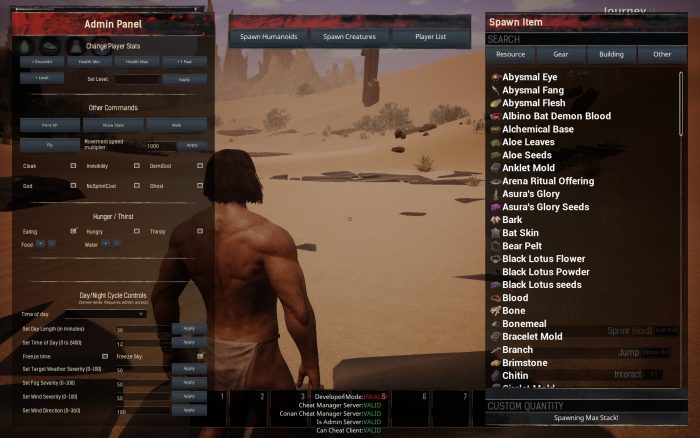
Cheats come built into Conan: Exiles, and you can use them to make literally everything easy to accomplish — including earning every single achievement / trophy in the game. All you have to do is unlock a pretty well-hidden Admin Panel in the game options. Most players probably have no idea they’re allowed to have this much control, and it’s kind of an awesome thing to play around with. Yes, you can even use it solo.
The Admin Panel is incredibly powerful — you can use it to change the weather, time of day, what stats on your character can change (you can have infinite health, hunger, etc), or spawn any item you want, instantly. Only one player can have the Admin Panel available in a single co-op game, but you can change the settings globally. You can even spawn humanoids, monsters, make yourself invisible, or transform into a demigod at will.
More Conan: Exiles guides on Gameranx:
- Conan: Exiles – Early Survival Tips | Beginner’s Guide [VIDEO]
- Conan: Exiles – How To Remove The Bracelet & Beat The Game | Ending Guide
How To Use The Admin Panel | Cheat Codes Guide
To unlock the Admin Panel, follow these extremely simple steps.
- How To Unlock The Admin Panel:
- Start a new Coop game. You can do this alone and play solo.
- Open the In-Game Menu after starting a new game and select Settings.
- In Settings, select the Server Settings tab.
- Under the “Admin Password” window, find the “Make Admin” button.
- Press the “Make Admin” button to access the Admin Panel.
Now that we’ve unlocked the admin panel, it’s time to actually use it. Here’s how to bring it up.
- How To Use The Admin Panel:
- After becoming an Admin, open the In-Game Menu.
- A new button will appear — Admin Panel. Select it.
There are tons (and tons) things you can do with the Admin Panel. They’re all incredibly simple to use. Just toggle cheats on to test them, select buttons to open optional menus, or use the tabs on the right to select any item you want to place in the game world. Use the menu to experiment, create a city, or just cheat your way to the end. Here’s a very quick list.




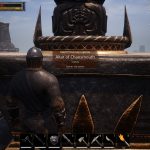
Admin Panel Cheats
- Change Player Stats (Encumber, Health Min, Health Max, +1 Feat, +Level)
- Set Level
- Print XP
- Show Stats
- Walk
- Fly
- Cloak
- God
- Invisibility
- NoSprintCost
- DemiGod
- Ghost
- Toggle Eating
- Toggle Hungry
- Toggle Thirsty
- Change Food Meter
- Change Water Meter
- Change Time of Day
- Set Day Length
- Set Time of Day
- Set Fog Severity
- Set Target Weather Severity
- Freeze Time
- Freeze Sky
- Set Wind Severity
- Set Wind Trajectory
- Spawn Item (Resource, Gear, Building, Other)
- Spawn Humanoid
- Spawn Creatures
- Player List






