
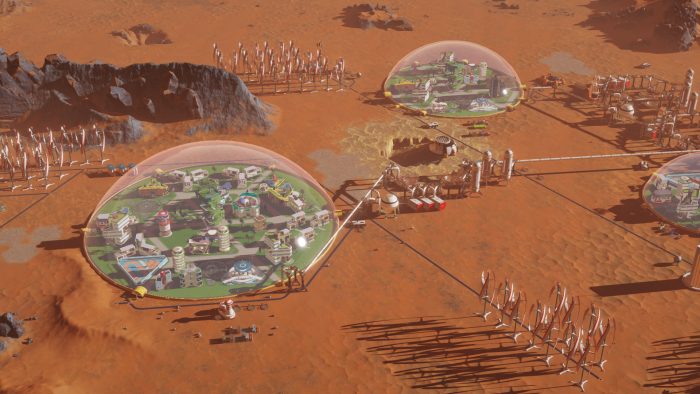
Turn the red planet into a thriving colony with these starting tips for Surviving Mars — a new resource management city builder that’s surprisingly tough. Lots of things can go wrong while establishing your very first colony, and it might take a few tries before you’re able to construct a survivable city. Lots of things can go wrong, and we’re going to try to make the experience a little easier.
Not everything is explained in Surviving Mars. Some of the details you’ll have to figure out for yourself. For example, you can accidentally start the game without any probes in your rocket’s payload. That’s essentially a failure, right off the bat. There’s no way to recover. Your rocket also has explosive exhaust, destroying anything nearby when it takes off later for resupply missions. Yes, it’s totally possible to destroy your own stuff and get your entire colony of people killed. It’s actually kind of likely. Don’t make those mistakes! Here are 10 simple, straightforward tips to keep in mind while building your very first colony.
Surviving Mars Beginner’s Guide



- #1: Make sure your embarking rocket payload comes with drones. If you choose a random payload, there’s a small chance you’ll launch with no drones.
- Make life easier and simply select the recommended payload until you’re comfortable with the game. Give it a few tries, then you can start hitting the random button.
- #2: Before picking a location to land, scan the environment for resources. Use the probes from your starting payload to locate a water source, and minerals — the more resources the better.
- #3: Beware your rocket’s exhaust! Don’t place any solar panels or buildings too close to your rocket. When it launches, the exhaust will blast anything nearby, totally destroying it.
- #4: When you land, make sure to place a storage area near (but not too near) the rocket. Your drones will begin to unload.
- If you don’t build a storage area, all that stuff will just stay in the rocket.
- Try building Universal Depots. They’ll help you save on storage space.
- #5: You need a power source! After landing, construct large solar panels to get started on providing energy to your colony.
- Construct a simple loop with your power cables. Losing power is disastrous, so spend time connected everything up.
- #6: To begin collecting water, construct Water Extractors over the water sources on the map, then connect the Water Extractors to Water Tanks. One Water Extractor to one Water Tank will work early on.
- #7: If you’re low on supplies, hit the “Resupply” button — it’ll cost you, but supplies and building fabs will be shipped in. It’s an easy button to ignore early on.
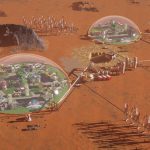
- #8: Bolster your food supplies with Trade Routes and Trade Drones. Build a dome and start growing food — then place a Food Storage Depot outside the dome.
- #9: Use Trade Routes to supply all your other domes with food. Create your second dome outside a metal resource area. To keep it supplied, or to supply other domes, build a Food Depot outside the dome.
- Then create a Trade Route with the big Trade Drones to constantly deliver food.
- #10: Want some more stuff? Build a dome over an Underground Depot. These depots can only be extracted from within a dome.