
• Skip to main content
  • Skip to header right navigation
  • Skip to site footer
Gameranx

Gameranx

Video Game News, Lists & Guides

  • News
  • Features
  • Platforms
    • Xbox Series X
    • PS5
    • Nintendo
  • Videos
  • Upcoming Games
  • Guides

Nintendo Switch Finally Gets Bluetooth Audio Pairing After Four Years

September 15, 2021 by Rachel Kaser

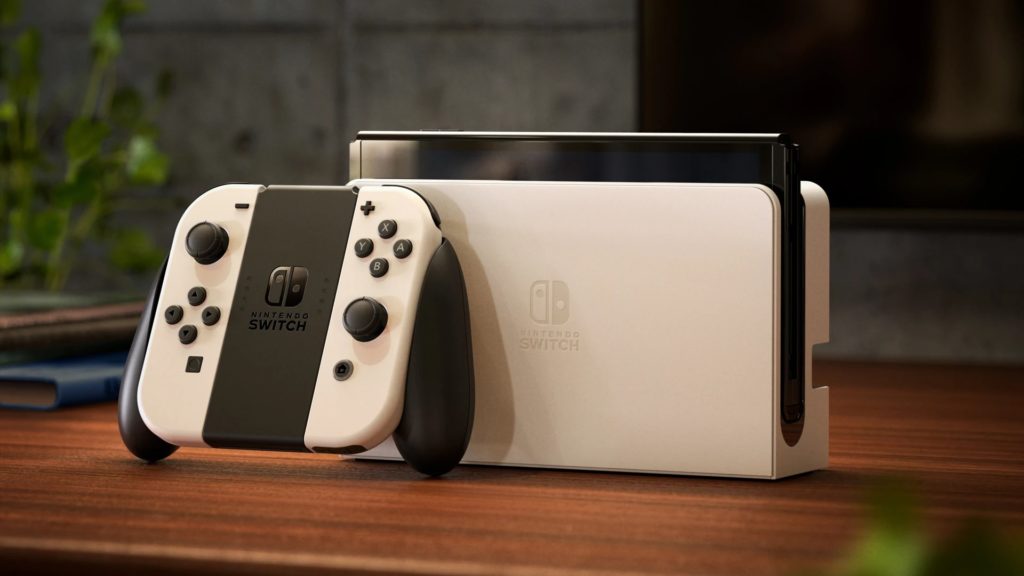
Nintendo added support for Bluetooth audio devices to the Switch, meaning you can finally pair your headphones and speakers with the console.

Credit: Nintendo

Nintendo has rolled out a new software update for Switch owners that allows users to pair Bluetooth audio devices with their consoles. That’s right, the console is finally getting a feature that’s been missing since it launched in 2017. There don’t appear to be any limits on what kind of audio devices can be attached — speakers, headphones, and such will all work with the Switch if you pair them up. This feature will work with the Switch, Switch Lite, and upcoming Switch OLED.

Nintendo announced the feature on Twitter today, to the surprise of its fans. The upgrade actually rolled out on September 14. According to the update notes, software version 13.0 adds the ability to bear Bluetooth audio devices: “Headphones, earbuds, speakers, and other audio devices that connect with Bluetooth can now be paired with Nintendo Switch family systems for audio output.”

The support page notes that only one Bluetooth audio device can be in use at any time, though “up to 10 devices can be saved on a Nintendo Switch system.” It also adds that Bluetooth microphones can’t be paired with the Switch, though that’s not a surprise given that the console doesn’t support voice chat and you have to do that through an app anyway. Another restriction in the notes is “Up to two compatible wireless controllers can be connected to the system while using Bluetooth audio.”

A few other upgrades rolled out with this update, including the ability to leave your Switch connected to the internet while it’s asleep when you have a wired internet connection: “When this setting is enabled, systems with wired internet connections will maintain internet connection even while in sleep mode. This allows for software and add-on content to download to the system while the system is in sleep mode.” This setting is enabled by default.

Source

Share this post:

FacebookTwitterLinkedInPinterest

Recent Videos

10 Weird Gaming Stories of October 2026

10 Weird Gaming Stories of October 2026

GTA6 SIZE REVEALED, ELDER SCROLLS 6 LEAKED? & MORE

GTA6 SIZE REVEALED, ELDER SCROLLS 6 LEAKED? & MORE

Phantom Blade Zero: 10 Things The Game DOESN'T TELL YOU

Phantom Blade Zero: 10 Things The Game DOESN'T TELL YOU

10 Grindy Games So Addictive You'll LOSE Track of Time

10 Grindy Games So Addictive You'll LOSE Track of Time

iPhone Duo - Before You Buy

iPhone Duo - Before You Buy

20 NEW Games That Look Too Good To Be True

20 NEW Games That Look Too Good To Be True

Phantom Blade Zero - Before You Buy

Phantom Blade Zero - Before You Buy

20 Sequels That Are NEVER GETTING MADE & Why

20 Sequels That Are NEVER GETTING MADE & Why

20 Upcoming Games WE'RE WORRIED ABOUT

20 Upcoming Games WE'RE WORRIED ABOUT

Category: UpdatesTag: Nintendo Switch

Sidebar

Recent Posts

  • Anthropic Cracks Down On Claude Vibe Coding Ports And Decompilations Of “Existing Games”
  • South Park Shares Preview Of A Dogged Throwdown In GTA 6
  • Roblox Moves Quickly To Delete “Ports” Of Undertale, Halo, And Left 4 Dead On Their Platform
  • Rumor: GTA 6’s Rumor Embargo Ends On November 18 – And Review Copies Are Going Out Now
  • Rumor: XBOX COO Helen Chiang Leaves After Three Months – Did She Commit ‘Policy Violations’?

Copyright © 2026 · Gameranx · All Rights Reserved · Powered by Mai Theme
