
• Skip to main content
  • Skip to header right navigation
  • Skip to site footer
Gameranx

Gameranx

Video Game News, Lists & Guides

  • News
  • Features
  • Platforms
    • Xbox Series X
    • PS5
    • Nintendo
  • Videos
  • Upcoming Games
  • Guides

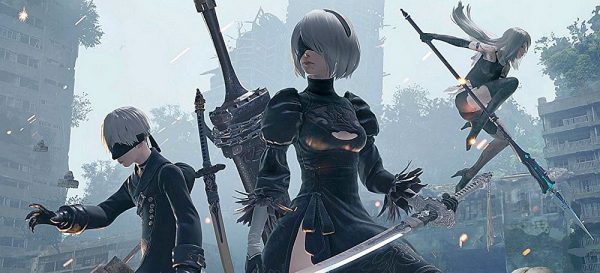
Far Mod For PC NieR: Automata Improves God Rays and Bloom effects

March 28, 2017 by Jordan Coetsee

PC Player? Enhance your NieR: Automata with this mod.

automata

The newest update for the performance enhancing Mod has been released. This new version features the God Rays and Bloom effects improvements that Durante has discovered, meaning that PC gamers can now enable higher quality effects in order to further improve the game’s visuals.

In addition, the modder has revealed how PC gamers can run Reshade alongside his mod. All you have to do is follow this guide:

  • Uninstall both ReShade and FAR.
  • Install ReShade.
  • Navigate to the game folder and rename dxgi.dll and dxgi.ini to ReShade64.dll and ReShade64.ini
  • Install FAR.
  • Play the game and enjoy your FarShade.

Those interested can download this new version of the FAR mod from here.

Do you think Platinium games implement these changes in their newest patch? Let us know in the comments.

Share this post:

FacebookTwitterLinkedInPinterest
Category: UpdatesTag: Nier Automata, PC

Sidebar

Recent Posts

  • Rumor: Nintendo Selling Their Switch 2 Controllers With Replaceable Batteries Outside Europe
  • CD Projekt RED Is Officially Making A Cyberpunk 2077 Movie With Paramount/Skydance
  • GTA 6 In-Game Radio Stations And Music Options Revealed
  • Best Buy Is Bringing Back The Midnight Launch For The Legend of Zelda: Ocarina Of Time For Switch 2
  • Forza Horizon 6 Confirmed For January 26, 2027 For PS5, Alongside A New Expansion Launch

Copyright © 2026 · Gameranx · All Rights Reserved · Powered by Mai Theme