
Now that Fall Guys: Ultimate Knockout has gone free-to-play on all platforms, more fans than ever before are flocking to it for the relaunch of the game’s first season. Due to the shift to free-to-play, Fall Guys‘ monetization plan has changed to be more in line with other FTP games by introducing a battle pass and ditching the costume packs that were prevalent when the game first launched in August of 2020.
Because of the revamped popularity that the game is currently seeing, third-party companies are dipping in to offer some free rewards to get players engaged with the game’s community. Currently, Amazon Prime Gaming is offering some free goodies so fans who are looking to extend their in-game wardrobe should redeem them before their gone.
More Fall Guys Season 1 guides:
| How to Win Hex-A-Gone | How to Easily Win Crash Gate |
How to Get Fall Guys Prime Rewards
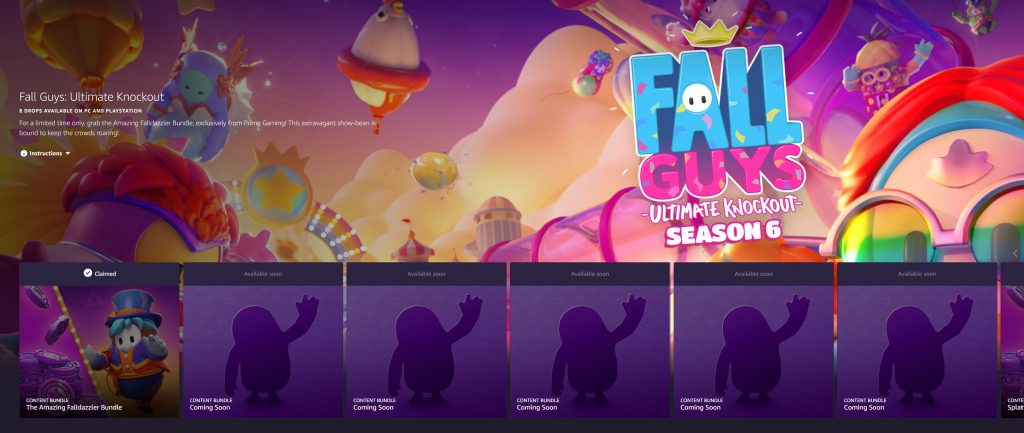
Prime Gaming offers plenty of free rewards for gaming fans that have Prime accounts. Players are able to cash in on rewards in games like Apex Legends, Call of Duty: Warzone, Destiny 2, and now Fall Guys. In order to claim your freebies, simply follow the steps below.
- Head over to Prime Gaming by clicking right here. The link will take you directly to the Prime Gaming Fall Guys deal, but you can also find it by going to the Prime Gaming website, scrolling down to the “in-game content, free with Prime” section and finding Fall Guys among the list of other supported games.
- Sign in to Prime Gaming by clicking “Sign in” in the top right corner of the page. Enter your Amazon Prime account information and you’ll be brought back to the Fall Guys page.
- Click “Claim Now” on the left side of the screen on the box with the Fall Guys bean on it.
- Click “Link Mediatonic Account” at the bottom of the pop-up window. This should take you to Mediatonic’s website which will have you sign in.
- Return to the Prime Gaming Fall Guys page and click “Claim Now” once more.
- Click “Complete Claim.”
With these steps completed, you will have earned your free Fall Guys rewards, but to actually get them in-game you may need to follow the additional steps below as stated by MediaTonic:
- Open up Fall Guys: Ultimate Knockout on your platform of choice.
- Navigate to the Settings menu and select ‘Profile’.
- Select the ‘Link Amazon Account’ option. You will be given a unique code to link your Prime account with Fall Guys.
- Follow the instructions to access the Amazon website and enter the code.
- Once the code has been accepted, your accounts are linked!



